- Subscribe to RSS Feed
- Mark Topic as New
- Mark Topic as Read
- Float this Topic for Current User
- Bookmark
- Subscribe
- Printer Friendly Page
-
13 Replies
-
2026-07-01 12:21 PM
-
2426 Views
-
0 Likes
-
2 In Conversation
-



- Mark as New
- Bookmark
- Subscribe
- Mute
- Subscribe to RSS Feed
- Permalink
- Report Inappropriate Content
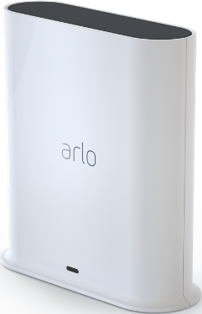
Non of my connected Ultra camera’s are working anymore or not producing anything. I tried to restart my smarthub (VMB5000r6), but it looks like it doesn’t restart at all since nothing changes. I checked for the latest firmware which is the case. I also uninstall and reinstalled the iOS app, no result. I am remote so not at home, so what else’s can I do or can Arlo remotely reset it via a token after I provide then with my serial nr.
hoping to receive a reply
- Related Labels:
-
Troubleshooting


- Mark as New
- Bookmark
- Subscribe
- Mute
- Subscribe to RSS Feed
- Permalink
- Report Inappropriate Content
HI @AngeliquevC
Are you having an issue with Your devices being displayed in HomeKit because I see you have your base station and cameras currently online.
- Mark as New
- Bookmark
- Subscribe
- Mute
- Subscribe to RSS Feed
- Permalink
- Report Inappropriate Content
I don’t see any camera activity in HomeKit (message for each camera shown is “no response”) while via the Arlo app it seems to me that I have a stuck image of many days ago. When I clicked on a camera, nothing happens and no live view appears.
- Mark as New
- Bookmark
- Subscribe
- Mute
- Subscribe to RSS Feed
- Permalink
- Report Inappropriate Content
- Mark as New
- Bookmark
- Subscribe
- Mute
- Subscribe to RSS Feed
- Permalink
- Report Inappropriate Content
Since I am not at home, I can remove the hub from the app but I can’t install it unless I am near the HomePod hub.
but are you sure that there is not a problem with the Arlo hub?
- Mark as New
- Bookmark
- Subscribe
- Mute
- Subscribe to RSS Feed
- Permalink
- Report Inappropriate Content
I see your base station reporting online, If the issue is strictly within the HomeKit app e.g you can't see the cameras or they're appearing offline, you can try removing your base station within the Home app and re-add it in the Arlo app. If you're able to live stream through the Arlo app, your devices etc, there should be an issue with the base itself.
Here's an article with more information on adding it to HomeKit: https://kb.arlo.com/000063184/How-do-I-connect-my-Arlo-device-to-Apple-Home-Arlo-Secure-4-0
If I'm not understanding the symptom correctly, please try to clarify exactly what is occurring so I can better assist.
- Mark as New
- Bookmark
- Subscribe
- Mute
- Subscribe to RSS Feed
- Permalink
- Report Inappropriate Content
Ok, let’s forget the Apple HomeKit for now and let me concentrate only on the Arlo app, Arlo camera’s and Arlo hub.
When I open the Arlo app, go to devices, I see all my camera’s and the hub. Most of the camera’s show an image of 22d back. When I click in the middle of the image, it shows Connecting, but within a couple a seconds it stops and nothing has changed. So the image still shows 22d old.
When this happened in the past, I remotely restarted the Arlo hub. When, in the past I did this, I was asked to confirm, and when this was successfully, the message “restart” disappears. Now, this does not happen and nothing happens in my humble opinion with the camera’s.
Does this makes sense?
To be it looks like that the Arlo hub is in a kind of loop. I did remove/deleted the Arlo app already


and reinstalled it, but without success.
- Mark as New
- Bookmark
- Subscribe
- Mute
- Subscribe to RSS Feed
- Permalink
- Report Inappropriate Content
Here some screenshots when I click under the Arlo app “devices”, and select or refresh the image. I wrote this before but here how it does look like or actually, there’s after the refresh no change of the camera image. It stays the old xdays back.


- Mark as New
- Bookmark
- Subscribe
- Mute
- Subscribe to RSS Feed
- Permalink
- Report Inappropriate Content
For trouble shooting purposes, are you back at the devices location to perform a manual reboot?
- Mark as New
- Bookmark
- Subscribe
- Mute
- Subscribe to RSS Feed
- Permalink
- Report Inappropriate Content
Hi,
no, I am still abroad. I understand that to perform other steps, I need to be near the Arlo hardware?
- Mark as New
- Bookmark
- Subscribe
- Mute
- Subscribe to RSS Feed
- Permalink
- Report Inappropriate Content
For this yes, that is Correct.
- Mark as New
- Bookmark
- Subscribe
- Mute
- Subscribe to RSS Feed
- Permalink
- Report Inappropriate Content
Ok. Then we need to wait. Can we leave this issue open or will it be closed and when I am back home, I fill a new complaint?
- Mark as New
- Bookmark
- Subscribe
- Mute
- Subscribe to RSS Feed
- Permalink
- Report Inappropriate Content
This thread will remain open. I'll be here to further assist once you return.
- Mark as New
- Bookmark
- Subscribe
- Mute
- Subscribe to RSS Feed
- Permalink
- Report Inappropriate Content
Roger that.
I’ll report when we are back home. Thanks right now for the service so far
-
Amazon Alexa
117 -
Apple HomeKit
779 -
Apple TV App
7 -
AppleTV
33 -
Arlo Mobile App
62 -
Arlo Pro
2 -
Arlo Pro 2
1 -
Arlo Q (Plus)
1 -
Arlo Secure
10 -
Arlo Smart
40 -
Arlo Wire-Free
1 -
Before You Buy
30 -
Features
89 -
Firmware Release Notes
8 -
Google Assistant
104 -
IFTTT
101 -
IFTTT (If This Then That)
117 -
Installation
91 -
Modes and Rules
13 -
Motion Detection
1 -
Online and Mobile Apps
70 -
Samsung SmartThings
89 -
Security System
1 -
Service and Storage
5 -
SmartThings
73 -
Troubleshooting
401 -
Verisure
1 -
Videos
1
- « Previous
- Next »
-
13 Replies
-
2026-07-01 12:21 PM
-
2427 Views
-
0 Likes
-
2 In Conversation
-