This topic has been marked solved and closed to new posts due to inactivity. We hope you'll join the conversation by posting to an open topic or starting a new one.
- Subscribe to RSS Feed
- Mark Topic as New
- Mark Topic as Read
- Float this Topic for Current User
- Bookmark
- Subscribe
- Printer Friendly Page
- « Previous
-
- 1
- 2
- Next »
-
44 Replies
-
2024-05-04 10:36 AM
-
15956 Views
-
2 Likes
-
15 In Conversation
-





- Mark as New
- Bookmark
- Subscribe
- Mute
- Subscribe to RSS Feed
- Permalink
- Report Inappropriate Content
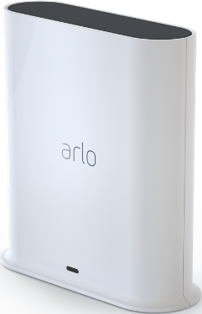
From reading other posts I believe I need token reset on one of my base stations in order to successfully connect to Apple HomeKit. I have 3 base stations and one just will not join after numerous tries.
Solved! Go to Solution.
- Related Labels:
-
Installation
- Mark as New
- Bookmark
- Subscribe
- Mute
- Subscribe to RSS Feed
- Permalink
- Report Inappropriate Content
No error message only sits at the finding devices screen. I will uninstall the app.
- Mark as New
- Bookmark
- Subscribe
- Mute
- Subscribe to RSS Feed
- Permalink
- Report Inappropriate Content
So I removed and reinstalled the Arlo secure app. I also rebooted my iPhone. Doesn’t work.


- Mark as New
- Bookmark
- Subscribe
- Mute
- Subscribe to RSS Feed
- Permalink
- Report Inappropriate Content
- Mark as New
- Bookmark
- Subscribe
- Mute
- Subscribe to RSS Feed
- Permalink
- Report Inappropriate Content
Please reset my HomeKit token
serial number: 4R058373AB663
- Mark as New
- Bookmark
- Subscribe
- Mute
- Subscribe to RSS Feed
- Permalink
- Report Inappropriate Content
I have reset your HomeKit token, Please reboot your Base Station or Smart Hub and try again.
Thank you
- Mark as New
- Bookmark
- Subscribe
- Mute
- Subscribe to RSS Feed
- Permalink
- Report Inappropriate Content
Thanks my Arlo works in HomeKit now

- Mark as New
- Bookmark
- Subscribe
- Mute
- Subscribe to RSS Feed
- Permalink
- Report Inappropriate Content
Can you send a reset token to my base station so I can use HomeKit
- Mark as New
- Bookmark
- Subscribe
- Mute
- Subscribe to RSS Feed
- Permalink
- Report Inappropriate Content
@ShayneS Can you help reset my HomeKit token?

- Mark as New
- Bookmark
- Subscribe
- Mute
- Subscribe to RSS Feed
- Permalink
- Report Inappropriate Content
I've sent a token reset request to your base station that should resolve the issue. Please reboot your base station (remove and reapply power) allow the base station to come back online and try setting up HomeKit again using these instructions
How do I connect my Arlo device to Apple HomeKit?
@affaho your basestation is offline so I was unable to reset the token. Once it is online, please let me know.
- Mark as New
- Bookmark
- Subscribe
- Mute
- Subscribe to RSS Feed
- Permalink
- Report Inappropriate Content
@BrookeN could you try again?
- Mark as New
- Bookmark
- Subscribe
- Mute
- Subscribe to RSS Feed
- Permalink
- Report Inappropriate Content
@affaho I reset the homekit again
- Mark as New
- Bookmark
- Subscribe
- Mute
- Subscribe to RSS Feed
- Permalink
- Report Inappropriate Content
Could I please have my token reset. Thank you!
- Mark as New
- Bookmark
- Subscribe
- Mute
- Subscribe to RSS Feed
- Permalink
- Report Inappropriate Content
I've sent a token reset request to your base station that should resolve the issue. Please reboot your base station (remove and reapply power) allow the base station to come back online and try setting up HomeKit again using these instructions:
How do I connect my Arlo device to Apple HomeKit?
- Mark as New
- Bookmark
- Subscribe
- Mute
- Subscribe to RSS Feed
- Permalink
- Report Inappropriate Content
@BrookeN , I unplugged all cables and restarted the hub, but I still unable to add it to Apple Home
- Mark as New
- Bookmark
- Subscribe
- Mute
- Subscribe to RSS Feed
- Permalink
- Report Inappropriate Content
Please try to log out and log back into the app and then follow the instructions for set up without a code. Also make sure you have homekit enabled.
- Mark as New
- Bookmark
- Subscribe
- Mute
- Subscribe to RSS Feed
- Permalink
- Report Inappropriate Content
Hi - thanks for the helpful series of posts and responses which I found searching for a resolution to my issue. I added a second SmartHub today (VMB5000r6 - same as the first) to improve the connectivity of a more distant camera. It's all working brilliantly in the Arlo app, but I managed to lose the HomeKit connection of my original base station while trying to add the second. Both devices now sit forever "discovering your device" at the HomeKit link, and that's after removing the original from HomeKit, power cycling both, power cycling my HomeKit hub, phone, and trying to add the accessories using the QR codes, etc.
Would it be possible to reset the tokens for my two SmartHubs? I'm hoping that will allow both to connect to HomeKit. Many thanks in advance.
- Mark as New
- Bookmark
- Subscribe
- Mute
- Subscribe to RSS Feed
- Permalink
- Report Inappropriate Content
I've sent a token reset request to your base station that should resolve the issue. Please reboot your base station (remove and reapply power) allow the base station to come back online and try setting up HomeKit again using these instructions:
How do I connect my Arlo device to Apple HomeKit?
- Mark as New
- Bookmark
- Subscribe
- Mute
- Subscribe to RSS Feed
- Permalink
- Report Inappropriate Content
Thank you, Brooke,
Was that a token reset request to both base stations, or just one? I don't want to run through the process with one and cause a problem for the other that seems to be in the same condition.
Kind regards,
Eric
- Mark as New
- Bookmark
- Subscribe
- Mute
- Subscribe to RSS Feed
- Permalink
- Report Inappropriate Content
That worked thank you
- Mark as New
- Bookmark
- Subscribe
- Mute
- Subscribe to RSS Feed
- Permalink
- Report Inappropriate Content
Thank you, Brooke,
That worked perfectly and both base stations are behaving themselves and everything is now connected.
Much appreciated!
- « Previous
-
- 1
- 2
- Next »
-
Amazon Alexa
117 -
Apple HomeKit
770 -
Apple TV App
7 -
AppleTV
33 -
Arlo Mobile App
61 -
Arlo Pro
2 -
Arlo Pro 2
1 -
Arlo Q (Plus)
1 -
Arlo Secure
10 -
Arlo Smart
39 -
Arlo Wire-Free
1 -
Before You Buy
30 -
Features
88 -
Firmware Release Notes
8 -
Google Assistant
103 -
IFTTT
100 -
IFTTT (If This Then That)
117 -
Installation
90 -
Modes and Rules
13 -
Motion Detection
1 -
Online and Mobile Apps
70 -
Samsung SmartThings
89 -
Security System
1 -
Service and Storage
5 -
SmartThings
73 -
Troubleshooting
400 -
Videos
1
- « Previous
- Next »
-
44 Replies
-
2024-05-04 10:36 AM
-
15957 Views
-
2 Likes
-
15 In Conversation
-