- Subscribe to RSS Feed
- Mark Topic as New
- Mark Topic as Read
- Float this Topic for Current User
- Bookmark
- Subscribe
- Printer Friendly Page
-
127 Replies
-
2025-05-28 11:31 AM
-
10598 Views
-
0 Likes
-
20 In Conversation
-





- Mark as New
- Bookmark
- Subscribe
- Mute
- Subscribe to RSS Feed
- Permalink
- Report Inappropriate Content
Hi everyone
I post here in this forum, because Arlo has no support e-mail address.
Since yesterday, my wife's Samsung Galaxy S22 and my Google Pixel 8a get drained by the Arlo app within hours. The phones showed up to 75% battery use by Arlo yesterday and got hot, even when we didn't use the phones much during the day. Arlo just completely drains the batteries. We never had this issue before since getting the cameras in December 2024.


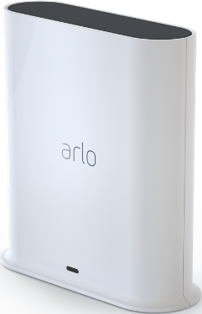
We have four Ultra 2 cameras and a chime connected to the Ultra Smarthub VMB-5000.
Are other people having this issue as well? Is Arlo working on a bug fix?
Thanks!
Solved! Go to Solution.

- Related Labels:
-
Arlo Mobile App
- Mark as New
- Bookmark
- Subscribe
- Mute
- Subscribe to RSS Feed
- Permalink
- Report Inappropriate Content


samsung s25 ultra, geofence on.. positioning always on and running in the background.


- Mark as New
- Bookmark
- Subscribe
- Mute
- Subscribe to RSS Feed
- Permalink
- Report Inappropriate Content
Thank you for providing that information and letting us know you are also seeing the same behavior. I will let the development team know, and will be in touch soon.

- Mark as New
- Bookmark
- Subscribe
- Mute
- Subscribe to RSS Feed
- Permalink
- Report Inappropriate Content
Also experiencing the same on Pixel 10 Pro XL on Android 16
Version 6.4.5_6040502
com.arlo.app
- Mark as New
- Bookmark
- Subscribe
- Mute
- Subscribe to RSS Feed
- Permalink
- Report Inappropriate Content
Thank you for providing that information, I have let the development team know you are seeing this behavior as well.


- Mark as New
- Bookmark
- Subscribe
- Mute
- Subscribe to RSS Feed
- Permalink
- Report Inappropriate Content
@GeneralMeow wrote:Is there a fix for the Arlo App not being accurate with its location for Geo fencing?
I have other apps on my phone like Nest and Abode that work fine when I leave and enter "Home" area.
I have also reinstalled the app, made sure precise location is allowed all the time, etc. It is more often way behind when it thinks i'm "Home".
as for my 17 months of owner experience with ARLO, no. Geofencing has never been working propertly for me. I have even logged my error cases in this separate thread. No update, no response, no fix.
But if you find your geofencing fixed and working nicely, please let me know.
Alex
- Mark as New
- Bookmark
- Subscribe
- Mute
- Subscribe to RSS Feed
- Permalink
- Report Inappropriate Content
@alex_loo your post do get responses. Scheduling with Geofencing is still being investigated. I will update you and the community as soon as there is a resolution.

- Mark as New
- Bookmark
- Subscribe
- Mute
- Subscribe to RSS Feed
- Permalink
- Report Inappropriate Content
@alex_loo wrote:as for my 17 months of owner experience with ARLO, no. Geofencing has never been working propertly for me. I have even logged my error cases in this separate thread. No update, no response, no fix.
But if you find your geofencing fixed and working nicely, please let me know.
Alex
@alex_loo My geofencing still is unreliable. It used to work fine like 3-5 years ago.
I suspect it has something to do with either Arlo App isn't using the location services API on the phone correctly (in an attempt to save battery?) or it doesnt have reliable communication retry back to the mothership to control location of Home or Away.
- Mark as New
- Bookmark
- Subscribe
- Mute
- Subscribe to RSS Feed
- Permalink
- Report Inappropriate Content
@BrookeN wrote:@alex_looyour post do get responses. Scheduling with Geofencing is still being investigated. I will update you and the community as soon as there is a resolution.
1. I did get a few responses but to be honest they were useless. Got a tech team contact asking me to send log, which I did, and then no updates. And of course the same geofencing bugs continues.
2. Not too sure what you mean by "scheduling by geofencing". Scheduling and geofencing are unrelated to each other, though both change modes. Scheduling is scheduling, ie "schedules" under "automation". It is only time triggered, and has nothing to do with geofencing. Geofencing is "Arrive/leave" under "automation". It is NOT time but geofencing triggered, and has nothing to do with (time-triggered) schedules.
What exactly is "still being investigated"? What error cases is the dev team fixing?
Kindly advise.
Alex
- Mark as New
- Bookmark
- Subscribe
- Mute
- Subscribe to RSS Feed
- Permalink
- Report Inappropriate Content
@GeneralMeow wrote:
@alex_loo wrote:as for my 17 months of owner experience with ARLO, no. Geofencing has never been working propertly for me. I have even logged my error cases in this separate thread. No update, no response, no fix.
But if you find your geofencing fixed and working nicely, please let me know.
Alex
@alex_loo My geofencing still is unreliable. It used to work fine like 3-5 years ago.
I suspect it has something to do with either Arlo App isn't using the location services API on the phone correctly (in an attempt to save battery?) or it doesnt have reliable communication retry back to the mothership to control location of Home or Away.
to be honest, I don't know the root cause behind. Arlo dev team is the best one to answer and fix the geofencing issues.
Alex


- Mark as New
- Bookmark
- Subscribe
- Mute
- Subscribe to RSS Feed
- Permalink
- Report Inappropriate Content
@alex_loo wrote:
2. Not too sure what you mean by "scheduling by geofencing". Scheduling and geofencing are unrelated to each other, though both change modes. Scheduling is scheduling, ie "schedules" under "automation". It is only time triggered, and has nothing to do with geofencing. Geofencing is "Arrive/leave" under "automation". It is NOT time but geofencing triggered, and has nothing to do with (time-triggered) schedules.
While the automations are independent with "Feed", from a user perspective geofencing and scheduling are certainly linked. Many people want a schedule when they are home, but not when they are away. And even if the reliability bugs were fixed, the design still doesn't handle resuming the schedule when you arrive home.
- Mark as New
- Bookmark
- Subscribe
- Mute
- Subscribe to RSS Feed
- Permalink
- Report Inappropriate Content
@StephenB wrote:
@alex_loo wrote:2. Not too sure what you mean by "scheduling by geofencing". Scheduling and geofencing are unrelated to each other, though both change modes. Scheduling is scheduling, ie "schedules" under "automation". It is only time triggered, and has nothing to do with geofencing. Geofencing is "Arrive/leave" under "automation". It is NOT time but geofencing triggered, and has nothing to do with (time-triggered) schedules.
While the automations are independent with "Feed", from a user perspective geofencing and scheduling are certainly linked. Many people want a schedule when they are home, but not when they are away. And even if the reliability bugs were fixed, the design still doesn't handle resuming the schedule when you arrive home.
if this is a response from a "user" (who is "not working for ARLO"), I can only say I respect your opinion but I disagree.
if this is an official response on behalf of ARLO, I'd be further disappointed. Since this is side-tracking and avoiding answering my original question (what exactly is being looked into/ fixed by ARLO) by confusing forum "feed" users here between geofencing and scheduling. I have a strong feeling that ARLO is simply not fixing anything, since in the first hand it has no idea what has long been going wrong.
Alex
- Mark as New
- Bookmark
- Subscribe
- Mute
- Subscribe to RSS Feed
- Permalink
- Report Inappropriate Content
This is still being investigated. I will provide an update as soon as possible.
- Mark as New
- Bookmark
- Subscribe
- Mute
- Subscribe to RSS Feed
- Permalink
- Report Inappropriate Content
@alex_loo wrote:
If this is a response from a "user" (who is "not working for ARLO"), I can only say I respect your opinion but I disagree.
As you know, I do not work for Arlo. No idea what you disagree with. I said that
- geofencing has a significant design flaw, since you cannot resume the schedule when you arrive, you instead need to select a fixed mode.
- there are bugs in both Arrive and Leave (neither works reliably).
Both of which you know are true.
I didn't respond to your question on what is still being investigated (since I don't know) - just to your comments on "scheduling by geofencing" (although @BrookeN actually said "scheduling with geofencing"). IMO users do expect the combination to work, and IMO there is a linkage (in other words, the design flaw needs to be addressed).
- Mark as New
- Bookmark
- Subscribe
- Mute
- Subscribe to RSS Feed
- Permalink
- Report Inappropriate Content
@StephenB wrote:Both of which you know are true.
I didn't respond to your question on what is still being investigated (since I don't know) - just to your comments on "scheduling by geofencing" (although @BrookeN actually said "scheduling with geofencing"). IMO users do expect the combination to work, and IMO there is a linkage (in other words, the design flaw needs to be addressed).
@StephenB not sure i'm following. Did Arlo state somewhere geofencing is officially broken? All I can see from other users and from my own encounters where Arlo says that everything is great and must be me and/or my phone.
Today I got the recurring Arlo App killing the battery due to geofencing enabled. I can't deal with it anymore and completely disabled the routines and relegated the App to "Restricted background" usage.
- Mark as New
- Bookmark
- Subscribe
- Mute
- Subscribe to RSS Feed
- Permalink
- Report Inappropriate Content
@GeneralMeow wrote:
@StephenB wrote:Both of which you know are true.
I didn't respond to your question on what is still being investigated (since I don't know) - just to your comments on "scheduling by geofencing" (although @BrookeN actually said "scheduling with geofencing"). IMO users do expect the combination to work, and IMO there is a linkage (in other words, the design flaw needs to be addressed).
@StephenB not sure i'm following. Did Arlo state somewhere geofencing is officially broken? All I can see from other users and from my own encounters where Arlo says that everything is great and must be me and/or my phone.
@GeneralMeow they sometimes say they are "working on geofencing" but never specific about what geofencing issue they are trying to fix. And yes you are correct that they then always paint a false picture of "everything's fine", while having officials or other "users" keep asking "have you done this, have you reset, have you reinstalled app, have you got latest version, your wording is not correct, oh I am fine here is it your configuration ...", until the suffering user gets played down, if not starting wondering if it's his/her own fault (actually not!).
And then at the end of the day, GEOFENCING NEVER GETS FIXED STILL.
Alex
- Mark as New
- Bookmark
- Subscribe
- Mute
- Subscribe to RSS Feed
- Permalink
- Report Inappropriate Content
@GeneralMeow wrote:
not sure i'm following. Did Arlo state somewhere geofencing is officially broken? All I can see from other users and from my own encounters where Arlo says that everything is great and must be me and/or my phone.
FWIW, it's clear from several posts here on various issues over the years that tier-1 support doesn't always have the right answers.
No matter what tier-1 support might say, it remains broken and Arlo knows it. @BrookeN said as much in her earlier post.
My own experience is that Arrive and Leave don't always trigger ("Arrive" behaving much worse for me). Last night "Leave" triggered, but "Arrive" did not, so this is still an on-going problem. Since I use an iPhone, the problem is not limited to Android.
The design flaw has been evident from the beginning. Not working correctly, but from Arlo's perspective it might be working "as designed".
I have reported this and offered logs, etc - but tier-3 never got back to me. I assumed that meant they already had enough logs.
@GeneralMeow wrote:
Today I got the recurring Arlo App killing the battery due to geofencing enabled.
FWIW I am not seeing that problem on my iPhone 12 mini.
- Mark as New
- Bookmark
- Subscribe
- Mute
- Subscribe to RSS Feed
- Permalink
- Report Inappropriate Content
@StephenB wrote:
@GeneralMeow wrote:Today I got the recurring Arlo App killing the battery due to geofencing enabled.
FWIW I am not seeing that problem on my iPhone 12 mini.
Not sure GF is the issue unless it appears to be iOS-specific. On Android, it's somehow related to Feed, whether viewing a video or not. Force closing the app and reopening it fixes the battery drain until the next time. I use a CPU monitor to quickly be able to tell when to do that.
- Mark as New
- Bookmark
- Subscribe
- Mute
- Subscribe to RSS Feed
- Permalink
- Report Inappropriate Content
We are aware of the battery drain behavior as well. Which is being investigated also.
- Mark as New
- Bookmark
- Subscribe
- Mute
- Subscribe to RSS Feed
- Permalink
- Report Inappropriate Content
Arlo uses 55% battery, it kills my phone.
What is wrong?
- Mark as New
- Bookmark
- Subscribe
- Mute
- Subscribe to RSS Feed
- Permalink
- Report Inappropriate Content
Are oyu on Android or iOS?
- Mark as New
- Bookmark
- Subscribe
- Mute
- Subscribe to RSS Feed
- Permalink
- Report Inappropriate Content
I've found that somehow going to Feed may or may not cause the CPU usage to jump up to 50%, draining the battery. Force closing the app and reopening it solves the issue until it happens again. I now use a CPU monitor to see if the CPU settles down after leaving the app or not so I can react quickly.
- Mark as New
- Bookmark
- Subscribe
- Mute
- Subscribe to RSS Feed
- Permalink
- Report Inappropriate Content
Why was my post just deleted ?
Im on Android, Google Pixel 8 Pro, latest fw and also latest Arlo app sw.
This battery drain must be fixed, Arlo app kills my phone and I have to uninstall unless it gets fixed. As the phone now works as a car key its pretty bad that the Arlo app behaves like this


- Mark as New
- Bookmark
- Subscribe
- Mute
- Subscribe to RSS Feed
- Permalink
- Report Inappropriate Content
Wow, what happens to your car when you lose your phone?
- Mark as New
- Bookmark
- Subscribe
- Mute
- Subscribe to RSS Feed
- Permalink
- Report Inappropriate Content
@029kid did you try force closing the app and then reopening as I suggested above?
- Mark as New
- Bookmark
- Subscribe
- Mute
- Subscribe to RSS Feed
- Permalink
- Report Inappropriate Content
Well, I use the phone to lock and unlock my Tesla. The other day I had to walk home as the phone drained 20% > 0% in no time.
-
Arlo Mobile App
250 -
Arlo Smart
165 -
Arlo Ultra 2
1 -
Before You Buy
272 -
Features
350 -
Installation
296 -
Prima di acquistare
1 -
Troubleshooting
1,024
-
127 Replies
-
2025-05-28 11:31 AM
-
10599 Views
-
0 Likes
-
20 In Conversation
-