This topic has been marked solved and closed to new posts due to inactivity. We hope you'll join the conversation by posting to an open topic or starting a new one.
- English
- /
- Arlo Forum Discussions
- /
- Partner Integrations
- /
- Integration of Arlo pro2 to Smarthings - Camera qu...
- Subscribe to RSS Feed
- Mark Topic as New
- Mark Topic as Read
- Float this Topic for Current User
- Bookmark
- Subscribe
- Printer Friendly Page
-
295 Replies
-
2019-09-04 05:39 PM
-
137449 Views
-
79 Likes
-
51 In Conversation
-







- Mark as New
- Bookmark
- Subscribe
- Mute
- Subscribe to RSS Feed
- Permalink
- Report Inappropriate Content
I had this working for a couple of years where I've integrated a driveway sensor to a open/close ST's sensor. When someone came down the driveway, it triggered the open/close sensor which in turn fired off a custom rule in ST to start 2 cameras recording for 1 minute. Worked great UNTIL 2 weeks ago. No changes were made by me. I don't know of ST or Arlo updated anything. I've restarted, rebuilt, deleted rules, added new rules, nothing. I can see in the ST app for the camera that a "sent Capture Command to porch camera" was sent. But the camera doesn't do anything. I've had it in disabled mode, ST mode, armed (on arlo). Was there an update from either company that might have screwed up this integration? I can manually trigger the camera in ST to record, but not by a rule. This really stinks because this was a great security feature. If I can't find a solution I'll have to rethink my whole setup. Thanks for any advice. I did search and went thru this thread just to make sure I didn't miss anyting.
https://community.arlo.com/t5/Arlo/Record-without-motion-Smartthings-Arlo/m-p/1531162#M50207
Solved! Go to Solution.

- Related Labels:
-
SmartThings
Accepted Solutions
- Mark as New
- Bookmark
- Subscribe
- Mute
- Subscribe to RSS Feed
- Permalink
- Report Inappropriate Content
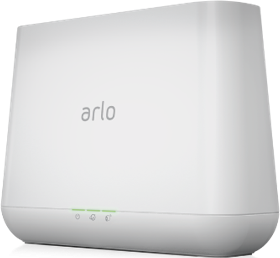
Based upon several posting here today, the latest firmware seems to have resolved the integration to SmartThings with the v4000 Arlo base. Thanks all for reporting back. It’s been a journey but all of our badgering seems to have paid off. Good luck and hopefully they won’t break something else. Update is 1.15.0.1_3162_d878851.

- Mark as New
- Bookmark
- Subscribe
- Mute
- Subscribe to RSS Feed
- Permalink
- Report Inappropriate Content
Softwawre:
- Smartthings Classic Version 2.17.0
- Arlo Base Firemware 1.14.1.1_2913_78b189a
Hardware
- 2x Pro 2 Cameras w/ base
- Samsung Motion sensors
Issue: Starting 8/30-9/1ish ST stopped initiating recordings to Arlo. I have had working camera integration for years, this is my first issue.
Resolutions Tried:
- Reviewed the forums for a couple hours and tried several things.
- Started simple restarted the base
- Updated Arlo password and reset it on ST
- Removed Arlo from ST then re-added it
- Re-did all my ST integration
Current Status: Frustrated. Selecting the Cameras in ST allows me to see them, it has the status, I'm recieving motion notifications, but still no recording happening. I have seen some posts about calling Arlo support about account specific cloud issues, but they were posted a while ago, symptoms fit tho so I might try.

- Mark as New
- Bookmark
- Subscribe
- Mute
- Subscribe to RSS Feed
- Permalink
- Report Inappropriate Content
I am having similar problems integrating with Smartthings as well. I have moved to the new app (away from the Classic app) and there is no ability to arm the cameras when arming Smartthings. Also, the ability to create rules in the Smartthings app does not exist.
I've been waiting for this functionality to be brought back and have contacted Smartthings support about it. They have no answers, but do confirm that this functionality is not present in the app. Also, they have no timetable for this to be resolved. Very dissapointing.


- Mark as New
- Bookmark
- Subscribe
- Mute
- Subscribe to RSS Feed
- Permalink
- Report Inappropriate Content
Have you tried contacting customer support regarding this issue? I have attached the link here for you - Arlo Tech Support
- Mark as New
- Bookmark
- Subscribe
- Mute
- Subscribe to RSS Feed
- Permalink
- Report Inappropriate Content
Have you tried contacting customer support regarding this issue? I have attached the link here for you - Arlo Tech Support

- Mark as New
- Bookmark
- Subscribe
- Mute
- Subscribe to RSS Feed
- Permalink
- Report Inappropriate Content
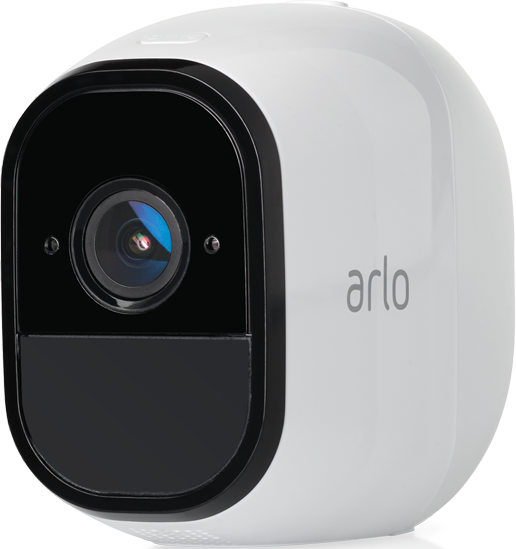
I'm trying to integrate my cameras with Smartthings. I'm able to add the cameras to the app, but when I go to arm it says "some sensors not available". When I test in Smartthings no sensors will trigger and when I trigger a door sensor the cameras don't turn on and record.
When I test the cameras individually the Arlo app, motion detection and recording is working fine.
Has anyone had the same issue and solved it?
Also tried geofencing through the Arlo app, but more than half the time it's not detecting me or my wifes phone in our "Home" zone. I prefer to try to manage all devices through one app and since Arlo won't manage door sensors I'm looking for an alternative.
- Mark as New
- Bookmark
- Subscribe
- Mute
- Subscribe to RSS Feed
- Permalink
- Report Inappropriate Content
HI @RobMo150
Have you tried contacting ST's support?
You can also contact customer support regarding this issue? I have attached the link here for you - Arlo Tech Support
- Mark as New
- Bookmark
- Subscribe
- Mute
- Subscribe to RSS Feed
- Permalink
- Report Inappropriate Content
I have the same problem. Seems to have stopped working after the firmware upgrade. Filed a support ticket with Arlo and SmartThings. Hopefully it’s an easy fix.
- Mark as New
- Bookmark
- Subscribe
- Mute
- Subscribe to RSS Feed
- Permalink
- Report Inappropriate Content
Have you tried contacting customer support regarding this issue? I have attached the link here for you - Arlo Tech Support
- Mark as New
- Bookmark
- Subscribe
- Mute
- Subscribe to RSS Feed
- Permalink
- Report Inappropriate Content
Yes I did contact support, case #41099783.

- Mark as New
- Bookmark
- Subscribe
- Mute
- Subscribe to RSS Feed
- Permalink
- Report Inappropriate Content
same issue here..
triggering recording does not work for IFTTT or ST.
- Mark as New
- Bookmark
- Subscribe
- Mute
- Subscribe to RSS Feed
- Permalink
- Report Inappropriate Content
Hi Guys, I too have been facing teh same issue since the firmware upgrade. Has anyone got this fixed?
- Mark as New
- Bookmark
- Subscribe
- Mute
- Subscribe to RSS Feed
- Permalink
- Report Inappropriate Content
Please let us know if you hear anything. Hopefully it gets resolved. Thanks for filing the issue
- Mark as New
- Bookmark
- Subscribe
- Mute
- Subscribe to RSS Feed
- Permalink
- Report Inappropriate Content
FYI, response from SmartThings support and my response without attaching the SmartThings debug log files...R
|
|
- Mark as New
- Bookmark
- Subscribe
- Mute
- Subscribe to RSS Feed
- Permalink
- Report Inappropriate Content
- Mark as New
- Bookmark
- Subscribe
- Mute
- Subscribe to RSS Feed
- Permalink
- Report Inappropriate Content
- Mark as New
- Bookmark
- Subscribe
- Mute
- Subscribe to RSS Feed
- Permalink
- Report Inappropriate Content

- Mark as New
- Bookmark
- Subscribe
- Mute
- Subscribe to RSS Feed
- Permalink
- Report Inappropriate Content
I am seeing this as well. I opened my own support case and anyone else having the problem should as well to make sure they know it is a big issue affecting as many users as possible.
- Mark as New
- Bookmark
- Subscribe
- Mute
- Subscribe to RSS Feed
- Permalink
- Report Inappropriate Content
Hi Mavrrick,
I agree with your assessment. SmartThings support has contacted me numerous times over the weekend about this problem but we are getting nowhere in solving the problem. Since the IFTTT interface is also effected I presume the faulty party to be Arlo. I wish Arlo support would jump on this like SmartThings support so I hope more Arlo users file a problem report so that we get the attention that we need for a quick fix.
- Mark as New
- Bookmark
- Subscribe
- Mute
- Subscribe to RSS Feed
- Permalink
- Report Inappropriate Content
Totally agree that Atlo should be all over this... to me it seems obvious that this is an issue with Arlo as the issue started immediately after the firmware update... but when contacted Arlo they seem to just want to push the blame onto Smartthings and IFTTT... I am surprised that not many people have raised this concern as I would have thought that a huge no of people's automatons would have been affected...
- Mark as New
- Bookmark
- Subscribe
- Mute
- Subscribe to RSS Feed
- Permalink
- Report Inappropriate Content
Exactly same problem here.
Had to workaround this and add motion trigger in Arlo App itself.
This is not ideal as it case of alarm i want to trigger recording from all cameras, which does not work.
This is critical functionality in Arlo which i'm missing right now and makes my home vurnable.
I am disapointed that this is the case now.
Triggering recording from the SMT and IFTT does not work anymore.
- Mark as New
- Bookmark
- Subscribe
- Mute
- Subscribe to RSS Feed
- Permalink
- Report Inappropriate Content
Yes, I'm another one who has been affected. Contacted support and they had me adding, deleting, reconnecting. It does seem that the change from netgear to arlo (standalone) has caused some problems in the communication, it is a little frustrating.
At the very least, some sort of indication that they acknowledge the problem and are working on it would be nice considering how much we spend on these cameras.
- Mark as New
- Bookmark
- Subscribe
- Mute
- Subscribe to RSS Feed
- Permalink
- Report Inappropriate Content
ok so I've got to share my lastest encounter with ARLO support tools. I tried the send a message to support path, just as I got the message typed, the web page refreshed and lost it. BUT it ask me to fill out a survey on my experience, so I did. BUT when I submitted my survey, that web page returned a message saying an unexpected error occured submitting my survey..... I did have a successful chat with Cherry in support. taking her at her word, she reviewed this posting of our issues, consulted support, acknolwedged they are seeing this issue, and then "endorsed" the chat session/case to support. She said they would update us with information. All I can do is hope they care to fix it. But I apprecaite that we, together will continue to bother the heck out of them until it's resolved. ;). As a retired IT guy, sometimes thats the only way to esculate issues to the long list of fixes in the software world. Keep posting if you get updates. thanks all

- Mark as New
- Bookmark
- Subscribe
- Mute
- Subscribe to RSS Feed
- Permalink
- Report Inappropriate Content
I found a post (https://community.arlo.com/t5/Arlo/Record-without-motion-Smartthings-Arlo/td-p/1531162) from a while back and tried to follow the instructions but I'm unable to get a SmartThings sensor to record an Arlo video. I'm running the latest version of SmartThings. Perhaps this was possible at one time but not with the latest version of SmartThings/Arlo?
- Mark as New
- Bookmark
- Subscribe
- Mute
- Subscribe to RSS Feed
- Permalink
- Report Inappropriate Content
-
Amazon Alexa
117 -
Apple HomeKit
768 -
Apple TV App
7 -
AppleTV
33 -
Arlo Mobile App
61 -
Arlo Pro
2 -
Arlo Pro 2
1 -
Arlo Q (Plus)
1 -
Arlo Secure
10 -
Arlo Smart
39 -
Arlo Wire-Free
1 -
Before You Buy
30 -
Features
88 -
Firmware Release Notes
8 -
Google Assistant
103 -
IFTTT
100 -
IFTTT (If This Then That)
117 -
Installation
90 -
Modes and Rules
13 -
Motion Detection
1 -
Online and Mobile Apps
70 -
Samsung SmartThings
88 -
Security System
1 -
Service and Storage
5 -
SmartThings
73 -
Troubleshooting
400 -
Videos
1
- « Previous
- Next »
-
295 Replies
-
2019-09-04 05:39 PM
-
137450 Views
-
79 Likes
-
51 In Conversation
-
Hello Randy,
Thank you for contacting Samsung SmartThings Support.
We are sorry to hear that you are having this issue. I request you to clear cache, uninstall and re-install the SmartThings app and I would like to inform you that there are some limitations for recording with Arlo Pro cameras in the SmartThings Application.
They are:
1. When viewing a live stream, the Arlo camera's motion sensor is inactivated and won't trigger video recording. This is a current limitation of the Arlo platform
2. When Wirefree and Wirefree pro camera batteries go below 10%, you can turn it on/off but you can't live stream or record clips. This is an Arlo limitation
3. Camera firmware must be up to date or there may be issues streaming or other issues
We look forward to hearing from you soon.
Regards,
Sailaja
Samsung SmartThings Support
www.smartthings.com