Set notification off on 1 Q-camera but still get the push
- Subscribe to RSS Feed
- Mark Topic as New
- Mark Topic as Read
- Float this Topic for Current User
- Bookmark
- Subscribe
- Printer Friendly Page
-
7 Replies
-
2025-12-03 02:17 PM
-
808 Views
-
3 Likes
-
4 In Conversation
-




- Mark as New
- Bookmark
- Subscribe
- Mute
- Subscribe to RSS Feed
- Permalink
- Report Inappropriate Content
Want to continue to record but do not need notification At Home. How can i turn this off? I disabled notification but i keep getting them!
- Related Labels:
-
Arlo Secure


- Mark as New
- Bookmark
- Subscribe
- Mute
- Subscribe to RSS Feed
- Permalink
- Report Inappropriate Content
@YOYOYOYO wrote:
Want to continue to record but do not need notification At Home.
Did you disable the notification in the rule for the camera in the mode(s) you are using?
- Mark as New
- Bookmark
- Subscribe
- Mute
- Subscribe to RSS Feed
- Permalink
- Report Inappropriate Content
Yes I have disabled notification in the app but i noticed that it was still enabled on in the web portal. I disabled but it got enabled again. Disabled one more time.
- Mark as New
- Bookmark
- Subscribe
- Mute
- Subscribe to RSS Feed
- Permalink
- Report Inappropriate Content
STILL got notification!


- Mark as New
- Bookmark
- Subscribe
- Mute
- Subscribe to RSS Feed
- Permalink
- Report Inappropriate Content
Please go through this article and make sure that you have followed all the steps fully.
https://kb.arlo.com/000062908/How-to-Mute-Arlo-Notifications-Arlo-Secure-4-0
If you do still see the same behavior after looking over the article please reach back out.
- Mark as New
- Bookmark
- Subscribe
- Mute
- Subscribe to RSS Feed
- Permalink
- Report Inappropriate Content
I wanted to mute 1 camera not the app.
After about an hr or so, the notifications have reduced and is only recording HOWEVER i am still getting people notification. Thanks

- Mark as New
- Bookmark
- Subscribe
- Mute
- Subscribe to RSS Feed
- Permalink
- Report Inappropriate Content
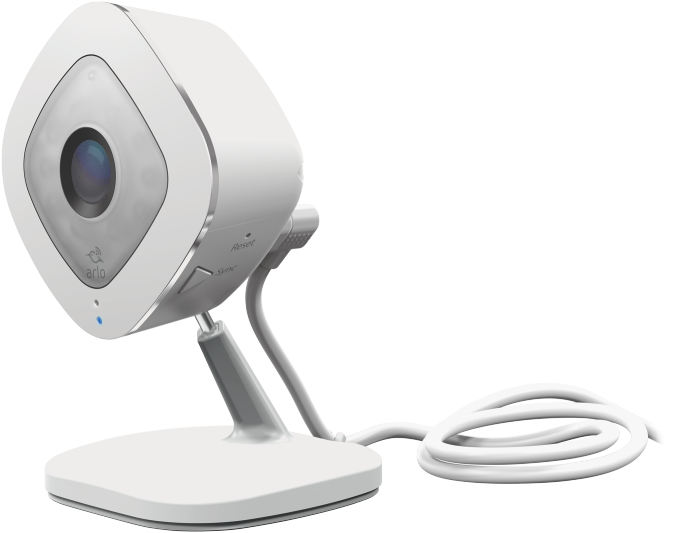
Hello I've the same problem
Have been using two old arloQ cams, and recently my app is upgraded by itself as Feed style.
And now I've so many notifications when the cams sense Motion Detection > under the Rule with Record video On & Send Notif to everyone OFF.
So, the "Notify Everyone" option is absolutely no meaning.
I want to use Recording feature when arloQ senses Motion, but dont want to have any notification.
Before this app upgrade, everything was fine.
Thanks.and hope to be corrected soon.
- Mark as New
- Bookmark
- Subscribe
- Mute
- Subscribe to RSS Feed
- Permalink
- Report Inappropriate Content
Can you try removing the camera from the account and re-onboarding it?
-
Activity Zones
1 -
Applications mobile et en ligne
2 -
Arlo 4.1 App release notes
1 -
Arlo app
1 -
Arlo Mobile App
385 -
arlo not working
2 -
Arlo Pro 5
1 -
Arlo Pro 5S 2K
1 -
Arlo Secure
1,316 -
Arlo Secure 4.0
2 -
Arlo Smart
121 -
Automation
1 -
Before You Buy
92 -
cameras
1 -
custom modes
2 -
Features
158 -
Friend
1 -
Geofencing
1 -
Grant Access
1 -
IFTTT
1 -
Installation
63 -
Modes and Rules
1 -
my.arlo.com
1 -
notifications
2 -
Pro 5s
1 -
Security System App
1 -
Smart Subscription
1 -
Temporary disable
1 -
Troubleshooting
420 -
Vacation override
1
- « Previous
- Next »
-
7 Replies
-
2025-12-03 02:17 PM
-
809 Views
-
3 Likes
-
4 In Conversation
-