- Subscribe to RSS Feed
- Mark Topic as New
- Mark Topic as Read
- Float this Topic for Current User
- Bookmark
- Subscribe
- Printer Friendly Page
-
93 Replies
-
2026-07-31 09:55 AM
-
12996 Views
-
27 Likes
-
41 In Conversation
-





- Mark as New
- Bookmark
- Subscribe
- Mute
- Subscribe to RSS Feed
- Permalink
- Report Inappropriate Content
Latest version of Arlo Secure on a iPhone 13 Pro with the notch in the middle prevents anyone from selecting the Cloud or Local categories at the top. For whatever reason the resolution setting for the app in the feed settings is incorrect. These buttons are normally right above the most recent video thumbnail. They are currently at the top of the phone screen and are not selectable. Please forward over to developers to have this fixed on the next software update.
I have already tried uninstalling and reinstalling the Arlo Secure app. iPhone is running iOS 26.5.2

Solved! Go to Solution.
- Related Labels:
-
Arlo Mobile App
Accepted Solutions


- Mark as New
- Bookmark
- Subscribe
- Mute
- Subscribe to RSS Feed
- Permalink
- Report Inappropriate Content
This should now be resolved once you update to latest iOS 6.41.0. If you are still seeing this same behavior after the update, please reach back out and let me know.
Best answers
-
This should now be resolved once you update to latest iOS 6.41.0. If you are still seeing this same behavior after the update, please reach back out and let me know.
-
We are currently investigating the behavior you are seeing with the Cloud/Local storage. I will update the community as soon as possible.
-
@ArloUser555 wrote:
Hello, I'm using an iPhone 17 Pro Max and when I try to view my feed of recorded videos, the Cloud and Local tabs up top aren't clickable. It's behind the time and wifi/battery info bar along with Apple's island thing. Is there a fix for this? I can not click on the Local tab. This is using the latest Arlo app version 6.38.0 released on July 22, 2026. I've uninstalled it and reinstalled it also.
It's a bug, so nothing you can do to fix it. You can still see local recordings by selecting the base on the devices page and then navigating into storage settings.




- Mark as New
- Bookmark
- Subscribe
- Mute
- Subscribe to RSS Feed
- Permalink
- Report Inappropriate Content
@panman91 wrote:
Latest version of Arlo Secure on a iPhone 13 Pro with the notch in the middle prevents anyone from selecting the Cloud or Local categories at the top.
Interesting. I can't even see the cloud/local labels on my iPhone 12 mini - I assumed they'd been removed.


- Mark as New
- Bookmark
- Subscribe
- Mute
- Subscribe to RSS Feed
- Permalink
- Report Inappropriate Content
I saw someone complain about this today. Is it OK to say it's a bug that will be rectified at some stage? Or is it an intentional change? I still have Cloud and Local options in Android
- Mark as New
- Bookmark
- Subscribe
- Mute
- Subscribe to RSS Feed
- Permalink
- Report Inappropriate Content
@steve_t wrote:
I saw someone complain about this today.
FWIW, there are apparently "Cloud" and "Local" label at the very top of the app. But I can't even see them (or touch them) on my iPhone 12 mini because they are both within the "notch" in the display. Some in the main forum who can see them are saying nothing happens when they touch them.
Has to be a bug. Hopefully @JamesC or @BrookeN will confirm that in the main forum.

- Mark as New
- Bookmark
- Subscribe
- Mute
- Subscribe to RSS Feed
- Permalink
- Report Inappropriate Content
Hello, I'm using an iPhone 17 Pro Max and when I try to view my feed of recorded videos, the Cloud and Local tabs up top aren't clickable. It's behind the time and wifi/battery info bar along with Apple's island thing. Is there a fix for this? I can not click on the Local tab. This is using the latest Arlo app version 6.38.0 released on July 22, 2026. I've uninstalled it and reinstalled it also.
- Mark as New
- Bookmark
- Subscribe
- Mute
- Subscribe to RSS Feed
- Permalink
- Report Inappropriate Content
@ArloUser555 wrote:
Hello, I'm using an iPhone 17 Pro Max and when I try to view my feed of recorded videos, the Cloud and Local tabs up top aren't clickable. It's behind the time and wifi/battery info bar along with Apple's island thing. Is there a fix for this? I can not click on the Local tab. This is using the latest Arlo app version 6.38.0 released on July 22, 2026. I've uninstalled it and reinstalled it also.
It's a bug, so nothing you can do to fix it. You can still see local recordings by selecting the base on the devices page and then navigating into storage settings.
- Mark as New
- Bookmark
- Subscribe
- Mute
- Subscribe to RSS Feed
- Permalink
- Report Inappropriate Content
Thank you for your followup. I’ll do it that way until it gets fixed hopefully soon.
- Mark as New
- Bookmark
- Subscribe
- Mute
- Subscribe to RSS Feed
- Permalink
- Report Inappropriate Content
Thank you for providing this information. I have reached out to our development team to investigate.

- Mark as New
- Bookmark
- Subscribe
- Mute
- Subscribe to RSS Feed
- Permalink
- Report Inappropriate Content
I've also been experiencing this on my iPhone 13 since the update last week (late July). The app just updated today and I'd hoped this bug would be fixed, but it's not.
I still cannot access the local/cloud buttons since they're shoved way to the top of the screen. I still cannot toggle between cloud/local. I cannot access my local recordings within my base station settings too.
It's getting awfully frustrating. Any updates from Arlo would be great.
- Mark as New
- Bookmark
- Subscribe
- Mute
- Subscribe to RSS Feed
- Permalink
- Report Inappropriate Content
Hi,
Following the recent troubleshooting advice from an Arlo representative regarding my Arlo Ultra 2 (used without a subscription), which only detects pedestrians when the solar panel is disconnected, I updated to the latest iOS and Arlo app versions.
Since the update, I can no longer view my local feed. I am currently stuck on the screen shown in the attached screenshot.
Could you please advise on how I can access my local feed as I did in the previous version?
Thanks.

- Mark as New
- Bookmark
- Subscribe
- Mute
- Subscribe to RSS Feed
- Permalink
- Report Inappropriate Content
I got the same problem after update my iPhone 15 to iOS26.6. Is there any idea how to solve the problem?
- Mark as New
- Bookmark
- Subscribe
- Mute
- Subscribe to RSS Feed
- Permalink
- Report Inappropriate Content
Same issue on iPhone 12 Pro and iPhone 14 both with latest iOS and app version 6.38.0. As of yesterday Aug 4 2026, Arlo app version updated from App Store to 6.39.0 and issue still persists. Frustrating thing was talking to their support on the app via chat, submitting screen shots, and after a lot of back and forth they wanted me to see if the issue was happening on my computer; a completely different interface! I work in technology. I laughed and ended the chat.
- Mark as New
- Bookmark
- Subscribe
- Mute
- Subscribe to RSS Feed
- Permalink
- Report Inappropriate Content
@majeanalo wrote:
Could you please advise on how I can access my local feed as I did in the previous version?
The other path to access local recordings still works. Go to the devices screen, press the settings wheel for the smarthub, and then storage settings.
- Mark as New
- Bookmark
- Subscribe
- Mute
- Subscribe to RSS Feed
- Permalink
- Report Inappropriate Content
@Kylo99 wrote:
I got the same problem after update my iPhone 15 to iOS26.6. Is there any idea how to solve the problem?
The other way to access local storage still works. See post 6 in this thread.
- Mark as New
- Bookmark
- Subscribe
- Mute
- Subscribe to RSS Feed
- Permalink
- Report Inappropriate Content
Thanks for this suggestion, but it's not working for me.
I've tried accessing Local recordings from Devices > Base Station > Storage Settings, but nothing appears there either. I've checked my Local Storage Settings and it shows that I've got a ton of available GBs, yet nothing appears in the area you suggest (it did in the past, but again, after the app update, nothing as been there either).
Frustration continues, unfortunately.
- Mark as New
- Bookmark
- Subscribe
- Mute
- Subscribe to RSS Feed
- Permalink
- Report Inappropriate Content
While in the Storage Setting screen, try touch the screen and pull down to let the screen refresh, suppose list of video will then be shown.
- Mark as New
- Bookmark
- Subscribe
- Mute
- Subscribe to RSS Feed
- Permalink
- Report Inappropriate Content
Thanks for that suggestion, Kylo. I've tried that numerous times, but nothing appears. I also restarted the base station and that didn't resolve the issue either.
Maybe I'll have to eject/reinsert the SD card, but I don't want to try that until the other bugs in the app are resolved. I'm afraid that ejecting the SD card at this point could create a whole other set of problems for me.
- Mark as New
- Bookmark
- Subscribe
- Mute
- Subscribe to RSS Feed
- Permalink
- Report Inappropriate Content
@spoondmb80 wrote:
Thanks for that suggestion, Kylo. I've tried that numerous times, but nothing appears. I also restarted the base station and that didn't resolve the issue either.
Maybe I'll have to eject/reinsert the SD card, but I don't want to try that until the other bugs in the app are resolved. I'm afraid that ejecting the SD card at this point could create a whole other set of problems for me.
Try uninstalling and reinstalling the app.
- Mark as New
- Bookmark
- Subscribe
- Mute
- Subscribe to RSS Feed
- Permalink
- Report Inappropriate Content
Thanks for that suggestion, Stephen. I've already deleted and reinstalled the app too. I could certainly try it again...

- Mark as New
- Bookmark
- Subscribe
- Mute
- Subscribe to RSS Feed
- Permalink
- Report Inappropriate Content
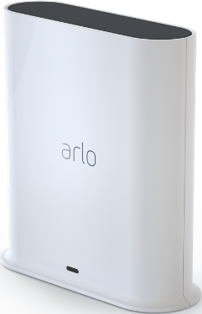
My Arlo local feed has stopped working for my Arlo hub. It would always record activity on my micro SD card inserted in my Arlo hub. Now since the last Arlo app update, I am not able to even access my local feed for activity. I don’t subscribe to the cloud feed because I have had that ability to view my recorded local feed on my Arlo Hub feed . Can anyone help me? Has Arlo taken away the option to record my own feed via micro SD card, to try to get more subscribers?? Thanks!
- Mark as New
- Bookmark
- Subscribe
- Mute
- Subscribe to RSS Feed
- Permalink
- Report Inappropriate Content
Hi Arlo Team,
The top navigation bar (Cloud / Local) in the Arlo iOS app is overlapping directly with the iPhone status bar (time and battery icons).
Because of this UI bug, the buttons are completely unclickable, and I am unable to view my recordings. I have already tried updating the app, restarting my iPhone, and deleting and reinstalling the app. None of these fixed the issue. I have attached a screenshot showing the problem.
Could a moderator/support team please assist and escalate this UI bug to the dev team? Thanks!
- Mark as New
- Bookmark
- Subscribe
- Mute
- Subscribe to RSS Feed
- Permalink
- Report Inappropriate Content
@mikeckh wrote:
Could a moderator/support team please assist and escalate this UI bug to the dev team? Thanks!
They know about it. See post 6 in this discussion thread if you want to see the recordings while waiting for the fix.
- Mark as New
- Bookmark
- Subscribe
- Mute
- Subscribe to RSS Feed
- Permalink
- Report Inappropriate Content
We are currently investigating the behavior you are seeing with the Cloud/Local storage. I will update the community as soon as possible.
- Mark as New
- Bookmark
- Subscribe
- Mute
- Subscribe to RSS Feed
- Permalink
- Report Inappropriate Content
Same problem with my iPhone 16 Pro Max running IOS 26.6
I can see Local Feed button at the top of the screen but cannot select local feed videos
- Mark as New
- Bookmark
- Subscribe
- Mute
- Subscribe to RSS Feed
- Permalink
- Report Inappropriate Content
Hi there. Any updates on this issue? I still cannot access the Cloud or Local buttons to review recordings. I also still cannot access recordings from my base station Storage Settings. Thanks for any update that can be provided!
-
Arlo Mobile App
695 -
Arlo Pro 2
11 -
Arlo Smart
194 -
Before You Buy
1,013 -
Features
471 -
Firmware Release Notes
57 -
Google Assistant
1 -
IFTTT (If This Then That)
24 -
Installation
1,185 -
Online and Mobile Apps
865 -
Service and Storage
317 -
SmartThings
37 -
Troubleshooting
6,459
-
93 Replies
-
2026-07-31 09:55 AM
-
12997 Views
-
27 Likes
-
41 In Conversation
-