- Subscribe to RSS Feed
- Mark Topic as New
- Mark Topic as Read
- Float this Topic for Current User
- Bookmark
- Subscribe
- Printer Friendly Page
-
55 Replies
-
2026-07-25 07:40 AM
-
2027 Views
-
7 Likes
-
21 In Conversation
-




- Mark as New
- Bookmark
- Subscribe
- Mute
- Subscribe to RSS Feed
- Permalink
- Report Inappropriate Content
Is anyone dealing with constant offline / online notifications from Arlo Secure?

Solved! Go to Solution.
Accepted Solutions


- Mark as New
- Bookmark
- Subscribe
- Mute
- Subscribe to RSS Feed
- Permalink
- Report Inappropriate Content
This should now be resolved. If you could please let me know if you are still seeing this same behavior that would be appreciated. Thank you.
Best answers
-
This should now be resolved. If you could please let me know if you are still seeing this same behavior that would be appreciated. Thank you.
-
Thank you for bringing this to our attention. I have reached out to our development team to investigate. Can you please let me know the following:
Are you on iOS or Android as well as the firmware version?
Are you getting notifications for all cameras or is it just the security hub?
I will update the community as soon as possible with any updates.



- Mark as New
- Bookmark
- Subscribe
- Mute
- Subscribe to RSS Feed
- Permalink
- Report Inappropriate Content
At least I am. Support case opened. I'm even getting offline notifications for devices that I deleted.

- Mark as New
- Bookmark
- Subscribe
- Mute
- Subscribe to RSS Feed
- Permalink
- Report Inappropriate Content
I am experiencing this exact issue as well. It began about two days ago, and there have been no changes to my network that would explain the behavior.
When I receive an “offline” notification, I check the Arlo app and the hub still shows as connected, which suggests this may be a notification error rather than an actual connectivity problem.
The notification pattern is also unusual. I often receive multiple “offline” alerts in a row, followed immediately by multiple “online” alerts.
- Mark as New
- Bookmark
- Subscribe
- Mute
- Subscribe to RSS Feed
- Permalink
- Report Inappropriate Content
I just uninstalled and reinstalled the app per support. Will see if issue persists but fair warning you then have to potentially redo your dashboard.
- Mark as New
- Bookmark
- Subscribe
- Mute
- Subscribe to RSS Feed
- Permalink
- Report Inappropriate Content

Didn’t work, here we go again.
- Mark as New
- Bookmark
- Subscribe
- Mute
- Subscribe to RSS Feed
- Permalink
- Report Inappropriate Content
My wife is logged into the Arlo iOS app and doesn’t see these Offline/Online alerts, but I do. That tells me her app and the system are fine and the problem is with my app, but deleting and reinstalling hasn’t fixed it.

- Mark as New
- Bookmark
- Subscribe
- Mute
- Subscribe to RSS Feed
- Permalink
- Report Inappropriate Content
In another thread, the boss has suggested restarting the base station/smarthub/cameras.
- Mark as New
- Bookmark
- Subscribe
- Mute
- Subscribe to RSS Feed
- Permalink
- Report Inappropriate Content
Can you link to the thread? I cannot locate it

- Mark as New
- Bookmark
- Subscribe
- Mute
- Subscribe to RSS Feed
- Permalink
- Report Inappropriate Content
All of my devices are still showing offline.
- Mark as New
- Bookmark
- Subscribe
- Mute
- Subscribe to RSS Feed
- Permalink
- Report Inappropriate Content
- Mark as New
- Bookmark
- Subscribe
- Mute
- Subscribe to RSS Feed
- Permalink
- Report Inappropriate Content
Tried the restart as well, didn’t resolve. Also getting notifications on multiple devices logged in to the app.
- Mark as New
- Bookmark
- Subscribe
- Mute
- Subscribe to RSS Feed
- Permalink
- Report Inappropriate Content
Trying to find a common denominator since Arlo claims this is fixed.
I am getting blank Arlo notifications on my phone yet my Arlo devices are unplugged. My iPhone is not getting any notifications, just my Android.
I have not tried uninstalling the Arlo app yet but that's next.
Has anyone successfully stopped the alerts on their Android device?
- Mark as New
- Bookmark
- Subscribe
- Mute
- Subscribe to RSS Feed
- Permalink
- Report Inappropriate Content
Ever since the camera server issue on 7/23 my security system has been giving nonstop offline online notifications to my app. I’ve tried rebooting my router , power cycling the wireless keypad, logout reboot phone and log back in. Still no fix. Any suggestions???
- Mark as New
- Bookmark
- Subscribe
- Mute
- Subscribe to RSS Feed
- Permalink
- Report Inappropriate Content
I’m on iOS and I’m still seeing constant offline/online notifications, even after:
Two full uninstall/reinstall cycles of the Arlo app
Multiple restarts of the security hub, base stations, and cameras
Verifying that my network is stable and unchanged
Arlo support has not been helpful so far – the only guidance I’ve received is to “restart the devices,” which I’ve already done several times without any change in behavior.
What’s especially telling is that this issue appears to be user-specific on the same account:
My iOS app continues to generate repeated offline/online alerts
My wife, who is a user on the exact same Arlo account and also on iOS, is not seeing these alerts
This strongly suggests the problem is not our hardware or local network configuration, but something on Arlo’s server side (notification logic or account-level flags), or a bug affecting specific app instances or profiles.
I’m asking that this thread be escalated beyond basic support scripting and routed to the Arlo engineering/moderation team for a durable fix. A number of us are reporting the same pattern here, and repeated “restart the devices” responses are not resolving it.
If other affected users keep posting detailed repro steps and account/app setups in this thread, it should give Arlo enough data to identify what changed and implement a real solution instead of temporary workarounds.
@ShayneS — Can you help?
- Mark as New
- Bookmark
- Subscribe
- Mute
- Subscribe to RSS Feed
- Permalink
- Report Inappropriate Content
@ShayneS I am also having the same problem.
- Mark as New
- Bookmark
- Subscribe
- Mute
- Subscribe to RSS Feed
- Permalink
- Report Inappropriate Content
Please reference the ongoing discussion in this thread and add your details there so everything stays in one place and Arlo is more likely to notice the issue.
If you can, post again in that thread so we keep all reports together and hopefully get Arlo’s attention more quickly:
- Mark as New
- Bookmark
- Subscribe
- Mute
- Subscribe to RSS Feed
- Permalink
- Report Inappropriate Content
Ever since the camera server issue on 7/23 my security system has been giving nonstop offline online notifications to my app. I’ve tried rebooting my router , power cycling the wireless keypad, logout reboot phone and log back in. Still no fix. Any suggestions???
- Mark as New
- Bookmark
- Subscribe
- Mute
- Subscribe to RSS Feed
- Permalink
- Report Inappropriate Content
At this point, I think Arlo is the only one who can provide a solution.
Based on what is being described, it is certainly a system/server issue.
Disappointing that they claim this “solved” on the other related thread and stop attempting to find a solution.
We are customers too.
- Mark as New
- Bookmark
- Subscribe
- Mute
- Subscribe to RSS Feed
- Permalink
- Report Inappropriate Content

This started yesterday morning and has been going on all day every couple minutes I tired support 2 times and it disconnected anyone know what’s going on
- Mark as New
- Bookmark
- Subscribe
- Mute
- Subscribe to RSS Feed
- Permalink
- Report Inappropriate Content
I am having the same problem. Have factory reset the keyboard security hub twice with no help. The notifications are only showing on my iOS phone and not my husband’s. I am getting multiple notifications all day. I had 40 yesterday even after I completely deleted the hub.


- Mark as New
- Bookmark
- Subscribe
- Mute
- Subscribe to RSS Feed
- Permalink
- Report Inappropriate Content
I also have this going on since the Friday issues (see the yellow banner at the top here). Nothing has helped so far.
- Mark as New
- Bookmark
- Subscribe
- Mute
- Subscribe to RSS Feed
- Permalink
- Report Inappropriate Content
- Mark as New
- Bookmark
- Subscribe
- Mute
- Subscribe to RSS Feed
- Permalink
- Report Inappropriate Content
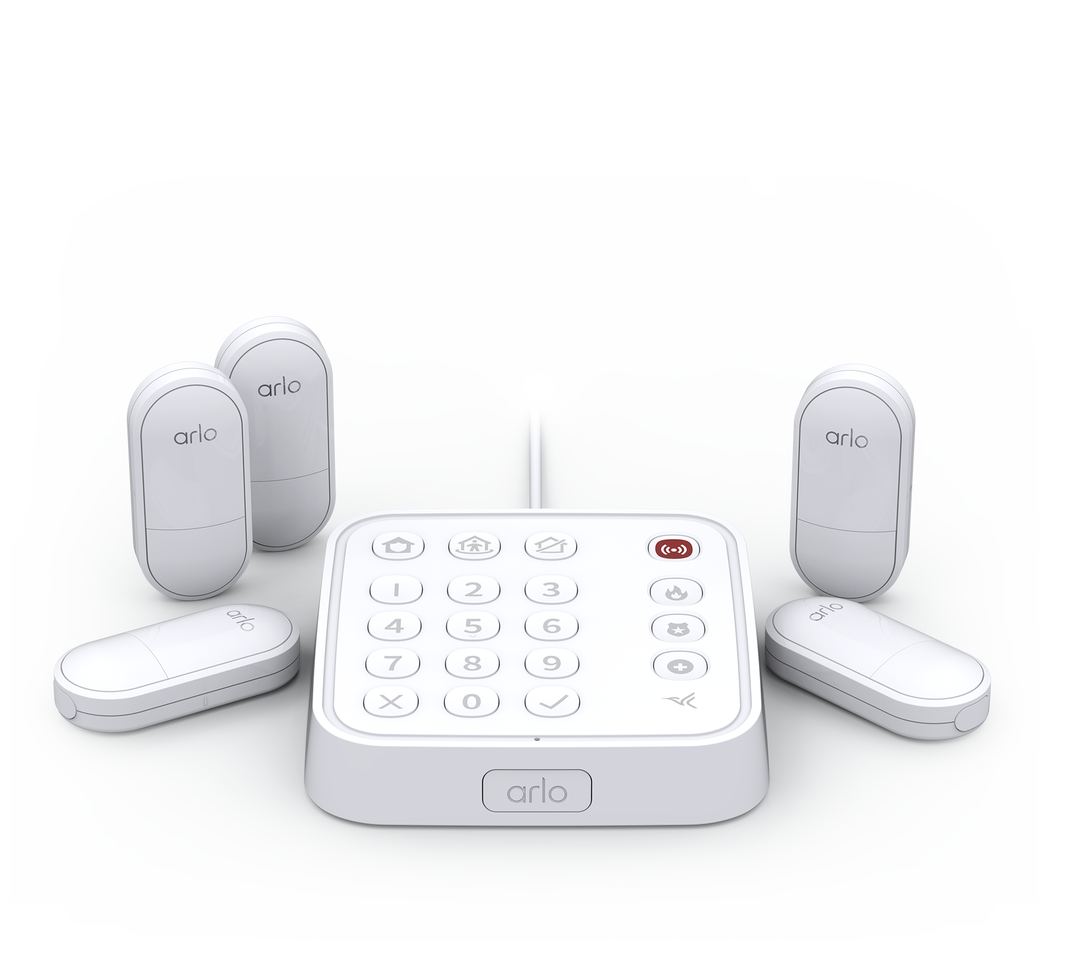
My keypad is dropping offline line. I’ve run through all attempts to fix myself and multiple chat events. In the last 12 hours there are over 100 logged offline events associated with the keypad and I have read others on the web have the same issue. Does Arlo have a known fix?
Should customers buy new equipment with different company.?
- Mark as New
- Bookmark
- Subscribe
- Mute
- Subscribe to RSS Feed
- Permalink
- Report Inappropriate Content
Thanks to everyone who’s added details here — it’s helpful to see how many of us are seeing the same pattern across different devices and accounts. Has anyone received any direct acknowledgment from Arlo (support tickets, DMs, or moderator replies) that this is a known issue on their side and is being actively investigated?
If you have, can you share any case numbers or the wording of what you were told (without posting private info), so we can point Arlo back to this thread and make sure it isn’t being treated as an isolated, user-specific problem?
- Mark as New
- Bookmark
- Subscribe
- Mute
- Subscribe to RSS Feed
- Permalink
- Report Inappropriate Content
A rep told me the problem was escalated due to other customer reports (this probably means someone will look at it during business hours).
I was also told to try it on another phone to see if it resolves 🤣, so now I have 3 devices all getting errant notifications.
-
Accessing Local Storage
1 -
Apple HomeKit
1 -
Apps
1 -
Arlo
2 -
Arlo app
2 -
Arlo Essential Spotlight
2 -
Arlo Mobile App
15 -
Arlo Pro 3 Floodlight
1 -
Arlo Pro 5S 2K
1 -
Arlo Secure
5 -
Arlo Secure 4.0
1 -
Arlo Smart
4 -
Arlo Smart Hub
1 -
Arlo Web and Mobile Apps
1 -
Before You Buy
15 -
customer service
2 -
door sensor
1 -
Eero
1 -
Features
16 -
Firmware Release Notes
1 -
google
1 -
home
2 -
home security
3 -
IFTTT
1 -
Installation
14 -
Keypad
3 -
Keypad Sensor Hub
4 -
mode
1 -
Modes and Rules
1 -
monitoring
2 -
Mount
1 -
MS1001
1 -
No Sound
1 -
old feed
1 -
PIN
1 -
Primary PIN
1 -
Public Key Required
1 -
RMA
1 -
Secondary PIN
1 -
Security
3 -
Security Keypad
1 -
Security System
2 -
Security System App
1 -
Sensor
1 -
Setting-up
1 -
Siren
1 -
support
1 -
System
1 -
Test Mode
1 -
Total Security Package
1 -
Troubleshooting
33 -
update
1 -
Wall
1 -
Website
1
- « Previous
- Next »
-
55 Replies
-
2026-07-25 07:40 AM
-
2028 Views
-
7 Likes
-
21 In Conversation
-