This topic has been closed to new posts due to inactivity. We hope you'll join the conversation by posting to an open topic or starting a new one.
- Subscribe to RSS Feed
- Mark Topic as New
- Mark Topic as Read
- Float this Topic for Current User
- Bookmark
- Subscribe
- Printer Friendly Page
-
5 Replies
-
2025-08-27 05:56 PM
-
3342 Views
-
0 Likes
-
3 In Conversation
-



- Mark as New
- Bookmark
- Subscribe
- Mute
- Subscribe to RSS Feed
- Permalink
- Report Inappropriate Content
When I go to Devices > SmartHub / Base Station / Bridge > HomeKit, I am presented with a sheet that states "Discovering your device. Please wait." Nothing ever happens from there.
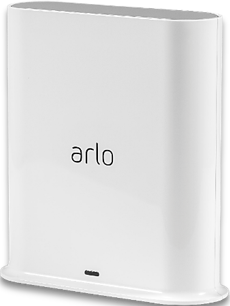
After 2 years of not having this feature work, I have discovered that I need a reset to my Pro SmartHub VMB4540, and that this must be done by a moderator.
Please reset my token.
Thank you in advance.
- Related Labels:
-
Apple HomeKit


- Mark as New
- Bookmark
- Subscribe
- Mute
- Subscribe to RSS Feed
- Permalink
- Report Inappropriate Content
The token cannot be reset as the basestation is showing offline. Once the basestation is online, please reach back out for the token reset.
- Mark as New
- Bookmark
- Subscribe
- Mute
- Subscribe to RSS Feed
- Permalink
- Report Inappropriate Content
Hello, and thank you for the reply.
My basestation is not offline.
I am able to remotely pull up my live feed as well as locally recorded events using the Arlo Secure app on my iPhone.
Are you using domains related to entities other than Arlo or Netgear to set up Homekit, or to access and update Arlo basestations? If so, please provide them so that I may check my network security software to see if those domains are on a currently active blocklist and correct them accordingly.
Thanks in advance.
- Mark as New
- Bookmark
- Subscribe
- Mute
- Subscribe to RSS Feed
- Permalink
- Report Inappropriate Content
@BrookeN Can you please help to reset token
same issue - When I go to Devices > SmartHub / Base Station / Bridge > HomeKit, I see "Discovering your device. Please wait." Nothing ever happens from there.
- Mark as New
- Bookmark
- Subscribe
- Mute
- Subscribe to RSS Feed
- Permalink
- Report Inappropriate Content
I've sent a token reset request to your base station that should resolve the issue. Please reboot your base station (remove and reapply power) allow the base station to come back online and try setting up HomeKit again using these instructions:
- Mark as New
- Bookmark
- Subscribe
- Mute
- Subscribe to RSS Feed
- Permalink
- Report Inappropriate Content
Thanks, I can now add devices to homekit
-
Amazon Alexa
117 -
Apple HomeKit
779 -
Apple TV App
7 -
AppleTV
33 -
Arlo Mobile App
62 -
Arlo Pro
2 -
Arlo Pro 2
1 -
Arlo Q (Plus)
1 -
Arlo Secure
10 -
Arlo Smart
40 -
Arlo Wire-Free
1 -
Before You Buy
30 -
Features
89 -
Firmware Release Notes
8 -
Google Assistant
104 -
IFTTT
101 -
IFTTT (If This Then That)
117 -
Installation
91 -
Modes and Rules
13 -
Motion Detection
1 -
Online and Mobile Apps
70 -
Samsung SmartThings
89 -
Security System
1 -
Service and Storage
5 -
SmartThings
73 -
Troubleshooting
401 -
Verisure
1 -
Videos
1
- « Previous
- Next »
-
5 Replies
-
2025-08-27 05:56 PM
-
3343 Views
-
0 Likes
-
3 In Conversation
-