- English
- /
- Arlo Forum Discussions
- /
- Partner Integrations
- /
- Re: Homekit Token Reset Request on VMB5000r6
- Subscribe to RSS Feed
- Mark Topic as New
- Mark Topic as Read
- Float this Topic for Current User
- Bookmark
- Subscribe
- Printer Friendly Page
-
4 Replies
-
2026-06-21 09:05 PM
-
575 Views
-
0 Likes
-
3 In Conversation
-




- Mark as New
- Bookmark
- Subscribe
- Mute
- Subscribe to RSS Feed
- Permalink
- Report Inappropriate Content
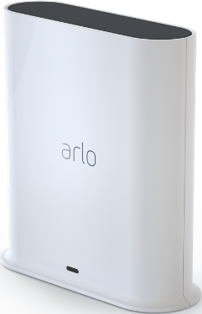
Homekit setup within the arlo app always asks for a code. Have had multiple chats with support and they have reset the token multiple times with no success.
After token is reset, I power down the VMB5000r6 and wait at least 1 minute before turning back on. Still get same results.
- Related Labels:
-
Apple HomeKit


- Mark as New
- Bookmark
- Subscribe
- Mute
- Subscribe to RSS Feed
- Permalink
- Report Inappropriate Content
@kirby86 wrote:
Homekit setup within the arlo app always asks for a code.
Are you using Apple Home, or are you using a third party homekit server?
Are you using the set up instructions for "no code" here?


- Mark as New
- Bookmark
- Subscribe
- Mute
- Subscribe to RSS Feed
- Permalink
- Report Inappropriate Content
I've sent a token reset request to your base station that should resolve the issue. Please reboot your base station (remove and reapply power) allow the base station to come back online and try setting up HomeKit again using these instructions:
https://kb.arlo.com/000063184
- Mark as New
- Bookmark
- Subscribe
- Mute
- Subscribe to RSS Feed
- Permalink
- Report Inappropriate Content
I unplugged device waited a few minutes and plugged in again. Followed the included instructions and I am stuck at step 6 under the “To setup an Arlo device without a setup code”. A device is not showing up for me to select, it is stuck on the screen displaying “discovering your device”
- Mark as New
- Bookmark
- Subscribe
- Mute
- Subscribe to RSS Feed
- Permalink
- Report Inappropriate Content
I have reset the token again, please follow the steps as above and see if you are able to get it set up.
-
Amazon Alexa
117 -
Apple HomeKit
768 -
Apple TV App
7 -
AppleTV
33 -
Arlo Mobile App
61 -
Arlo Pro
2 -
Arlo Pro 2
1 -
Arlo Q (Plus)
1 -
Arlo Secure
10 -
Arlo Smart
39 -
Arlo Wire-Free
1 -
Before You Buy
30 -
Features
88 -
Firmware Release Notes
8 -
Google Assistant
103 -
IFTTT
100 -
IFTTT (If This Then That)
117 -
Installation
90 -
Modes and Rules
13 -
Motion Detection
1 -
Online and Mobile Apps
70 -
Samsung SmartThings
88 -
Security System
1 -
Service and Storage
5 -
SmartThings
73 -
Troubleshooting
400 -
Videos
1
- « Previous
- Next »
-
4 Replies
-
2026-06-21 09:05 PM
-
576 Views
-
0 Likes
-
3 In Conversation
-