- English
- /
- Arlo Forum Discussions
- /
- Partner Integrations
- /
- Please perform a HomeKit token reset on my VMB4540...
Please perform a HomeKit token reset on my VMB4540r2.
- Subscribe to RSS Feed
- Mark Topic as New
- Mark Topic as Read
- Float this Topic for Current User
- Bookmark
- Subscribe
- Printer Friendly Page
-
11 Replies
-
2026-06-17 10:46 AM
-
1952 Views
-
0 Likes
-
3 In Conversation
-




- Mark as New
- Bookmark
- Subscribe
- Mute
- Subscribe to RSS Feed
- Permalink
- Report Inappropriate Content
Hello,
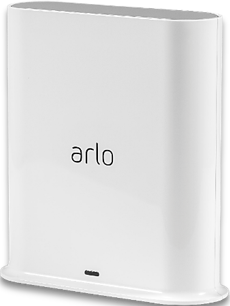
Please perform a HomeKit token reset on my VMB4540r2.
Thankyou
DP
- Related Labels:
-
Apple HomeKit


- Mark as New
- Bookmark
- Subscribe
- Mute
- Subscribe to RSS Feed
- Permalink
- Report Inappropriate Content
I've sent a token reset request to your base station that should resolve the issue. Please reboot your base station (remove and reapply power) allow the base station to come back online and try setting up HomeKit again using these instructions:
https://kb.arlo.com/000063184
- Mark as New
- Bookmark
- Subscribe
- Mute
- Subscribe to RSS Feed
- Permalink
- Report Inappropriate Content
Thank you for the reset.
The VMB4540r2 is discovered by Home Assistant as Basestation A0E1997******* (Bridge). Home Assistant requires an 8-digit HomeKit pairing code. The HomeKit token has been reset, but the Arlo app only offers ‘Add to Apple Home’ and does not display a pairing code. Does this hub have a HomeKit setup code, and if so, how can I obtain it for use with a third-party HomeKit controller?
Thanks,
Del


- Mark as New
- Bookmark
- Subscribe
- Mute
- Subscribe to RSS Feed
- Permalink
- Report Inappropriate Content
@DeliciousPants wrote:The VMB4540r2 is discovered by Home Assistant as Basestation A0E1997******* (Bridge). Home Assistant requires an 8-digit HomeKit pairing code.
Are you using the instructions for "no setup code" here:
- Mark as New
- Bookmark
- Subscribe
- Mute
- Subscribe to RSS Feed
- Permalink
- Report Inappropriate Content
I am using the instructions for "with a setup code" specifically because Home Assistant requires an 8-digit HomeKit pairing code. How can I obtain the code for use with a third-party HomeKit controller?
- Mark as New
- Bookmark
- Subscribe
- Mute
- Subscribe to RSS Feed
- Permalink
- Report Inappropriate Content
You do not need a code. You use the instructions to setup without a code.
- Mark as New
- Bookmark
- Subscribe
- Mute
- Subscribe to RSS Feed
- Permalink
- Report Inappropriate Content
The Arlo app only offers ‘Add to Apple Home’ and does not display a pairing code required for use with a third-party HomeKit controller.
Please would you provide the HomeKit code (format xxx-xx-xxx) for my VMB4540r2.
- Mark as New
- Bookmark
- Subscribe
- Mute
- Subscribe to RSS Feed
- Permalink
- Report Inappropriate Content
You do not need a code.
To setup an Arlo device without a setup code:
- Launch the Arlo Secure App on your Apple device.
- Tap Devices.
- Select an Arlo SmartHub or Arlo Base Station.
- Tap the name of your Arlo Smarthub or Arlo Base Station.
- Tap HomeKit.
- Select the Arlo SmartHub or Arlo Base Station you want to add to Apple Home.
If you receive an Uncertified Accessory Error message, visit: When adding my Arlo Base Station to Apple Home, what should I do if I receive an Uncertified Accesso... - Select a Home or tap Add New Home.
If you don’t have a Home set up in the Arlo Secure App, you are directed to create a Home. - Select a Room or tap Add a New Room.
If you don’t have a Room set up in the Arlo Secure App, you are directed to create a Room. - Tap Continue to add devices to HomeKit to add devices or additional Arlo Base Stations.
- Continue through the setup flows to confirm the name and room placement for each device.
Note: The name that you give each device is used for Siri commands. Choose a unique name that is easy to remember and pronounce. - Confirm the name of the device.
- Tap Skip, or rename any other devices as needed.
- Tap Finish.
Your devices are ready to use with Apple Home.
- Mark as New
- Bookmark
- Subscribe
- Mute
- Subscribe to RSS Feed
- Permalink
- Report Inappropriate Content
Hi BrookeN,
Exactly correct, an Arlo device connecting to Apple Home using the Arlo App does NOT need a code. However, we are NOT connecting to Apple Home, we are NOT using the Arlo App. We are connecting the Hub to Home Assistant which DOES require an 8-digit HomeKit pairing code (xxx-xx-xxx) .
How can I obtain the code for use with a third-party HomeKit controller?
- Mark as New
- Bookmark
- Subscribe
- Mute
- Subscribe to RSS Feed
- Permalink
- Report Inappropriate Content
Arlo does not support that. We only support Apple Home.
- Mark as New
- Bookmark
- Subscribe
- Mute
- Subscribe to RSS Feed
- Permalink
- Report Inappropriate Content
Just to be clear (and put my sanity at risk for a final time) I want to follow the 'with code' instructions from Arlo.
I am asking to be provided the homekit code (as there is no QR sticker on the hub). Can you provide this?
- Mark as New
- Bookmark
- Subscribe
- Mute
- Subscribe to RSS Feed
- Permalink
- Report Inappropriate Content
@DeliciousPants wrote:
Just to be clear (and put my sanity at risk for a final time) I want to follow the 'with code' instructions from Arlo.
Not possible, Arlo cannot supply a code with the base. The token reset is all that they can do.
-
Amazon Alexa
117 -
Apple HomeKit
777 -
Apple TV App
7 -
AppleTV
33 -
Arlo Mobile App
62 -
Arlo Pro
2 -
Arlo Pro 2
1 -
Arlo Q (Plus)
1 -
Arlo Secure
10 -
Arlo Smart
40 -
Arlo Wire-Free
1 -
Before You Buy
30 -
Features
88 -
Firmware Release Notes
8 -
Google Assistant
103 -
IFTTT
100 -
IFTTT (If This Then That)
117 -
Installation
91 -
Modes and Rules
13 -
Motion Detection
1 -
Online and Mobile Apps
70 -
Samsung SmartThings
89 -
Security System
1 -
Service and Storage
5 -
SmartThings
73 -
Troubleshooting
401 -
Verisure
1 -
Videos
1
- « Previous
- Next »
-
11 Replies
-
2026-06-17 10:46 AM
-
1953 Views
-
0 Likes
-
3 In Conversation
-