- Subscribe to RSS Feed
- Mark Topic as New
- Mark Topic as Read
- Float this Topic for Current User
- Bookmark
- Subscribe
- Printer Friendly Page
-
5 Replies
-
2026-06-29 11:27 AM
-
971 Views
-
0 Likes
-
3 In Conversation
-



- Mark as New
- Bookmark
- Subscribe
- Mute
- Subscribe to RSS Feed
- Permalink
- Report Inappropriate Content
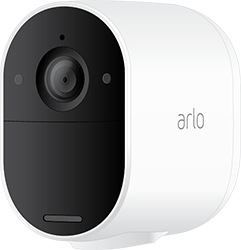
With the new app interface, I can't deactivate one or more cameras in surveillance mode.
On windy days or other occasions, I need to deactivate some of them.
How to do it in the easiest way possible?
- Related Labels:
-
Arlo Mobile App
-
Arlo Smart
-
Before You Buy


- Mark as New
- Bookmark
- Subscribe
- Mute
- Subscribe to RSS Feed
- Permalink
- Report Inappropriate Content
@BoMagnus wrote:On windy days or other occasions, I need to deactivate some of them.
How to do it in the easiest way possible?
Go to devices, and press the settings wheel. Then disable the camera there.
- Mark as New
- Bookmark
- Subscribe
- Mute
- Subscribe to RSS Feed
- Permalink
- Report Inappropriate Content
Ok I disable the camera, but…Why does the camera enable automatically?
- Mark as New
- Bookmark
- Subscribe
- Mute
- Subscribe to RSS Feed
- Permalink
- Report Inappropriate Content
@Kanelbulle wrote:
Ok I disable the camera, but…Why does the camera enable automatically?
It won't enable automatically after you disable it from the camera settings wheel.
It can be re-enabled from the devices screen (or widget) if you press "enable device" in the center of the video tile.
- Mark as New
- Bookmark
- Subscribe
- Mute
- Subscribe to RSS Feed
- Permalink
- Report Inappropriate Content
It does. Why do you think I ask this question?
- Mark as New
- Bookmark
- Subscribe
- Mute
- Subscribe to RSS Feed
- Permalink
- Report Inappropriate Content
@BoMagnus wrote:
It does. Why do you think I ask this question?
Are you disabling them from the camera settings wheel? After that, are you seeing "enable device" in the video tile?
Or are you changing the mode using the dashboard?
What cameras do you have (first post says Essentials, but the forum area is Ultra)
Are you using a base? Or are the cameras connected to your wifi?
Are you using custom modes, or the three built in ones?
Do you have a schedule set up for the cameras?
Do you have geofencing set up>
-
Accessing Local Storage
1 -
Arlo Mobile App
290 -
Arlo Pro 3
1 -
Arlo Smart
186 -
Arlo Ultra
9 -
Before You Buy
437 -
Features
291 -
Fehlerbehebung
1 -
Firmware Release Notes
39 -
Installation
305 -
Online and Mobile Apps
113 -
Service and Storage
110 -
Smart Subscription
3 -
Troubleshooting
1,859
-
5 Replies
-
2026-06-29 11:27 AM
-
972 Views
-
0 Likes
-
3 In Conversation
-