This topic has been marked solved and closed to new posts due to inactivity. We hope you'll join the conversation by posting to an open topic or starting a new one.
- Subscribe to RSS Feed
- Mark Topic as New
- Mark Topic as Read
- Float this Topic for Current User
- Bookmark
- Subscribe
- Printer Friendly Page
-
11 Replies
-
2026-07-26 12:52 PM
-
764 Views
-
0 Likes
-
2 In Conversation
-



- Mark as New
- Bookmark
- Subscribe
- Mute
- Subscribe to RSS Feed
- Permalink
- Report Inappropriate Content
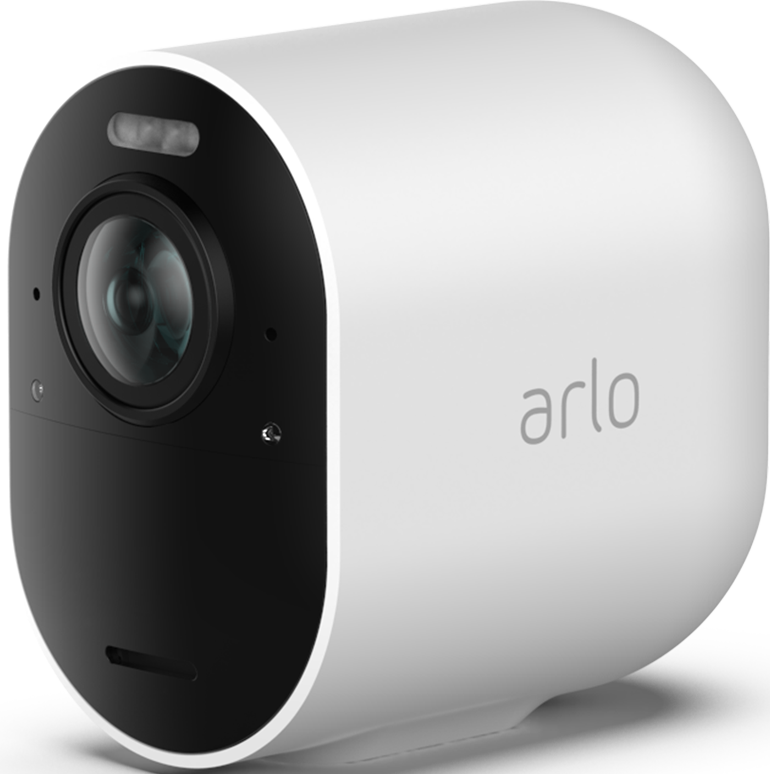
I have three Ultra 2 cameras, and an essentials doorbell. None of them work the way I expect the smart detection to work. I've attached pictures of the settings I use, and the results in my feed. Basically, all motion is captured. I get hundreds of videos a day, and they are all worthless because a leaf blew in the wind and the camera decided it was excited and needed to be recorded. It is even better now that I turned on the AI captions so that I know I have a "Quiet residential pathway scene".
Is there any way to make the smart detection actually work?


Solved! Go to Solution.
- Related Labels:
-
Troubleshooting
Accepted Solutions


- Mark as New
- Bookmark
- Subscribe
- Mute
- Subscribe to RSS Feed
- Permalink
- Report Inappropriate Content
@Sarannah wrote:
I have activity zones set up to exclude the street.
That will prevent motion on the street from triggering the camera, but won't affect the classification engine (which AFAIK ignores activity zones).
- Mark as New
- Bookmark
- Subscribe
- Mute
- Subscribe to RSS Feed
- Permalink
- Report Inappropriate Content
Are you also getting notifications for the "quiet residential pathway scene" recordings?
- Mark as New
- Bookmark
- Subscribe
- Mute
- Subscribe to RSS Feed
- Permalink
- Report Inappropriate Content
Yes.


I especially like the AI overview that says, "the scene is peaceful with no people, animals, or vehicles..."
- Mark as New
- Bookmark
- Subscribe
- Mute
- Subscribe to RSS Feed
- Permalink
- Report Inappropriate Content
Is object detection set up the same way for all your cameras?
- Mark as New
- Bookmark
- Subscribe
- Mute
- Subscribe to RSS Feed
- Permalink
- Report Inappropriate Content
Yes
- Mark as New
- Bookmark
- Subscribe
- Mute
- Subscribe to RSS Feed
- Permalink
- Report Inappropriate Content
@Sarannah wrote:
Yes
The AI scene description overrides the object detection tag. In your specific screenshot, there is a vehicle across the street (upper left). So it is possible that
- something moving triggers the camera
- the classification engine notices the vehicle, and tags the video as vehicle.
- since that is enabled, the cloud creates the scene description and sends the notification.
Not certain that is happening, but you could try aiming the camera a bit lower as a test (taking the street out of the field of view).
- Mark as New
- Bookmark
- Subscribe
- Mute
- Subscribe to RSS Feed
- Permalink
- Report Inappropriate Content
This was happening before I turned on the ai scene detection.
I just have nice descriptions of it not working correctly now.
I have activity zones set up to exclude the street. Would the scenario you proposed still happen? The thing that also still would make sense to me is that say a leave blows in the activity zones set and a truck drives by at the same time and it picks that up, why would I get a generic motion tag and not a vehicle tag?
- Mark as New
- Bookmark
- Subscribe
- Mute
- Subscribe to RSS Feed
- Permalink
- Report Inappropriate Content
@Sarannah wrote:
I have activity zones set up to exclude the street.
That will prevent motion on the street from triggering the camera, but won't affect the classification engine (which AFAIK ignores activity zones).
- Mark as New
- Bookmark
- Subscribe
- Mute
- Subscribe to RSS Feed
- Permalink
- Report Inappropriate Content
So the classification engine is worthless? Got it.
what a waste of $1000
- Mark as New
- Bookmark
- Subscribe
- Mute
- Subscribe to RSS Feed
- Permalink
- Report Inappropriate Content
@Sarannah wrote:
So the classification engine is worthless? Got it.
Not worthless. It just always covers the full field of view. There are scenarios where that is a good thing - for instance, if the triggering object is moving fast enough to be out of the zone for the bulk of the recording.
- Mark as New
- Bookmark
- Subscribe
- Mute
- Subscribe to RSS Feed
- Permalink
- Report Inappropriate Content
If the feature were properly implemented it would use activity zones. I don’t need 100 notifications a day because a car happens to drive by at the same time a leaf blows in the wind. If I wanted the street included I would have a zone over the street.
- Mark as New
- Bookmark
- Subscribe
- Mute
- Subscribe to RSS Feed
- Permalink
- Report Inappropriate Content
@Sarannah wrote:
If the feature were properly implemented it would use activity zones. I don’t need 100 notifications a day because a car happens to drive by at the same time a leaf blows in the wind. If I wanted the street included I would have a zone over the street.
We agree this could be improved, though I personally think the right answer is to block notifications/recordings for blowing leaves, grass, and similar stuff (whether you are using activity zones or not).
FWIW, some of the cameras have privacy zones, and those are applied when the image is captured. That would help in your case, since stuff in the privacy zones wouldn't be presented to the classification engine. But unfortunately, the Ultras don't support privacy zones.
-
Arlo Mobile App
258 -
Arlo Smart
167 -
Arlo Ultra 2
1 -
Before You Buy
273 -
Features
355 -
Installation
297 -
Prima di acquistare
1 -
Troubleshooting
1,040
-
11 Replies
-
2026-07-26 12:52 PM
-
765 Views
-
0 Likes
-
2 In Conversation
-