- Subscribe to RSS Feed
- Mark Topic as New
- Mark Topic as Read
- Float this Topic for Current User
- Bookmark
- Subscribe
- Printer Friendly Page
-
127 Replies
-
2025-05-28 11:31 AM
-
10644 Views
-
0 Likes
-
20 In Conversation
-





- Mark as New
- Bookmark
- Subscribe
- Mute
- Subscribe to RSS Feed
- Permalink
- Report Inappropriate Content
Hi everyone
I post here in this forum, because Arlo has no support e-mail address.
Since yesterday, my wife's Samsung Galaxy S22 and my Google Pixel 8a get drained by the Arlo app within hours. The phones showed up to 75% battery use by Arlo yesterday and got hot, even when we didn't use the phones much during the day. Arlo just completely drains the batteries. We never had this issue before since getting the cameras in December 2024.


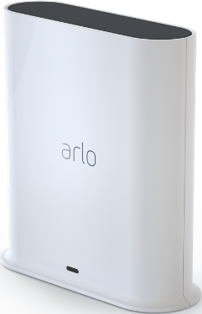
We have four Ultra 2 cameras and a chime connected to the Ultra Smarthub VMB-5000.
Are other people having this issue as well? Is Arlo working on a bug fix?
Thanks!
Solved! Go to Solution.

- Related Labels:
-
Arlo Mobile App


- Mark as New
- Bookmark
- Subscribe
- Mute
- Subscribe to RSS Feed
- Permalink
- Report Inappropriate Content
Your screenshots show Night to change at 6:30 PM rather than 8 which is what you stated - is that correct? DOes geofencing work properly for you (Leave and Arrive)? How many phones are used to determine location for GF?
- Mark as New
- Bookmark
- Subscribe
- Mute
- Subscribe to RSS Feed
- Permalink
- Report Inappropriate Content
It is set at 6:30pm for night. Geofencing does not always work properly. Sometimes it doesn't disarm when I arrive or arm when I leave. I am only using one device for geofencing.
- Mark as New
- Bookmark
- Subscribe
- Mute
- Subscribe to RSS Feed
- Permalink
- Report Inappropriate Content
Are you using iOS or Android? I'm on Android and GF works (almost) 100% for me and my wife. Some have noted that iOS has had issues for quite some time.
Have you deleted your schedules and geofencing setups and recreated them to see if that helps?
- Mark as New
- Bookmark
- Subscribe
- Mute
- Subscribe to RSS Feed
- Permalink
- Report Inappropriate Content
Android, Pixel 9 Pro. I've deleted them multiple times, cleared cache, deleted and reinstalled app. Always the same issue. Just last night the schedule for arm home never turned on.
- Mark as New
- Bookmark
- Subscribe
- Mute
- Subscribe to RSS Feed
- Permalink
- Report Inappropriate Content
But did you delete and recreate your Automations? You might want to delete them and only create the schedules to get them working before adding GF.
- Mark as New
- Bookmark
- Subscribe
- Mute
- Subscribe to RSS Feed
- Permalink
- Report Inappropriate Content
Yes, of course I did. I've done it multiple times. I'm obviously not the only one with this battery drain issue.
- Mark as New
- Bookmark
- Subscribe
- Mute
- Subscribe to RSS Feed
- Permalink
- Report Inappropriate Content
I also have the drain problem. However, I've posted a workaround (see post 30 on this thread) for that issue until a fix is deployed.
As for Automations, you've deleted and recreated them with no help but, as I suggested just above here, did you try creating JUST the schedule to prove it works? You could do the same thing with GF instead, according to what's most important to you.


- Mark as New
- Bookmark
- Subscribe
- Mute
- Subscribe to RSS Feed
- Permalink
- Report Inappropriate Content
@Scout152 can you provide the following: On the android phone->Settings->Arlo Secure->Battery and check if it's set to Optimised?
- Mark as New
- Bookmark
- Subscribe
- Mute
- Subscribe to RSS Feed
- Permalink
- Report Inappropriate Content
Are you saying within the Arlo app, select Devices, select a camera, select settings gear icon and then select Power Management and make that Optimized? Because Android itself does not have an option within the Settings menu to change battery settings like that.
- Mark as New
- Bookmark
- Subscribe
- Mute
- Subscribe to RSS Feed
- Permalink
- Report Inappropriate Content
No, this is for the phone settings for the app. @BrookeN did miss the Apps part of her request and I find on Android 16 that it's Settings>Apps>Arlo Secure>App Battery Usage and verify that Allow Background Usage is enabled.
- Mark as New
- Bookmark
- Subscribe
- Mute
- Subscribe to RSS Feed
- Permalink
- Report Inappropriate Content
Yes, that is set to Optimized.
- Mark as New
- Bookmark
- Subscribe
- Mute
- Subscribe to RSS Feed
- Permalink
- Report Inappropriate Content
@Scout152 sorry I was out yesterday. I did forget the apps part my apologies. Thank you for letting me know.
- Mark as New
- Bookmark
- Subscribe
- Mute
- Subscribe to RSS Feed
- Permalink
- Report Inappropriate Content
@BrookeN shouldn't the app be set to NOT be optimized so it doesn't sleep?
- Mark as New
- Bookmark
- Subscribe
- Mute
- Subscribe to RSS Feed
- Permalink
- Report Inappropriate Content
@jguerdat the team asked for it to be set to optimized.
- Mark as New
- Bookmark
- Subscribe
- Mute
- Subscribe to RSS Feed
- Permalink
- Report Inappropriate Content
This was not a fix! It still drains alot of battery!
- Mark as New
- Bookmark
- Subscribe
- Mute
- Subscribe to RSS Feed
- Permalink
- Report Inappropriate Content
Any update?
- Mark as New
- Bookmark
- Subscribe
- Mute
- Subscribe to RSS Feed
- Permalink
- Report Inappropriate Content
I apologize. there is no update as of today. The team is still actively investigating this behavior.
- Mark as New
- Bookmark
- Subscribe
- Mute
- Subscribe to RSS Feed
- Permalink
- Report Inappropriate Content
I do not have any updates as of today. we are still actively investigating this behavior.
- Mark as New
- Bookmark
- Subscribe
- Mute
- Subscribe to RSS Feed
- Permalink
- Report Inappropriate Content
I am experiencing the same issue on my Pixel 9. Battery drains very quickly. This started happening after I enabled schedule + Geo-fencing in my app. I tried putting the app on pause and that helped with the drain issue.
Is there any update on this issue from the Arlo team?
- Mark as New
- Bookmark
- Subscribe
- Mute
- Subscribe to RSS Feed
- Permalink
- Report Inappropriate Content
Thank you for letting us know. I passed tis information onto our development team.
- Mark as New
- Bookmark
- Subscribe
- Mute
- Subscribe to RSS Feed
- Permalink
- Report Inappropriate Content
Any updates on this? I'm having the same issue with my Samsung Flip 7. I've tried everything mentioned here so far (e.g., set to optimized, app updated)
- Mark as New
- Bookmark
- Subscribe
- Mute
- Subscribe to RSS Feed
- Permalink
- Report Inappropriate Content
I do not have an update as of yet. As soon as I do I will reach out to the community.
- Mark as New
- Bookmark
- Subscribe
- Mute
- Subscribe to RSS Feed
- Permalink
- Report Inappropriate Content
I just wanted to give a quick update that this is still actively being investigated. I will update the community again soon.
- Mark as New
- Bookmark
- Subscribe
- Mute
- Subscribe to RSS Feed
- Permalink
- Report Inappropriate Content
We are still investigating the battery drain behavior that you are seeing, I will update the community soon.
- Mark as New
- Bookmark
- Subscribe
- Mute
- Subscribe to RSS Feed
- Permalink
- Report Inappropriate Content
Thank you so much for keeping me updated.
-
Arlo Mobile App
250 -
Arlo Smart
165 -
Arlo Ultra 2
1 -
Before You Buy
272 -
Features
350 -
Installation
296 -
Prima di acquistare
1 -
Troubleshooting
1,024
-
127 Replies
-
2025-05-28 11:31 AM
-
10645 Views
-
0 Likes
-
20 In Conversation
-