This topic has been closed to new posts due to inactivity. We hope you'll join the conversation by posting to an open topic or starting a new one.
- Subscribe to RSS Feed
- Mark Topic as New
- Mark Topic as Read
- Float this Topic for Current User
- Bookmark
- Subscribe
- Printer Friendly Page
-
7 Replies
-
2026-03-27 10:30 AM
-
1547 Views
-
0 Likes
-
3 In Conversation
-




- Mark as New
- Bookmark
- Subscribe
- Mute
- Subscribe to RSS Feed
- Permalink
- Report Inappropriate Content
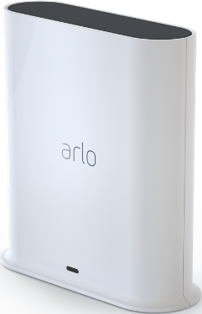
I have the Ultra SmartHub. I got it to see if my cameras responding any quicker than when on my Wifi. They don't.
But what's worse, the SmartHub killed my wifi. I use several Roku's on wifi. When the SmartHub is on, they are constantly buffering. The speedtest in the Roku settings shows 3mbps.
I unplug the SmartHub, and back to normal. SpeedTest is over 60mbps (gigabit ISP connection).
Many other devices just seem to not work as well when the SmartHub is on.
I know the SmartHub auto-selects the channel to match the router which they claim will cause less interference. I'm no radio technician, but whatever they're doing ain't working.
So... now I got this SmartHub with no use. That sucks.
(And there's no community board for the Hubs).
- Related Labels:
-
Arlo Smart


- Mark as New
- Bookmark
- Subscribe
- Mute
- Subscribe to RSS Feed
- Permalink
- Report Inappropriate Content
@jbhardman2 wrote:
But what's worse, the SmartHub killed my wifi.
How close is the smarthub to your router? If it is right next to it, then the radio transmission from the hub can overload the receiver in the router (and vice versa). I generally recommend putting the smarthub as far away from the router as the supplied ethernet cable will reach (5-6 feet).


- Mark as New
- Bookmark
- Subscribe
- Mute
- Subscribe to RSS Feed
- Permalink
- Report Inappropriate Content
What do you mean by overload the receiver in the router? With what? And how, especially that Arlo cameras don't communicate with the router/access point if they're connected to the SmartHub? Do you mean cause interference?
Other than the SmartHub broadcasting on the same channel as the router, why do you think the short distance of the cable's length (significantly) matters? (I don't think it does.) And cables come in different lengths; mines is 10cm. And what is the length that is optimal?
I have no idea what is the reason for the Arlo system to broadcast on the same channel as the router/access point (other than to somewhat 'strengthen' the signal?). However, the argument that the system only uploads when there's movement and so other than that there's no interference as such is a strange one: you can live by a busy road and also what if you have CVR, and use 4k cameras where bandwidth is more than that of the original Arlo HD camera.
Lots of ifs @StephenB
- Mark as New
- Bookmark
- Subscribe
- Mute
- Subscribe to RSS Feed
- Permalink
- Report Inappropriate Content
I really don't understand the constant discussion about proximity to my "router". I said, I'm not a radio technician, but I know a thing or two.
I have 3 AP's on my Unifi system with a Cloud Gateway Fiber "router".
One AP outside, 2 inside (main floor, basement).
In the 2.4Ghz radio, they are set on 1, 6, and 11.
The Hub is on my Main floor, in the same room as the AP (AP is ceiling mounted, Hub is on the entertainment desk beside/behind the TV). I'd guess 35 feet of distance between the AP and Hub.
Really wish I could pick the channel. I'd match the channel of my outdoor AP, since that has the least "amount" of broadcast where the Hub is sitting, as it is outside and has to go through the exterior walls of my house and multiple interior walls before reaching the room inside.
Also, exactly why the Hub kills my Wifi connectivity on other clients (Roku, laptop, etc.), I don't know. I just know it does. It's clear as day. Hub on, poor performance on clients. Hub off, great performance on clients. Whether or not that should be the result, in the real world, it is the result.
- Mark as New
- Bookmark
- Subscribe
- Mute
- Subscribe to RSS Feed
- Permalink
- Report Inappropriate Content
@jbhardman2 wrote:
The Hub is on my Main floor, in the same room as the AP (AP is ceiling mounted, Hub is on the entertainment desk beside/behind the TV). I'd guess 35 feet of distance between the AP and Hub.
That is more than enough distance, so the overload I am talking about is not happening in your case.
- Mark as New
- Bookmark
- Subscribe
- Mute
- Subscribe to RSS Feed
- Permalink
- Report Inappropriate Content
@Edinburgh_lad1 wrote:
What do you mean by overload the receiver in the router? With what?
When the hub and router are very close together, then the signal from the router can cause signal saturation on the hub's wifi receiver, and vice versa. This physically overwhelms the receiver electronics - which then add distortion to the signal. The effect of the signal overload on the receiver is often called "desensitivation" or "receiver blocking".
Note this problem can surface even if the nearby transmitter is using a different band. This is different from the co-existence problems due to sharing the same wifi channel.
Signal strength drops with the square of the distance, so even a small increase in the distance can help here.
@Edinburgh_lad1 wrote:
And cables come in different lengths; mines is 10cm. And what is the length that is optimal?
Electronic and antenna designs can also vary, and they also play a part here. As do transmit power levels, which are much lower in England for 2.4 ghz wifi (100 mw) than they are in the US (1 w). 5 Ghz WiFi transmitters in England can send 1 w (same as the US). So yes, a lot of "IFs".
But 20 cm is very close - the transmission signals are extremely strong at that distance, particularly if you have 1 W power limit. As I said above, I think about 5-6 feet is a good distance (so 1.5-2m). I see some similar recommendations when I google.
As a practical matter, several users here have posted that moving the hub 5-6 feet away from their router resolved their wifi performance problems. If you are seeing any evidence of wifi interference in your setup, you could try using a longer cable and see if that helps.
In any event, @jbhardman2's hub is quite a ways from the nearest access point, so this possibility doesn't apply to that setup. Though other nearby electronics can also trigger this in the 2.4 ghz band - bluetooth transmitters, and unshielded USB 3 devices. USB 3.0 uses spread-spectrum modulation, and can generate quite a bit of noise in 2.4 ghz-2.5 ghz range. And the USB 3 cable can be a nice antenna.
- Mark as New
- Bookmark
- Subscribe
- Mute
- Subscribe to RSS Feed
- Permalink
- Report Inappropriate Content
Thanks for the information.
This whole idea of Arlo not allowing users to switch off WiFi on the SmartHub is crazy. First product I've ever seen to do that. So, I've been toying with the idea of getting rid of my VMB5000 for some time now, especially that none of my cameras connecting to the SmartHub are dual band, and I mainly use 5GHz WiFi at home.
PS The UK: England + Scotland + Wales + Northern Ireland
PPS With Arlo, it's like with a communist party: they always know better 😆
- Mark as New
- Bookmark
- Subscribe
- Mute
- Subscribe to RSS Feed
- Permalink
- Report Inappropriate Content
@Edinburgh_lad1 wrote:
PS The UK: England + Scotland + Wales + Northern Ireland
I know that, but wasn't sure if the power limits I cited applied to the entire UK or not.
-
Activity Zones
34 -
animal
1 -
Apple HomeKit
1 -
Arlo Mobile App
72 -
Arlo Q Series
1 -
Arlo Secure
47 -
Arlo Smart
451 -
Arlo Web and Mobile Apps
3 -
Before You Buy
58 -
detection
1 -
e911
14 -
Features
53 -
Firmware Release Notes
2 -
Google Assistant
1 -
IFTTT
1 -
Installation
38 -
notifications
1 -
Object Recognition
54 -
Online and Mobile Apps
17 -
Service and Storage
31 -
Servicio y Almacenamiento
1 -
Smart Subscription
268 -
SmartThings
7 -
Troubleshooting
311
- « Previous
- Next »
-
7 Replies
-
2026-03-27 10:30 AM
-
1548 Views
-
0 Likes
-
3 In Conversation
-