- Subscribe to RSS Feed
- Mark Topic as New
- Mark Topic as Read
- Float this Topic for Current User
- Bookmark
- Subscribe
- Printer Friendly Page
-
53 Replies
-
2025-10-09 11:40 PM
-
5204 Views
-
2 Likes
-
17 In Conversation
-





- Mark as New
- Bookmark
- Subscribe
- Mute
- Subscribe to RSS Feed
- Permalink
- Report Inappropriate Content
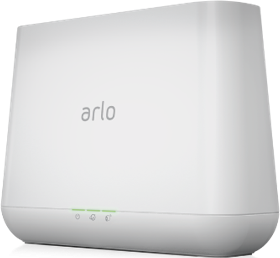
VMB 5000 not updating firmware. Arlo support says its system problem and not a problem with my unit. Is this true?
- Related Labels:
-
Arlo Smart

- Mark as New
- Bookmark
- Subscribe
- Mute
- Subscribe to RSS Feed
- Permalink
- Report Inappropriate Content
Well, I can't do much with it, as it's not connecting any cameras. Otherwise I'd have left it the way it is.
- Mark as New
- Bookmark
- Subscribe
- Mute
- Subscribe to RSS Feed
- Permalink
- Report Inappropriate Content
Hi @ShayneS
I've sent you a PM, but thought I'd post on here, too.
That's the base station online but it says the battery is too low to update firmware and I can't connect any cameras to it.
Would you please kindly look into this?
Thank you.

- Mark as New
- Bookmark
- Subscribe
- Mute
- Subscribe to RSS Feed
- Permalink
- Report Inappropriate Content
Getting message "a firmware update is required for this camera, but it's battery is too low to proceed. However it's not a camera, it's the base station which does not have a battery

- Mark as New
- Bookmark
- Subscribe
- Mute
- Subscribe to RSS Feed
- Permalink
- Report Inappropriate Content
I got that too. It was just a glitch. I called and was already on the most current firmware.

- Mark as New
- Bookmark
- Subscribe
- Mute
- Subscribe to RSS Feed
- Permalink
- Report Inappropriate Content
- Manual Update Attempt: Failed consistently with the "low battery" error message.
- Power Cycling: Unplugged the base station, waited 30+ seconds, and plugged it back in. The device successfully comes back online, but no update is triggered, and the issue persists.
- Factory Reset: Performed a hard factory reset using a paperclip on the rear reset button (held for 15+ seconds until LEDs flashed amber).
- Remove and Re-add Device: After factory reset, I removed the device from my account and added it back as a "New System." The app claims it will update during this process, but after setup is complete, it remains on the old 1.14.1.2 firmware version.
- Checked Network: The base station is connected directly to my main router via a new, stable Ethernet cable. Internet speeds are fast (verified by speed test, well above 1 Mbps upload).

- Mark as New
- Bookmark
- Subscribe
- Mute
- Subscribe to RSS Feed
- Permalink
- Report Inappropriate Content
Hi
I’m experiencing a persistent issue with my Arlo SmartHub where the firmware update fails to complete. I’ve followed all recommended troubleshooting steps, including restarting the hub, checking network connectivity, and attempting manual updates via the Arlo Secure app, but the problem remains unresolved.
Here are the details of my setup:
- Device: Arlo SmartHub
- Model: VMB4540
- Current Firmware Version: 1.28.2.0193853ee4a5
- Last Update Check: No update check yet (as shown in app)
- Connection: Ethernet to router, stable internet
- Issue: Firmware update fails repeatedly; app shows no update check or progress
Please advise on how to proceed. If a manual firmware push or deeper diagnostic is needed, I’m happy to assist with any steps required.
Or maybe the version is the final version?
Thanks in advance
Ramy
- Mark as New
- Bookmark
- Subscribe
- Mute
- Subscribe to RSS Feed
- Permalink
- Report Inappropriate Content
Base station has the message:
"A firmware update is required for this camera but its battery levels are too low to proceed".
However, it's a base station, it does not have any battery.
Clicking "Update" won't get the devices updated. This has been stuck for many days.


- Mark as New
- Bookmark
- Subscribe
- Mute
- Subscribe to RSS Feed
- Permalink
- Report Inappropriate Content
Have you tried turning the base off, wait for 10 seconds or so and then turn it back on? No guarantees...
- Mark as New
- Bookmark
- Subscribe
- Mute
- Subscribe to RSS Feed
- Permalink
- Report Inappropriate Content
These are the things that I've tried:
- Ensured the other camera batteries are full charged.
- Restart the base station a few times.
- Unplug the power and turn it back on a few times.
The problem still persists.
I gave up.
Today I checked again, it seems like the problem itself is gone, not sure why.


- Mark as New
- Bookmark
- Subscribe
- Mute
- Subscribe to RSS Feed
- Permalink
- Report Inappropriate Content
Hi @TOEKNEEE
Your device was updated to a firmware on the backend that should help with the symptom you were experiencing. Can you test this again and let me know how it goes.
Thanks


- Mark as New
- Bookmark
- Subscribe
- Mute
- Subscribe to RSS Feed
- Permalink
- Report Inappropriate Content
@jguerdat wrote:I looked at my 5000 to see if there was an update but nope. I then tried the Check for Update and got the attached error. @JamesC , @ShayneS , @BrookeN is there an update for these hubs? I have 1.28.1.0_1940.

I missed this message back oct-2025 but now that it's dec-2025, I am still seeing the same error message above with my VMB5000, which has firmware 1.28.2.0_1941_53ee4a5
Kindly advise, @ShayneS @JamesC @BrookeN ?
Alex
- Mark as New
- Bookmark
- Subscribe
- Mute
- Subscribe to RSS Feed
- Permalink
- Report Inappropriate Content
I presume what's happening here is that they have one error message to fit a range of firmware search scenarios that result in 'no firmware available', in relation to either the camera or SmartHub or base station. Because of the poor wording of the message, it becomes confusing.
This app is a commercial product, not some kind of internal product made for the needs of the team where everybody involved knows what the error message means, regardless of what it says. They should either reword the message or add another one, and be more aware of who the target audience of their product is.
- Mark as New
- Bookmark
- Subscribe
- Mute
- Subscribe to RSS Feed
- Permalink
- Report Inappropriate Content
Your device was also updated to a firmware on the backend that should help with the symptom you were experiencing. Can you test this again and let me know how it goes.
- Mark as New
- Bookmark
- Subscribe
- Mute
- Subscribe to RSS Feed
- Permalink
- Report Inappropriate Content
@ShayneS wrote:
Your device was also updated to a firmware on the backend that should help with the symptom you were experiencing. Can you test this again and let me know how it goes.
hi @ShayneS , I don't quite understand you here but I tried it just now and it stayed showing the same "firmware could not be updated" screen as before.
In short, the issue has NOT been fixed.
Kindly advise.
Alex
- Mark as New
- Bookmark
- Subscribe
- Mute
- Subscribe to RSS Feed
- Permalink
- Report Inappropriate Content
- Mark as New
- Bookmark
- Subscribe
- Mute
- Subscribe to RSS Feed
- Permalink
- Report Inappropriate Content
- Mark as New
- Bookmark
- Subscribe
- Mute
- Subscribe to RSS Feed
- Permalink
- Report Inappropriate Content
I have the same issue, all cameras show firmware is up to date but the base station VMB5000r5 fails the update in the app. Everything is working in the Arlo app but I'm losing connection to smartthings. Not sure if this is related. Support - please advise.
- Mark as New
- Bookmark
- Subscribe
- Mute
- Subscribe to RSS Feed
- Permalink
- Report Inappropriate Content
@jdfirth wrote:I have the same issue, all cameras show firmware is up to date but the base station VMB5000r5 fails the update in the app. Everything is working in the Arlo app but I'm losing connection to smartthings. Not sure if this is related. Support - please advise.
I just noticed something just now. Even though the "check for update" fails, I can see a "last checked" date as recent as my morning TODAY. See screenshot below:

btw, @jdfirth , what is the firmware version number with your VMB5000?
Alex
- Mark as New
- Bookmark
- Subscribe
- Mute
- Subscribe to RSS Feed
- Permalink
- Report Inappropriate Content
Sorry Alex, meant to include that it's 1.28.2.0_1941_53ee4a5. Here's the error I'm getting when trying to check/update firmware in the app. If I check in my.arlo.com it says firmware is up to date.

- Mark as New
- Bookmark
- Subscribe
- Mute
- Subscribe to RSS Feed
- Permalink
- Report Inappropriate Content
@jdfirth wrote:Sorry Alex, meant to include that it's 1.28.2.0_1941_53ee4a5. Here's the error I'm getting when trying to check/update firmware in the app. If I check in my.arlo.com it says firmware is up to date.
my version was 129.0.0_1946_e67e68e
my "Last Checked" was Dec 16, 4:14am.
Alex
- Mark as New
- Bookmark
- Subscribe
- Mute
- Subscribe to RSS Feed
- Permalink
- Report Inappropriate Content
@alex_loo wrote:
I missed this message back oct-2025 but now that it's dec-2025, I am still seeing the same error message above with my VMB5000, which has firmware 1.28.2.0_1941_53ee4a5
hmm ... this is interesting.
While I am still seeing above screen on the app, I happened to login via web browser, and when I check the firmware of the same smarthub from there, there was actually no issue at all !! See screenshot below:


On web login screen, the last check date was even further updated (to Dec 17)! vs the previous date which I re-post below:

(above: screenshot from yesterday's app, showing last checked date just Dec 16)
So, I am starting feeling that:
- there is no further update necessary
- Web version has no issue and working correctly
- App (android here) version has issue by itself, and is reporting "cannot update" incorrectly
- The app needs to be fixed
- Users have not missed anything, and can just ignore that wrong screenshot from the app
Alex
- Mark as New
- Bookmark
- Subscribe
- Mute
- Subscribe to RSS Feed
- Permalink
- Report Inappropriate Content
@alex_loo wrote:
On web login screen, the last check date was even further updated (to Dec 17)! vs the previous date which I re-post below:
Something went wrong and I am re-posting the missing picture here:

(above: screenshot from yesterday's app, showing last checked date just Dec 16)
So, I am starting feeling that:
- The app needs to be fixed
Alex
- Mark as New
- Bookmark
- Subscribe
- Mute
- Subscribe to RSS Feed
- Permalink
- Report Inappropriate Content
I just checked both of my hubs (4540 and 5000) using the Android app (6.6.8) and also get that failure message. The web just says firmware is up to date.
- Mark as New
- Bookmark
- Subscribe
- Mute
- Subscribe to RSS Feed
- Permalink
- Report Inappropriate Content
The team is still investigating this. I will update the thread when I have more info.
- Mark as New
- Bookmark
- Subscribe
- Mute
- Subscribe to RSS Feed
- Permalink
- Report Inappropriate Content
@ShayneS wrote:The team is still investigating this. I will update the thread when I have more info.
to be honest, if this is just UI bug with the app, don't worry about that at this stage. This is low priority and there are heaps of showstopper issues dev team should focus on.
To name a few:
- pushing out good custom modes asap
- fixing unreliable geofencing
- fixing the geofencing in/out notification with iPhone app, that is simply not working
- fixing issue that ARLO does NOT support "working with Google" claim --- it fails when user tries to link up ARLO to Google Home app, showing "HTTP 400"
I am sure there are more, but they are everywhere, ignored most of the time, within this forum.
Alex
-
Activity Zones
34 -
animal
1 -
Apple HomeKit
1 -
Arlo Mobile App
66 -
Arlo Q Series
1 -
Arlo Secure
42 -
Arlo Smart
442 -
Arlo Web and Mobile Apps
3 -
Before You Buy
58 -
detection
1 -
e911
14 -
Features
52 -
Firmware Release Notes
2 -
Google Assistant
1 -
IFTTT
1 -
Installation
34 -
notifications
1 -
Object Recognition
54 -
Online and Mobile Apps
17 -
Service and Storage
31 -
Servicio y Almacenamiento
1 -
Smart Subscription
268 -
SmartThings
7 -
Troubleshooting
305
- « Previous
- Next »
-
53 Replies
-
2025-10-09 11:40 PM
-
5205 Views
-
2 Likes
-
17 In Conversation
-