This topic has been closed to new posts due to inactivity. We hope you'll join the conversation by posting to an open topic or starting a new one.
- Subscribe to RSS Feed
- Mark Topic as New
- Mark Topic as Read
- Float this Topic for Current User
- Bookmark
- Subscribe
- Printer Friendly Page
-
9 Replies
-
2026-02-03 01:50 PM
-
3680 Views
-
2 Likes
-
6 In Conversation
-




- Mark as New
- Bookmark
- Subscribe
- Mute
- Subscribe to RSS Feed
- Permalink
- Report Inappropriate Content
After the update and the forced trial upgrade now ended, I am unable to view my local recordings. In the "Feed" tab > "Local" my base station says "No Events".
Walked through technical support to verify all the settings were correct ("View Recordings" toggled on, all devices on same network etc), factory reset all devices, and attempted to access via a different mobile device.
Afterwards, they escalated the ticket on their support side I was told that my hub was defective and that they would offer to replace it at a discount. I'm skeptical, I was able to view the local recordings a couple weeks ago.
They told me they are 100% sure this is a hardware issue and not a software issue, but it seems like other non-subscription members are being affected in a similar way.
Anyone else in the same boat?
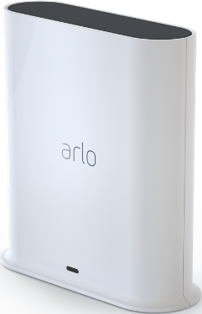
Hardware: vmb4540 (smart hub base station) and pro 3 cameras
- Related Labels:
-
Arlo Secure
Best answers
-
No I have not un/reinstalled the app.
But I got a pleasant surprise today. Today it actually works…
Yesterday videos have appeared and new videos do appear directly after they have been recorded (refresh needed in history)
Maybe someone responsible for Arlo’s backend have done a restart or other correction?.. 🙂


- Mark as New
- Bookmark
- Subscribe
- Mute
- Subscribe to RSS Feed
- Permalink
- Report Inappropriate Content
Hi @cinemafaux
Have you verified these devices are set to record in the rules? If you put the USB Drive or micro sd card in a computer do you see any recordings? Is it possible to test with another usb or micro sd card And verify all rules are set to record with your cameras and modes and test again. You can find more detailed Info on setting up local storage here.
- Mark as New
- Bookmark
- Subscribe
- Mute
- Subscribe to RSS Feed
- Permalink
- Report Inappropriate Content
A reddit user reporting the same issue suggested this fix and it worked for me.
"in iOS setting for the Arlo App (not in the app itself) there is a slider switch for “Local Network”. After I enabled that, I was finally able to view local recordings."

- Mark as New
- Bookmark
- Subscribe
- Mute
- Subscribe to RSS Feed
- Permalink
- Report Inappropriate Content
Nothing new. It’s been like this for over a year now, if you don’t pay, you’re entitled to nothing — except having paid a lot of money for very expensive equipment that’s no longer of much use. Fortunately, others are there.
- Mark as New
- Bookmark
- Subscribe
- Mute
- Subscribe to RSS Feed
- Permalink
- Report Inappropriate Content
Thanks for the feedback. Without a service plan, your Arlo device will continue to have the following features:
- Live Streaming
- Push Notifications
- Two-way Audio
- Auto Zoom & Tracking*
- Local Storage Recording*
*Auto Zoom & Tracking and Local Storage Recording are not available for all Arlo devices.
Note: Without an Arlo plan or trial you will not have access to features such as Video History and Activity Zones. You can find this info here
If can provide more detail regarding any symptoms your experiencing I will do my best to assist you.

- Mark as New
- Bookmark
- Subscribe
- Mute
- Subscribe to RSS Feed
- Permalink
- Report Inappropriate Content
VMB5000r5 here and since the last software update and subscription offer ending I too no longer can see any local videos except for ones that predate July of last year. Anything more recent, including from notices of activity, do not show up. Storage is fine and the old videos I can see are fine.
what’s going on?


- Mark as New
- Bookmark
- Subscribe
- Mute
- Subscribe to RSS Feed
- Permalink
- Report Inappropriate Content
@TheWiz wrote:
VMB5000r5 here and since the last software update and subscription offer ending I too no longer can see any local videos except for ones that predate July of last year. Anything more recent, including from notices of activity, do not show up. Storage is fine and the old videos I can see are fine.
Try uninstalling and reinstalling the app.
- Mark as New
- Bookmark
- Subscribe
- Mute
- Subscribe to RSS Feed
- Permalink
- Report Inappropriate Content
Same here…
With the difference that I just bought the VMB5000 (to have videos stored locally for control/privacy reasons and not need a subscription) and upgraded to the new app before including the camera to the hub. So I have not experienced a working local storage with the old version of the app.
But the results are the same.
- Events not recorded.
- No videos visible
neither under ”local” nor ”cloud”.
This does not align with Arlo’s promises for the ”smart” hub, and I find nothing of relevance on their support pages.
I just hope this is a SW bug that they will fix soon or I’ll have to follow the advice to jump the ship (as other smart home users recommend since Arlo no longer support inclusion in e.g. Homey)
- Mark as New
- Bookmark
- Subscribe
- Mute
- Subscribe to RSS Feed
- Permalink
- Report Inappropriate Content
@Belo39 wrote:
- Events not recorded.
- No videos visible
neither under ”local” nor ”cloud”.
Did you try uninstalling and reinstalling the app?
- Mark as New
- Bookmark
- Subscribe
- Mute
- Subscribe to RSS Feed
- Permalink
- Report Inappropriate Content
No I have not un/reinstalled the app.
But I got a pleasant surprise today. Today it actually works…
Yesterday videos have appeared and new videos do appear directly after they have been recorded (refresh needed in history)
Maybe someone responsible for Arlo’s backend have done a restart or other correction?.. 🙂
-
Activity Zones
1 -
Applications mobile et en ligne
2 -
Arlo 4.1 App release notes
1 -
Arlo app
1 -
Arlo Mobile App
406 -
arlo not working
2 -
Arlo Pro 5
1 -
Arlo Pro 5S 2K
1 -
Arlo Secure
1,374 -
Arlo Secure 4.0
2 -
Arlo Smart
124 -
Automation
1 -
Before You Buy
97 -
cameras
1 -
custom modes
2 -
Features
164 -
Friend
1 -
Geofencing
1 -
Grant Access
1 -
IFTTT
1 -
Installation
65 -
Modes and Rules
1 -
my.arlo.com
1 -
notifications
2 -
Pro 5s
1 -
Security System App
1 -
Smart Subscription
1 -
Temporary disable
1 -
Troubleshooting
435 -
Vacation override
1
- « Previous
- Next »
-
9 Replies
-
2026-02-03 01:50 PM
-
3681 Views
-
2 Likes
-
6 In Conversation
-