- Subscribe to RSS Feed
- Mark Topic as New
- Mark Topic as Read
- Float this Topic for Current User
- Bookmark
- Subscribe
- Printer Friendly Page
-
23 Replies
-
2026-01-14 06:44 AM
-
1630 Views
-
2 Likes
-
7 In Conversation
-




- Mark as New
- Bookmark
- Subscribe
- Mute
- Subscribe to RSS Feed
- Permalink
- Report Inappropriate Content
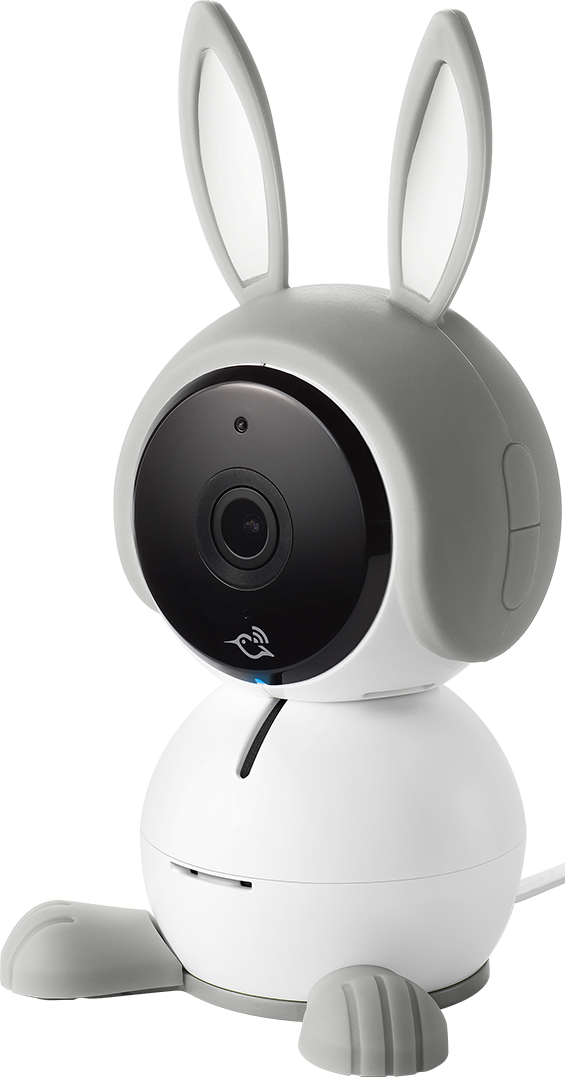
With the new app, Arlo baby doesn't let me set notifications. No matter what, it will push a notification to my phone. I used to have an option to silence notifications during certain hours of the day depending on what custom mode I created, but now nothing works! I am also unable to contact Support within the app!
- Related Labels:
-
Arlo Mobile App


- Mark as New
- Bookmark
- Subscribe
- Mute
- Subscribe to RSS Feed
- Permalink
- Report Inappropriate Content
@dlwong wrote:
I am also unable to contact Support within the app!
Do you have a subscription?
@dlwong wrote:
With the new app, Arlo baby doesn't let me set notifications. No matter what, it will push a notification to my phone. I used to have an option to silence notifications during certain hours of the day depending on what custom mode I created, but now nothing works!
You can set up Arm Away to notify you, and Arm Home to not notify you. Then you can switch the system between those two modes - either manually, or scheduled with automations.

- Mark as New
- Bookmark
- Subscribe
- Mute
- Subscribe to RSS Feed
- Permalink
- Report Inappropriate Content
I have the same issue. I keep getting Arlo Baby notifications even though my Arm Home routine is only set to Motion Detection and Record.
- Mark as New
- Bookmark
- Subscribe
- Mute
- Subscribe to RSS Feed
- Permalink
- Report Inappropriate Content
I chatted with support. I sent them screenshots of my Arm Home Routine which shows I do not have notifications enabled.

I still get push notifications for the Arlo Baby camera. This is definitely a bug.
I have attempted to:
- Delete and readd the device to the routine from the mobile app and website.
- Logout, uninstall and reinstall the mobile app.
- Restart the Arlo Baby.
My subscription expired today so now I can't chat with support.

- Mark as New
- Bookmark
- Subscribe
- Mute
- Subscribe to RSS Feed
- Permalink
- Report Inappropriate Content
Hi,
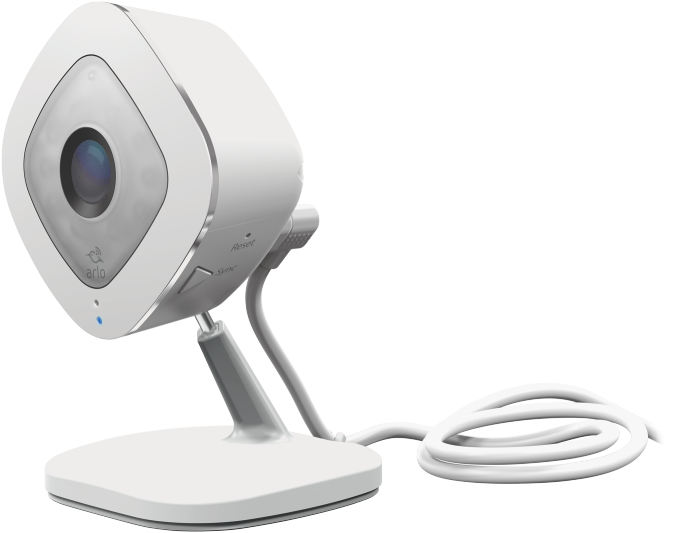
I have 2 Arlo Pro 2's and 2 Arlo Q cameras. With the new app, I continue to get motion alerts on my Arlo Q cameras even when I have the "Send Notification" checkbox de-selected. I've even cycled it on/off. No change. In addition --- I am UNABLE to get audio notifications even with it selected. Please help!
The Arlo Pro 2 cameras --- seem to work as advertised however.


- Mark as New
- Bookmark
- Subscribe
- Mute
- Subscribe to RSS Feed
- Permalink
- Report Inappropriate Content
Can you provide the following information:
App Version:
Platforms: [iOS/Android/Web]
Firmware Version:
When did you notice this behavior start? Was it after an update?
- Mark as New
- Bookmark
- Subscribe
- Mute
- Subscribe to RSS Feed
- Permalink
- Report Inappropriate Content
App Version: 6.10.1_6100103
Platforms: Android & iOS
Firmware Version: 1.13.0.0_95_a58d08a_db3500e
Started happening when you all completely re-did the app. I got a free trial subscription --- which expired/canceled. Now I don't have any subscription but cannot for the life of me turn off motion notifications on both my android phone as well as my iPad. Basically anytime I record video I get a notification even if push notifications is de-selected.
- Mark as New
- Bookmark
- Subscribe
- Mute
- Subscribe to RSS Feed
- Permalink
- Report Inappropriate Content
I have reached out to our team to investigate this. Please keep in mind these are EOL devices. I will update the community as soon as I get a response.
- Mark as New
- Bookmark
- Subscribe
- Mute
- Subscribe to RSS Feed
- Permalink
- Report Inappropriate Content
Can you provide when you first noticed this behavior?
- Mark as New
- Bookmark
- Subscribe
- Mute
- Subscribe to RSS Feed
- Permalink
- Report Inappropriate Content
Attempted to delete the device from my account. Reset the device. Added back to my account and added to the routine with notifications disable. Still the same issue.
What's interesting is when I checked my wife's Arlo app, notifications was enabled in the routine. I thought it might be account sync issue between shared access. I disabled notifications in the routine on her app, but that still didn't work.
I think this is a bug with the Arlo app service not syncing the notification setting.
Also seems weird that it started when my subscription expired.
- Mark as New
- Bookmark
- Subscribe
- Mute
- Subscribe to RSS Feed
- Permalink
- Report Inappropriate Content
It is being investigated, I will update you as soon as possible.
- Mark as New
- Bookmark
- Subscribe
- Mute
- Subscribe to RSS Feed
- Permalink
- Report Inappropriate Content
This is currently being investigated. I will update the community as soon as possible.
- Mark as New
- Bookmark
- Subscribe
- Mute
- Subscribe to RSS Feed
- Permalink
- Report Inappropriate Content
EOL devices or not --- you all changed and updated the app. I would have been happy to continue to use the old version and not change a thing from the ~9 years I've been using these devices. I hope you all can come up with a solution.
Is rolling back to previous version of the app an option?
- Mark as New
- Bookmark
- Subscribe
- Mute
- Subscribe to RSS Feed
- Permalink
- Report Inappropriate Content
You can not roll back to the previous version.
- Mark as New
- Bookmark
- Subscribe
- Mute
- Subscribe to RSS Feed
- Permalink
- Report Inappropriate Content
Unfortunately doesn't seem like they are going to fix it and want you to buy another device.
We sincerely apologize for any inconvenience caused by the delay in our response and greatly appreciate your patience. We can understand your concern that you have contacted us for the notification issue. After checking, I found that the camera has been categorized as an End of Life (EOL) legacy camera. This means, At Arlo, we are dedicated to providing the highest-performing smart home security solutions while upholding our Privacy Pledge to protect your privacy and data. To ensure our products and services continue to meet and exceed the latest technology and cybersecurity standards, we regularly evaluate and update our offerings. As part of this process, some products and services may eventually transition to the End of Life (EOL) stage. This allows us to focus on enhancing newer solutions that deliver even better security, functionality, and performance. Unfortunately, Arlo no longer supports this product. However, I'd be happy to assist you in exploring upgrading to a newer camera model that will meet your security and functionality needs.
If you're interested, could you please provide me with the following details so that I can arrange a call with our team to discuss further along with the discounts up to 50% for hardware purchases
- Mark as New
- Bookmark
- Subscribe
- Mute
- Subscribe to RSS Feed
- Permalink
- Report Inappropriate Content
Guess it's time to find another smart camera manufacturer. There's no way I'm investing in Arlo ever again!
- Mark as New
- Bookmark
- Subscribe
- Mute
- Subscribe to RSS Feed
- Permalink
- Report Inappropriate Content
The Arlo Q and Baby have been EOL since January of 2025. Which does mean the following:
Critical security updates will still be provided for hardware for one year beyond the EOL date.
While firmware updates, bug fixes, and feature additions will no longer be available, many devices will still work for core functions like live streaming and recording.
As replacement devices and spare parts will no longer be available, you may receive special offers or discounts on upgraded Arlo products and services to keep your home security at its best.
Services (including some bundled offerings) may be migrated to the closest equivalent service or given an offer to change their service plan to retain desired features.
However, I have sent this information over to the development team who is currently investigating this behavior you are seeing.

- Mark as New
- Bookmark
- Subscribe
- Mute
- Subscribe to RSS Feed
- Permalink
- Report Inappropriate Content
Last week, the accounts that had Arlo Q and Arlo Baby cameras were forced to update, and then all recordings and notifications stopped working.
I did finally get the cameras to start recording and notifying. But now, I cannot get the notifcations to TURN OFF. There are cameras that I want to record but not constantly notify me. This applies to both Arlo Q and Arlo Baby cameras.
Has anyone come across this issue? How did you fix it.
I've tried everything I can think of, but nothing works
1) In " Edit Device Rules" for Arm Away, I turned of notifications (obvious step). Saved them again even though they still show notifications turned off.
2) Deleted the rule and re-added the rule
3) Power cycled cameras
4) Deleted and re-added camera
5) Creating a new rule un Arm Home with notifications turned off
6) Power cycled Android devices
7) Double-checked that all accounts with permissions to the cameras show that notifications are turned off.
How do I stop all these notifications?! It's driving me nuts....
These new Feed apps are so confusing, buggy, and messed up.
(See my other posting about how I got the cameras to start recording after the forced app udpates.)
- Mark as New
- Bookmark
- Subscribe
- Mute
- Subscribe to RSS Feed
- Permalink
- Report Inappropriate Content
@JamesC , @ShayneS or @BrookeN may be able to help.
My Q doesn't notify me so it's not normal behavior. I'd guess it's something in your account that's causing the setting to be ignored and you can't fix that yourself. I suppose toggling the notifications setting via a computer browser may be worth trying.
- Mark as New
- Bookmark
- Subscribe
- Mute
- Subscribe to RSS Feed
- Permalink
- Report Inappropriate Content
As suggested by @jguerdat as a last ditch attempt, I logged into myarlo on a laptop and toggled the notifications setting in the Modes. No change, still getting contant notifications on my accounts that have Arlo Qs and Arlo Babys even though notifications are turned off.
I also think that this is related to the accounts somehow, as the cameras from the two accounts that contain Arlo Qs and Arlo Babys had weird issues (not recording and not notifying) immediately from the forced app upgrades last week.
The app had odd cameras settings that the system or the app set up automatically in the app transition. Deleting the odd app settings fixed the issues of not recording and notifying, but now there is the new bug of not being able to stop the notifications.
Also note that I am using two different versions of Android apps on three different devices. And the problems also still persist on myarlo on a laptop.
My account with all Pro 2s that were forced updated back in December 25 worked immediately after the app udpate and are still working OK (from what I can tell). So, it does seem that these bugs are related to the accounts and/or the app update last week. Particularly, the bugs are happening to two different accounts and two different types of cameras (i.e., happening to all the cameras on these two accounts).
Can you please have development or technical support look at the accounts? I can PM you the two account email addresses. Please let me know who to PM the information.
Also, I am unable to contact Support through the apps. The "Next" button is greyed out and will not let me submit issues on the app.
Thank you!
- Mark as New
- Bookmark
- Subscribe
- Mute
- Subscribe to RSS Feed
- Permalink
- Report Inappropriate Content
I have escalated this to our development team, they are looking into the behavior you are seeing. I will update the community as soon as possible.
- Mark as New
- Bookmark
- Subscribe
- Mute
- Subscribe to RSS Feed
- Permalink
- Report Inappropriate Content
This is still being investigated. I will reach out to the community with any updates as soon as possible.
- Mark as New
- Bookmark
- Subscribe
- Mute
- Subscribe to RSS Feed
- Permalink
- Report Inappropriate Content
We are still currently inverstigating this behavior, I will provide an update as soon as possible.
- Mark as New
- Bookmark
- Subscribe
- Mute
- Subscribe to RSS Feed
- Permalink
- Report Inappropriate Content
This behavior is still being investigated. I will reach out to the community when there is more updates.
-
Activity Zones
1 -
Applications mobile et en ligne
2 -
Arlo 4.1 App release notes
1 -
Arlo app
1 -
Arlo Mobile App
385 -
arlo not working
2 -
Arlo Pro 5
1 -
Arlo Pro 5S 2K
1 -
Arlo Secure
1,316 -
Arlo Secure 4.0
2 -
Arlo Smart
121 -
Automation
1 -
Before You Buy
92 -
cameras
1 -
custom modes
2 -
Features
158 -
Friend
1 -
Geofencing
1 -
Grant Access
1 -
IFTTT
1 -
Installation
63 -
Modes and Rules
1 -
my.arlo.com
1 -
notifications
2 -
Pro 5s
1 -
Security System App
1 -
Smart Subscription
1 -
Temporary disable
1 -
Troubleshooting
420 -
Vacation override
1
- « Previous
- Next »
-
23 Replies
-
2026-01-14 06:44 AM
-
1631 Views
-
2 Likes
-
7 In Conversation
-