- Subscribe to RSS Feed
- Mark Topic as New
- Mark Topic as Read
- Float this Topic for Current User
- Bookmark
- Subscribe
- Printer Friendly Page
-
31 Replies
-
2026-01-23 11:24 AM
-
3432 Views
-
2 Likes
-
12 In Conversation
-



- Mark as New
- Bookmark
- Subscribe
- Mute
- Subscribe to RSS Feed
- Permalink
- Report Inappropriate Content
Since the update the app crashes when opened. If I delete and reinstall it works once then crashes. Cannot access anything or make any changes.

- Related Labels:
-
Arlo Secure
Best answers
-
Please update the app to the newest software version, it will be 6.11.1. Once updated you should no longer be seeing the behavior of the app crashing. If you do still experience the same behavior, please reach out to me and let me know.
Thank you
-
We are currently investigating the behavior you are seeing and are currently working on the fix. I will update the community as soon as possible.


- Mark as New
- Bookmark
- Subscribe
- Mute
- Subscribe to RSS Feed
- Permalink
- Report Inappropriate Content
Good Morning... Hope someone can help, I Tried using the chat on Arlo website but it is like trying to talk to a wall, you just never get a real answer
Ok so my problem is that the Arlo app stopped working on my iPhone 17 pro max, it used to work on the 16 pro max but now it just gives me the "unknown error" message, but I can watch and login using the website on my Macbook just fine, I am running iOS 26.2, any help with this issue will be much much appreciated, Thank you
Cameras I use are the VMC3030


- Mark as New
- Bookmark
- Subscribe
- Mute
- Subscribe to RSS Feed
- Permalink
- Report Inappropriate Content
Can you try uninstalling the app and then reinstalling it and see if you are able to login?
- Mark as New
- Bookmark
- Subscribe
- Mute
- Subscribe to RSS Feed
- Permalink
- Report Inappropriate Content
Sorry, I forgot to add that I have done that, I even tried on my iPad just now and nothing, it gives me the same message, do I need to reset all 3 of my cameras?? and make a new account?? Thank you
- Mark as New
- Bookmark
- Subscribe
- Mute
- Subscribe to RSS Feed
- Permalink
- Report Inappropriate Content
Can you please dm me a callback number as well as a good time to call. That way I can have support look into this further. You send a dm by clicking on the envelope icon on the top right of the forum page.If you don't see it, then go into your profile settings and select preferences, then "Private Messenger." Then select "Turn on private messages" if it is turned off.
- Mark as New
- Bookmark
- Subscribe
- Mute
- Subscribe to RSS Feed
- Permalink
- Report Inappropriate Content
Will do, Thank you so much
- Mark as New
- Bookmark
- Subscribe
- Mute
- Subscribe to RSS Feed
- Permalink
- Report Inappropriate Content
Thank you for providing that information. I have reached out to support, they will be contacting you as soon as possible.
- Mark as New
- Bookmark
- Subscribe
- Mute
- Subscribe to RSS Feed
- Permalink
- Report Inappropriate Content
Got it, Thank you
- Mark as New
- Bookmark
- Subscribe
- Mute
- Subscribe to RSS Feed
- Permalink
- Report Inappropriate Content
Hello Community,
I have a iPhone 17 pro running iOS 26.2. The Arlo app immediately crashes crashes when trying to load. I have deleted websites history, deleted the app, turned iCloud back up off, poeeed iPhone off and back on again and re installed the app. Still nothing. Anyone know of this issue, and if there is a fix? Or are we waiting on Arlo to push a update through Apple to rid the bug?
many Thanks
- Mark as New
- Bookmark
- Subscribe
- Mute
- Subscribe to RSS Feed
- Permalink
- Report Inappropriate Content
My app suddenly stopped opening. What should I do?
- Mark as New
- Bookmark
- Subscribe
- Mute
- Subscribe to RSS Feed
- Permalink
- Report Inappropriate Content
Are you on iOS or Android?
- Mark as New
- Bookmark
- Subscribe
- Mute
- Subscribe to RSS Feed
- Permalink
- Report Inappropriate Content
What device are you using currently iOS or Android?
- Mark as New
- Bookmark
- Subscribe
- Mute
- Subscribe to RSS Feed
- Permalink
- Report Inappropriate Content
I use IOS 16 Pro. I am running the latest IOS Version 26.2
- Mark as New
- Bookmark
- Subscribe
- Mute
- Subscribe to RSS Feed
- Permalink
- Report Inappropriate Content
When did this start happening? Was it after an update?
- Mark as New
- Bookmark
- Subscribe
- Mute
- Subscribe to RSS Feed
- Permalink
- Report Inappropriate Content
It started after the update. Yesterday is when it began to really crash every time I tried to open the app. I can delete it, add it back, will work one time and then crash again!
- Mark as New
- Bookmark
- Subscribe
- Mute
- Subscribe to RSS Feed
- Permalink
- Report Inappropriate Content
We are currently investigating the behavior you are seeing and are currently working on the fix. I will update the community as soon as possible.

- Mark as New
- Bookmark
- Subscribe
- Mute
- Subscribe to RSS Feed
- Permalink
- Report Inappropriate Content
I am also having this issue since the update. The app crashes immediately upon trying to open it, but I know my doorbell is working because I'm still getting notifications from the Arlo app somehow, and I can view the live feed from my Alexa app. I have an iPhone 16 Pro on 26.2. I have uninstalled and reinstalled multiple times, as well as rebooting my phone itself.
- Mark as New
- Bookmark
- Subscribe
- Mute
- Subscribe to RSS Feed
- Permalink
- Report Inappropriate Content
Ever since last night the Arlo Sercure App will not open on my iPhone 17. I used it yesterday morning without issue , but last night when I click it the blue house comes up for 2 seconds then disappears, never opens the app. If I delete the app it will open after reinstall the first time but will not reopen after that. I have tried offloading the data reinstalling , turning off WiFi and cell and forcing login and logging I from a computer and then trying the app. They all do not work. I know Arlo pushed an update out 4 days ago but the iPhone is up to date. Was working flawlessly before last night.
- Mark as New
- Bookmark
- Subscribe
- Mute
- Subscribe to RSS Feed
- Permalink
- Report Inappropriate Content
My app is doing the same exact thing as well. Let me know when it gets fixed please. Thank you!
- Mark as New
- Bookmark
- Subscribe
- Mute
- Subscribe to RSS Feed
- Permalink
- Report Inappropriate Content
Same here
- Mark as New
- Bookmark
- Subscribe
- Mute
- Subscribe to RSS Feed
- Permalink
- Report Inappropriate Content
Please update the app to the newest software version, it will be 6.11.1. Once updated you should no longer be seeing the behavior of the app crashing. If you do still experience the same behavior, please reach out to me and let me know.
Thank you
- Mark as New
- Bookmark
- Subscribe
- Mute
- Subscribe to RSS Feed
- Permalink
- Report Inappropriate Content
Exactly the same time frame and same problem
- Mark as New
- Bookmark
- Subscribe
- Mute
- Subscribe to RSS Feed
- Permalink
- Report Inappropriate Content
@Bill6625 you are still seeing the app crash upon opening? Can you please send me a video of what you are seeing?

- Mark as New
- Bookmark
- Subscribe
- Mute
- Subscribe to RSS Feed
- Permalink
- Report Inappropriate Content
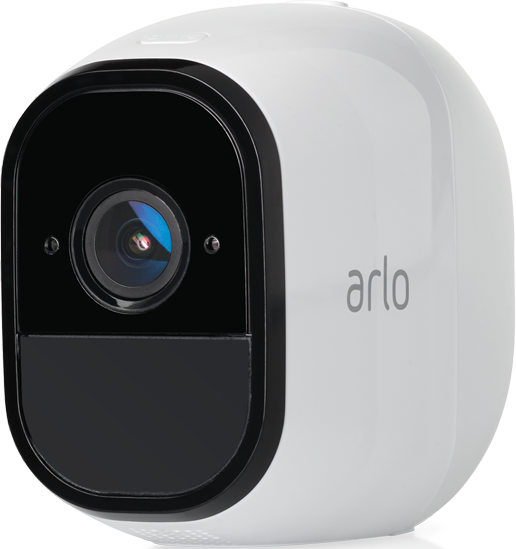
Well, it looks like Getting Status has finally been fixed, thank you, and if you can make the lag time better for when someone walks in front of the camera, the time I get notified, the person is long gone. And I have one in my backyard just to keep the deer away from my vegetables. The time I get notified, damage is done. It never used to be that way; it was just a few seconds, but now it's much longer. This started more than 6 months ago; if that was fixed, it would be golden. My friend has a different brand with almost no lag time.
- Mark as New
- Bookmark
- Subscribe
- Mute
- Subscribe to RSS Feed
- Permalink
- Report Inappropriate Content
My app is doing the same thing on iPhone 17 pro max.
Only opens to Home, no login option.
No error msg.
-
Activity Zones
1 -
Applications mobile et en ligne
2 -
Arlo 4.1 App release notes
1 -
Arlo app
1 -
Arlo Mobile App
391 -
arlo not working
2 -
Arlo Pro 5
1 -
Arlo Pro 5S 2K
1 -
Arlo Secure
1,332 -
Arlo Secure 4.0
2 -
Arlo Smart
125 -
Automation
1 -
Before You Buy
93 -
cameras
1 -
custom modes
2 -
Features
161 -
Friend
1 -
Geofencing
1 -
Grant Access
1 -
IFTTT
1 -
Installation
64 -
Modes and Rules
1 -
my.arlo.com
1 -
notifications
2 -
Pro 5s
1 -
Security System App
1 -
Smart Subscription
1 -
Temporary disable
1 -
Troubleshooting
426 -
Vacation override
1
- « Previous
- Next »
-
31 Replies
-
2026-01-23 11:24 AM
-
3433 Views
-
2 Likes
-
12 In Conversation
-