- Subscribe to RSS Feed
- Mark Topic as New
- Mark Topic as Read
- Float this Topic for Current User
- Bookmark
- Subscribe
- Printer Friendly Page
-
5 Replies
-
2026-01-22 12:56 PM
-
1135 Views
-
4 Likes
-
4 In Conversation
-




- Mark as New
- Bookmark
- Subscribe
- Mute
- Subscribe to RSS Feed
- Permalink
- Report Inappropriate Content
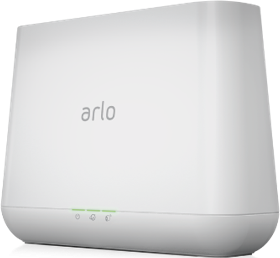
I have 2 base stations at the same location (vmb4000r3). Because you can only have 5 cameras per base station I have them setup under separate emails per base station. I have granted access to all of the cameras H3 and H8 (in both directions) for all access rights. The process has been working for YEARS without issue. The process no longer works with the new android software, I can no longer view shared cameras. I do get movement notifications in both directions but cannot view the cameras. Is this still possible? If not, why offer the option?
Solved! Go to Solution.
- Related Labels:
-
Troubleshooting
Accepted Solutions
- Mark as New
- Bookmark
- Subscribe
- Mute
- Subscribe to RSS Feed
- Permalink
- Report Inappropriate Content
ok.. since my last post. I was able to update the 2nd email to the new format. I can now see the cameras in both. However, i will miss being able to see them ALL in one view. It appears now that i have to select (center top of screen) between the 2 in order to view. That sucks.


- Mark as New
- Bookmark
- Subscribe
- Mute
- Subscribe to RSS Feed
- Permalink
- Report Inappropriate Content
@Stevejb wrote:
have them setup under separate emails per base station.
Are both accounts showing "Feed" in the app menu?
If not, are both showing "Library"?
- Mark as New
- Bookmark
- Subscribe
- Mute
- Subscribe to RSS Feed
- Permalink
- Report Inappropriate Content
only one set has FEED at the bottom of the menu. On my main email address it shows dashboard, feed, emergency, devices, routines at the bottom of the view. On second logon it shows older version Devices, library, mode. Both emails were setup to share access. Neither one shows the others cameras. I do get notifications. I also noticed that the second one has received movement videos from the other group.
- Mark as New
- Bookmark
- Subscribe
- Mute
- Subscribe to RSS Feed
- Permalink
- Report Inappropriate Content
ok.. since my last post. I was able to update the 2nd email to the new format. I can now see the cameras in both. However, i will miss being able to see them ALL in one view. It appears now that i have to select (center top of screen) between the 2 in order to view. That sucks.

- Mark as New
- Bookmark
- Subscribe
- Mute
- Subscribe to RSS Feed
- Permalink
- Report Inappropriate Content
I was forced years ago to have 2 accounts for my 8 cameras and 2 base stations UNLESS I wanted to upgrade to a subscription. I bought the cameras because you didn't have to buy a subscription so I have to login twice all the time. Recent app upgrades now cause some of my cameras to be hyper sensitive to movement so the batteries drain all the time. Tried to turn off the movement feature but they still go dead. Winter was always dodgy as the batteries don't like low temp and replacement batteries haven't made it any better. All the wonders of the upgraded app have seriously deteriorated the overall performance of the system. Every time I visit in the offseason I have to recharge, reset, reboot, etc. then slowly but surely while away the cameras drop off one by one.... for one reason or another... Arlo needs someone to sue them for the lack of security their cameras provide.....


- Mark as New
- Bookmark
- Subscribe
- Mute
- Subscribe to RSS Feed
- Permalink
- Report Inappropriate Content
Hi @Jhallman
Thank you for the feedback. Can you try adjusting your motion sensitivity in the Arlo app by navigating to the devices?
1. Select the device
2. Click the setting cog wheel top right
3. Select default mode settings
4. Adjust the motion detection
I personally like to set these values fairly high and lower them until I receive the desired results.
-
Apple HomeKit
1 -
Arlo Mobile App
509 -
Arlo Pro
27 -
Arlo Pro 2
1 -
Arlo Pro 3
2 -
Arlo Secure
1 -
Arlo Smart
114 -
Arlo Ultra
1 -
Arlo Web and Mobile Apps
6 -
Arlo Wire-Free
10 -
Before You Buy
1,219 -
Discovery
1 -
Features
254 -
Firmware
1 -
Firmware Release Notes
119 -
Hardware
2 -
IFTTT
1 -
IFTTT (If This Then That)
48 -
Installation
1,448 -
Installation & Upgrade
1 -
Online and Mobile Apps
1,266 -
Partner Integrations
1 -
Security
1 -
Service and Storage
563 -
Smart Subscription
1 -
SmartThings
39 -
Software & Apps
1 -
Troubleshooting
7,443 -
Videos
1
- « Previous
- Next »
-
5 Replies
-
2026-01-22 12:56 PM
-
1136 Views
-
4 Likes
-
4 In Conversation
-