- Subscribe to RSS Feed
- Mark Topic as New
- Mark Topic as Read
- Float this Topic for Current User
- Bookmark
- Subscribe
- Printer Friendly Page
-
25 Replies
-
2026-03-15 04:45 PM
-
1365 Views
-
0 Likes
-
4 In Conversation
-




- Mark as New
- Bookmark
- Subscribe
- Mute
- Subscribe to RSS Feed
- Permalink
- Report Inappropriate Content
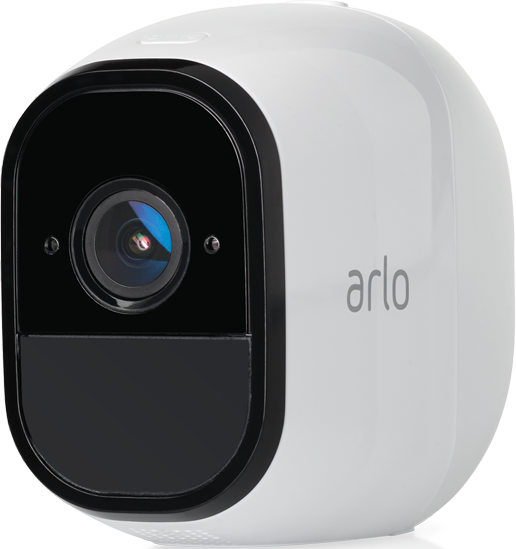
Ive have my arlo pro for several years without a subscription. Now my cameras are not showing on my app. I still gez notifications when theres motion and able to see the video clips.
I can no longer see live video. I tried rebooting it my cameras are not being detected. All i get are the spinning arrows like its trying to connect to my cameras.
Please help.
Solved! Go to Solution.
- Related Labels:
-
Troubleshooting
Accepted Solutions


- Mark as New
- Bookmark
- Subscribe
- Mute
- Subscribe to RSS Feed
- Permalink
- Report Inappropriate Content
All accounts need to be on the same user interface. So both need to be on feed. If you are still seeing an account on library you need to pretend to onboard a Pro 5 on that account. When doing so it will kick in that update.


- Mark as New
- Bookmark
- Subscribe
- Mute
- Subscribe to RSS Feed
- Permalink
- Report Inappropriate Content
Did the user interface change recently for you? By that, I mean you now see Dashboard and Feed instead of Library. If so, try removing one camera from your account and add it back.
- Mark as New
- Bookmark
- Subscribe
- Mute
- Subscribe to RSS Feed
- Permalink
- Report Inappropriate Content
I am feed and library.
- Mark as New
- Bookmark
- Subscribe
- Mute
- Subscribe to RSS Feed
- Permalink
- Report Inappropriate Content
My app still device and library
- Mark as New
- Bookmark
- Subscribe
- Mute
- Subscribe to RSS Feed
- Permalink
- Report Inappropriate Content
What do i do if interface is still library?
Ive tried rebooting several times.

- Mark as New
- Bookmark
- Subscribe
- Mute
- Subscribe to RSS Feed
- Permalink
- Report Inappropriate Content
@Mwingtso wrote:
What do i do if interface is still library?
Ive tried rebooting several times.
Are you using a "Friend" account with shared cameras?
Or are you instead using the account to which the cameras are installed?
- Mark as New
- Bookmark
- Subscribe
- Mute
- Subscribe to RSS Feed
- Permalink
- Report Inappropriate Content
Im using account on which cameras were installed.
- Mark as New
- Bookmark
- Subscribe
- Mute
- Subscribe to RSS Feed
- Permalink
- Report Inappropriate Content
All accounts need to be on the same user interface. So both need to be on feed. If you are still seeing an account on library you need to pretend to onboard a Pro 5 on that account. When doing so it will kick in that update.
- Mark as New
- Bookmark
- Subscribe
- Mute
- Subscribe to RSS Feed
- Permalink
- Report Inappropriate Content
Im worried i willl9ose all the saved vldeo clips and cameras if i update. Ibe read other posts where people have lost everything and unable to reconnect their csmeras.
- Mark as New
- Bookmark
- Subscribe
- Mute
- Subscribe to RSS Feed
- Permalink
- Report Inappropriate Content
Im worried i will lose all the saved vldeo clips and cameras if i update. Ibe read other posts where people have lost everything and unable to reconnect their csmeras.
- Mark as New
- Bookmark
- Subscribe
- Mute
- Subscribe to RSS Feed
- Permalink
- Report Inappropriate Content
Everyone is going to be moved over to the new user interface with time. You can download any videos that you are needing saved. There have been some customers with Arlo Pro and Pro 2 where the cameras stopped recording. If that happens, just remove one of the Pro cameras from the account and then add it back on. That usually resolves the behavior of it not recording.
- Mark as New
- Bookmark
- Subscribe
- Mute
- Subscribe to RSS Feed
- Permalink
- Report Inappropriate Content
I upgraded and all my devices disappeared. There is nothing. How do i get the cameras back?
- Mark as New
- Bookmark
- Subscribe
- Mute
- Subscribe to RSS Feed
- Permalink
- Report Inappropriate Content
Have you looked in the Devices tab? Does the base still show the proper LEDs?
- Mark as New
- Bookmark
- Subscribe
- Mute
- Subscribe to RSS Feed
- Permalink
- Report Inappropriate Content
Yes. I looked in the device tab. There are no devices.
Do i need to try to add them?
- Mark as New
- Bookmark
- Subscribe
- Mute
- Subscribe to RSS Feed
- Permalink
- Report Inappropriate Content
I do see all your cameras as showing online. Please remove only one camera from the account and then add it back on. That should resolve what you are seeing.
- Mark as New
- Bookmark
- Subscribe
- Mute
- Subscribe to RSS Feed
- Permalink
- Report Inappropriate Content
You can try that but it will likely fail since they're still in your account, even though you're not seeing them. Start with the base and let us know the results. I would suggest NOT resetting the base at this time, just power cycle it.
- Mark as New
- Bookmark
- Subscribe
- Mute
- Subscribe to RSS Feed
- Permalink
- Report Inappropriate Content
I power cycled the base and nothing is showing up in the devices tab.
- Mark as New
- Bookmark
- Subscribe
- Mute
- Subscribe to RSS Feed
- Permalink
- Report Inappropriate Content
I also tried adding the base. No devices found.
Please help. Thanks
- Mark as New
- Bookmark
- Subscribe
- Mute
- Subscribe to RSS Feed
- Permalink
- Report Inappropriate Content
- Mark as New
- Bookmark
- Subscribe
- Mute
- Subscribe to RSS Feed
- Permalink
- Report Inappropriate Content
I dont see anything on the dashboard. On the dashboard teb it says to personalize my dashoad. That i need to add a device
- Mark as New
- Bookmark
- Subscribe
- Mute
- Subscribe to RSS Feed
- Permalink
- Report Inappropriate Content
@Mwingtso wrote:
I dont see anything on the dashboard.
Does it say "Home" in the top center? If so, if you touch "Home" is there an option to select another location (likely also named "Home")?
- Mark as New
- Bookmark
- Subscribe
- Mute
- Subscribe to RSS Feed
- Permalink
- Report Inappropriate Content
No other locations
- Mark as New
- Bookmark
- Subscribe
- Mute
- Subscribe to RSS Feed
- Permalink
- Report Inappropriate Content
I am still receiving notifications, but there are no devices showing on the updated app.
- Mark as New
- Bookmark
- Subscribe
- Mute
- Subscribe to RSS Feed
- Permalink
- Report Inappropriate Content
@Mwingtso wrote:
I dont see anything on the dashboard. On the dashboard teb it says to personalize my dashoad. That i need to add a device
If I understand you correctly, that's because the Dashboard is blank by default. Devices should show you everything in your account. For Dashboard, use the "+" at the top and choose to add a widget rather than a new device. You can choose the size of that widget which is then placed in the Dashboard display. This way you can only add the cameras you really want to see right away instead of all of them.
- Mark as New
- Bookmark
- Subscribe
- Mute
- Subscribe to RSS Feed
- Permalink
- Report Inappropriate Content
There is nothing in dashboard, nothing in devices. Cant add widget because i dont have any devices.
Im still getting notificatioms.
What should i do now?
-
Apple HomeKit
1 -
Arlo Mobile App
496 -
Arlo Pro
27 -
Arlo Pro 2
1 -
Arlo Pro 3
2 -
Arlo Secure
1 -
Arlo Smart
108 -
Arlo Ultra
1 -
Arlo Web and Mobile Apps
6 -
Arlo Wire-Free
10 -
Before You Buy
1,214 -
Discovery
1 -
Features
250 -
Firmware
1 -
Firmware Release Notes
119 -
Hardware
2 -
IFTTT
1 -
IFTTT (If This Then That)
48 -
Installation
1,440 -
Installation & Upgrade
1 -
Online and Mobile Apps
1,266 -
Partner Integrations
1 -
Security
1 -
Service and Storage
563 -
Smart Subscription
1 -
SmartThings
39 -
Software & Apps
1 -
Troubleshooting
7,411 -
Videos
1
- « Previous
- Next »
-
25 Replies
-
2026-03-15 04:45 PM
-
1366 Views
-
0 Likes
-
4 In Conversation
-