- Subscribe to RSS Feed
- Mark Topic as New
- Mark Topic as Read
- Float this Topic for Current User
- Bookmark
- Subscribe
- Printer Friendly Page
-
78 Replies
-
2026-04-15 10:24 AM
-
7723 Views
-
1 Like
-
22 In Conversation
-





- Mark as New
- Bookmark
- Subscribe
- Mute
- Subscribe to RSS Feed
- Permalink
- Report Inappropriate Content
I have been running several Arlo and Arlo cameras for years with minimal issues. I am trying to add 2 more Pro cameras and they keep failing at "Naming Your Camera". They are found but with both they fail. The firmware on the base in up to dat according to the app. I have tried:
1. resetting cameras
2. restarting base station
3. switching from 5g to 2.4g only on my network ( a mesh network)
4. adding a stand alone router and connecting through that on 2.4g network
Any thoughts/ideas/fixes would be greatly appreciated.
Jay
Solved! Go to Solution.
- Related Labels:
-
Arlo Mobile App
-
Installation
-
Troubleshooting
Accepted Solutions


- Mark as New
- Bookmark
- Subscribe
- Mute
- Subscribe to RSS Feed
- Permalink
- Report Inappropriate Content
This behavior should now be resolved. If anyone is still seeing this behavior, please reach out to me.


- Mark as New
- Bookmark
- Subscribe
- Mute
- Subscribe to RSS Feed
- Permalink
- Report Inappropriate Content
Can you please do a full reset on the basestation, not just a restart. Then try adding the cameras back to the account.
- Mark as New
- Bookmark
- Subscribe
- Mute
- Subscribe to RSS Feed
- Permalink
- Report Inappropriate Content
Doesn't fix it. Was told as these models are EOL they cannot be added as new to the system.
- Mark as New
- Bookmark
- Subscribe
- Mute
- Subscribe to RSS Feed
- Permalink
- Report Inappropriate Content
Did you try to do those steps already and it didn't work?
- Mark as New
- Bookmark
- Subscribe
- Mute
- Subscribe to RSS Feed
- Permalink
- Report Inappropriate Content
This is a known issue according to tech support. Ongoing issues since Monday 11th May

- Mark as New
- Bookmark
- Subscribe
- Mute
- Subscribe to RSS Feed
- Permalink
- Report Inappropriate Content
Were you able to figure it out? New to this, wanted to install a whole new system but can't get past this issue either.
- Mark as New
- Bookmark
- Subscribe
- Mute
- Subscribe to RSS Feed
- Permalink
- Report Inappropriate Content
Unfortunately there's nothing we can do. This issue has been escalated with their troubleshooting team however they haven't resolved it yet and it's been a week.
- Mark as New
- Bookmark
- Subscribe
- Mute
- Subscribe to RSS Feed
- Permalink
- Report Inappropriate Content
The development team is investigating the behavior you are seeing. I will update the community as soon as possible.


- Mark as New
- Bookmark
- Subscribe
- Mute
- Subscribe to RSS Feed
- Permalink
- Report Inappropriate Content
You can add me to the list of users who are having this issue. Tried to get my Arlo Essential Spotlight to reboard and it constantly fails at the renaming screen. Tried to onboard it using different base stations (I have 3) and none of them will allow the camera to onboard. Strange thing is that the camera actually works in HomeKit but is not listed anywhere in the Arlo App. Hope this extra information helps someone on the development team figure out the bug and looking forward to this problem getting fixed.
- Mark as New
- Bookmark
- Subscribe
- Mute
- Subscribe to RSS Feed
- Permalink
- Report Inappropriate Content
I will let the team know you are seeing this behavior as well.
- Mark as New
- Bookmark
- Subscribe
- Mute
- Subscribe to RSS Feed
- Permalink
- Report Inappropriate Content
Thanks! I just checked this morning and the camera is still working live in Homekit but not listed anywhere in the Arlo App.
- Mark as New
- Bookmark
- Subscribe
- Mute
- Subscribe to RSS Feed
- Permalink
- Report Inappropriate Content
I am also unable to add a camera (which had previously been connected and working until the battery ran out). Now I cannot get it to work. The camera connects to the system, but when prompted to name the camera, the app takes it's time spinning, them announces "Unable to rename the camera, please try again." I have rebooted my base station with not luck.
May 19, 2026. MM2446

- Mark as New
- Bookmark
- Subscribe
- Mute
- Subscribe to RSS Feed
- Permalink
- Report Inappropriate Content
Same issue here. It fails during naming when I tried to add a brand new Ultra 3 as well as trying to add an Ultra 2 back after it was unresponsive. I’ve noticed more some devices are offline more often and need a power cycle to bring them back online.
Arlo, you have been around too long to be having these stupid glitchy firmware issues. You need to do better.
- Mark as New
- Bookmark
- Subscribe
- Mute
- Subscribe to RSS Feed
- Permalink
- Report Inappropriate Content
Hey Arlo,
Still no fix. Almost two week with 9 cameras that I can't add to my account. Is this even a priority for your users?
- Mark as New
- Bookmark
- Subscribe
- Mute
- Subscribe to RSS Feed
- Permalink
- Report Inappropriate Content
Same dang Issue. Had to change WIFI and now cannot add previously used cameras.
- Mark as New
- Bookmark
- Subscribe
- Mute
- Subscribe to RSS Feed
- Permalink
- Report Inappropriate Content
Gotta love it. Two weeks and still no solutions. Almost 10 cameras I now can’t connect and still playing for a monthly subscription.
If Arlo can’t fix this soon, I’m switching vendors.


- Mark as New
- Bookmark
- Subscribe
- Mute
- Subscribe to RSS Feed
- Permalink
- Report Inappropriate Content
Is the base found in your account? Have you tried briefly pressing the base sync button (don't hold it) and then a camera sync button? You don't need the app.
- Mark as New
- Bookmark
- Subscribe
- Mute
- Subscribe to RSS Feed
- Permalink
- Report Inappropriate Content
Yes it is. I have 3 bases and all are working. I have tried adding Pro2, Ultra, Ultra2 and brand new out of the box Ultra 3 cameras to all 3 bases without success. I have tried as you suggest with the base and camera sync, the app on two different devices, and on a web browser. All failed at the naming porting of adding the cameras.
The Pro2, Ultra and Ultra2 were all previously connected to a base. I have done a full reset on the cameras before trying to add them as well.
- Mark as New
- Bookmark
- Subscribe
- Mute
- Subscribe to RSS Feed
- Permalink
- Report Inappropriate Content
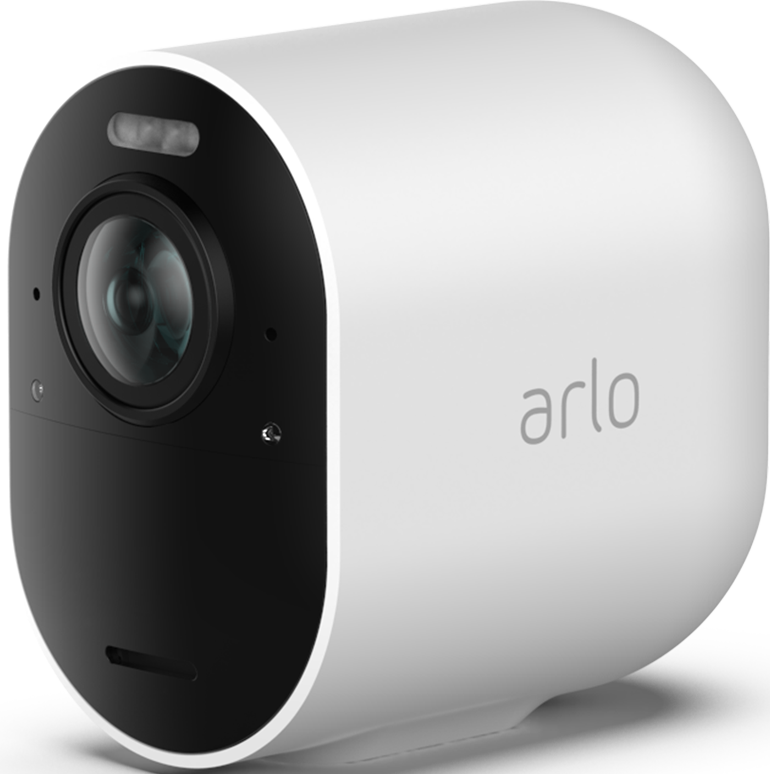
I purchased an Ultra 2 camera about 3+ years ago and it was hooked up to my rental property hub. It worked up until last spring. I deleted it from the hub and brought it home. I got a new battery. I hooked it up to my home arlo until I went down last fall. For my brief visit, I was unable to get it connected. I brought it back home and re-connected it here at home. I just tried again at the rental property this past weekend. I delete the camera from the current hub. I reset it (amber light blinks). I try to connect to rental hub. It prompts for name. It then thinks until it times out. I tried this several times. Out of 3 cameras at the rental property, I'm now down to 1 functioning arlo camera. My flood camera stopped working. No support. New battery. Just won't start back up. Died. Now this ultra 2 won't connect.
I again can connect it here at home, but it refuses to fully name at my rental property hub. Anyone have a clue why? I'm delete it from the app. I reset it (amber light). I get to name it, but the name doesn't take. I'm on the 2.4 wifi channel when doing this. Any suggestions would be extrememly useful saying Arlo support no longer assists.
- Mark as New
- Bookmark
- Subscribe
- Mute
- Subscribe to RSS Feed
- Permalink
- Report Inappropriate Content
@jscunningham wrote:
The Pro2, Ultra and Ultra2 were all previously connected to a base. I have done a full reset on the cameras before trying to add them as well.
Was that in the same account? Or was it a different account?
FWIW, you cannot reset the Pro 2 - all you can do is reboot it by removing/reinserting the battery,
- Mark as New
- Bookmark
- Subscribe
- Mute
- Subscribe to RSS Feed
- Permalink
- Report Inappropriate Content
@smck01 wrote:
For my brief visit, I was unable to get it connected. I brought it back home and re-connected it here at home. I just tried again at the rental property this past weekend. I delete the camera from the current hub. I reset it (amber light blinks). I try to connect to rental hub. It prompts for name. It then thinks until it times out.
Have you tried bringing the rental hub to your home, and adding the camera to that hub there?
- Mark as New
- Bookmark
- Subscribe
- Mute
- Subscribe to RSS Feed
- Permalink
- Report Inappropriate Content
They were on the same account
- Mark as New
- Bookmark
- Subscribe
- Mute
- Subscribe to RSS Feed
- Permalink
- Report Inappropriate Content
I reset the base and synced directly with it & it worked. Thank you!!!
- Mark as New
- Bookmark
- Subscribe
- Mute
- Subscribe to RSS Feed
- Permalink
- Report Inappropriate Content
I’m not resetting my base and risking losing a dozen cameras. This is a firmware issue Arlo needs to fix now.
- Mark as New
- Bookmark
- Subscribe
- Mute
- Subscribe to RSS Feed
- Permalink
- Report Inappropriate Content
I agree. Too much risk resetting my bases to factory plus lots of work involved!
-
Apple HomeKit
1 -
Arlo Mobile App
509 -
Arlo Pro
27 -
Arlo Pro 2
1 -
Arlo Pro 3
2 -
Arlo Secure
1 -
Arlo Smart
113 -
Arlo Ultra
1 -
Arlo Web and Mobile Apps
6 -
Arlo Wire-Free
10 -
Before You Buy
1,219 -
Discovery
1 -
Features
254 -
Firmware
1 -
Firmware Release Notes
119 -
Hardware
2 -
IFTTT
1 -
IFTTT (If This Then That)
48 -
Installation
1,448 -
Installation & Upgrade
1 -
Online and Mobile Apps
1,266 -
Partner Integrations
1 -
Security
1 -
Service and Storage
563 -
Smart Subscription
1 -
SmartThings
39 -
Software & Apps
1 -
Troubleshooting
7,441 -
Videos
1
- « Previous
- Next »
-
78 Replies
-
2026-04-15 10:24 AM
-
7724 Views
-
1 Like
-
22 In Conversation
-