- English
- /
- Cameras
- /
- Arlo Pro Security Camera 2K 6th Gen
- /
- Critical iOS App Bug: Feed fails to auto-refresh /...
Critical iOS App Bug: Feed fails to auto-refresh / Manual refresh non-functional / Playback error
- Subscribe to RSS Feed
- Mark Topic as New
- Mark Topic as Read
- Float this Topic for Current User
- Bookmark
- Subscribe
- Printer Friendly Page
-
11 Replies
-
2026-08-06 12:25 PM
-
877 Views
-
0 Likes
-
3 In Conversation
-



- Mark as New
- Bookmark
- Subscribe
- Mute
- Subscribe to RSS Feed
- Permalink
- Report Inappropriate Content
As there seems to be no longer an option to raise a support ticket in writing, I am starting this discussion. The email intended for the Arlo Support team. I hope this will find its way to the Arlo Support/Development team asap
To Arlo Support Team,
I am writing to report a persistent and severe software defect regarding the Arlo Secure app for iOS (currently running version 6.39.0, albeit issue also existed in previous app versions).
Despite receiving push notifications for motion events, the app fails to function reliably, rendering the security system effectively unusable for live monitoring and reviewing events.
Issue Description:
1. Feed Auto-Refresh Failure: The Feed tab does not automatically update when new events occur.
2. Manual Refresh Unresponsive: Performing a pull-to-refresh does not fetch new events; the loading indicator either spins indefinitely or completes without updating the feed.
3. Video Playback Errors: Attempting to play recorded clips frequently results in video playback errors or timeouts.
Technical Context & Isolation Steps Completed:
Account Type: Tested on the primary owner account and a shared/secondary profile).
Network Environments: The issue reproduces consistently across both high-speed Wi-Fi and Cellular (4G/5G) data connections, ruling out local network, router, or ISP/DNS throttling issues.
Troubleshooting Attempted:
Signed out and back into the Arlo account.
Offloaded and completely reinstalled the iOS app (clearing local cache/data).
Restarted the iPhone device.
Workaround Observation: The feed only syncs when the app is completely force-closed via the iOS App Switcher and cold-started from scratch. This points directly to a broken persistent websocket/session re-handshake mechanism when the app resumes from the background in iOS.
This behavior has been widely documented by numerous users on the official Arlo Community forums and Reddit for a prolonged period.
Please escalate this issue directly to your iOS software engineering team for resolution in an upcoming hotfix.
Device & OS Details:
Devices: iPhone 13 and 15; iPad Air
iOS/iPadOS Version: 26.6
Arlo App Version: 6.39.0
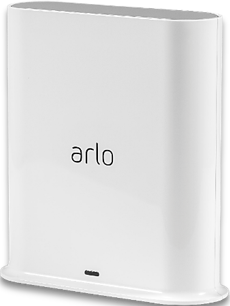
SmartHub Model: VMB4540r2
I look forward to your prompt response and a resolution to this longstanding issue.
- Related Labels:
-
Arlo Mobile App
-
Troubleshooting
- Mark as New
- Bookmark
- Subscribe
- Mute
- Subscribe to RSS Feed
- Permalink
- Report Inappropriate Content
In addition to the above. This behavior occurs “on and off”. Sometimes the app works as it should, sometimes for days it fails as stated above. Extremely annoying.


- Mark as New
- Bookmark
- Subscribe
- Mute
- Subscribe to RSS Feed
- Permalink
- Report Inappropriate Content
I sent you a private message inquiring about some information. If you wouldn't mind assisting.
- Mark as New
- Bookmark
- Subscribe
- Mute
- Subscribe to RSS Feed
- Permalink
- Report Inappropriate Content
HI @Ron212121
Thank you for the detailed information. I'm checking in with the appropriate team, and I'll provide more info as soon as possible.
- Mark as New
- Bookmark
- Subscribe
- Mute
- Subscribe to RSS Feed
- Permalink
- Report Inappropriate Content
Hi @Ron212121
I just wanted to check-in with you to see if you're still experiencing this symptom with the Latest version of the Arlo app?
- Mark as New
- Bookmark
- Subscribe
- Mute
- Subscribe to RSS Feed
- Permalink
- Report Inappropriate Content
Let me check for a day or two and then I will let you know. Was this a known problem?
- Mark as New
- Bookmark
- Subscribe
- Mute
- Subscribe to RSS Feed
- Permalink
- Report Inappropriate Content
We are on app version 6.41. Issue remains. Incidentally also seeing unexpected error (see picture) when trying to view a clip

- Mark as New
- Bookmark
- Subscribe
- Mute
- Subscribe to RSS Feed
- Permalink
- Report Inappropriate Content
@Ron212121 Do you mind sending another log on this latest version replicating the issue?
- Mark as New
- Bookmark
- Subscribe
- Mute
- Subscribe to RSS Feed
- Permalink
- Report Inappropriate Content
Will do on the next occasion
- Mark as New
- Bookmark
- Subscribe
- Mute
- Subscribe to RSS Feed
- Permalink
- Report Inappropriate Content
I have just emailed you a new case as requested.
other points to note;
1) I have ticked the box “Email me when someone replies” but never have received any mails, when you sent me messages in the past
2) I have also ticked the box “keep me signed in” in the community. Does not work either. I always have to log in again.
- Mark as New
- Bookmark
- Subscribe
- Mute
- Subscribe to RSS Feed
- Permalink
- Report Inappropriate Content
I am also experiencing this feed event refresh error. Have to reboot iPhone to clear but that doesn’t always work either. Now it deletes events but won’t reset feed event counter. Is there a fix for this yet?
- Mark as New
- Bookmark
- Subscribe
- Mute
- Subscribe to RSS Feed
- Permalink
- Report Inappropriate Content
Does this still occur with app version 6.44?
-
11 Replies
-
2026-08-06 12:25 PM
-
878 Views
-
0 Likes
-
3 In Conversation
-