- Subscribe to RSS Feed
- Mark Topic as New
- Mark Topic as Read
- Float this Topic for Current User
- Bookmark
- Subscribe
- Printer Friendly Page
-
28 Replies
-
2026-07-02 10:06 PM
-
1414 Views
-
0 Likes
-
3 In Conversation
-




- Mark as New
- Bookmark
- Subscribe
- Mute
- Subscribe to RSS Feed
- Permalink
- Report Inappropriate Content
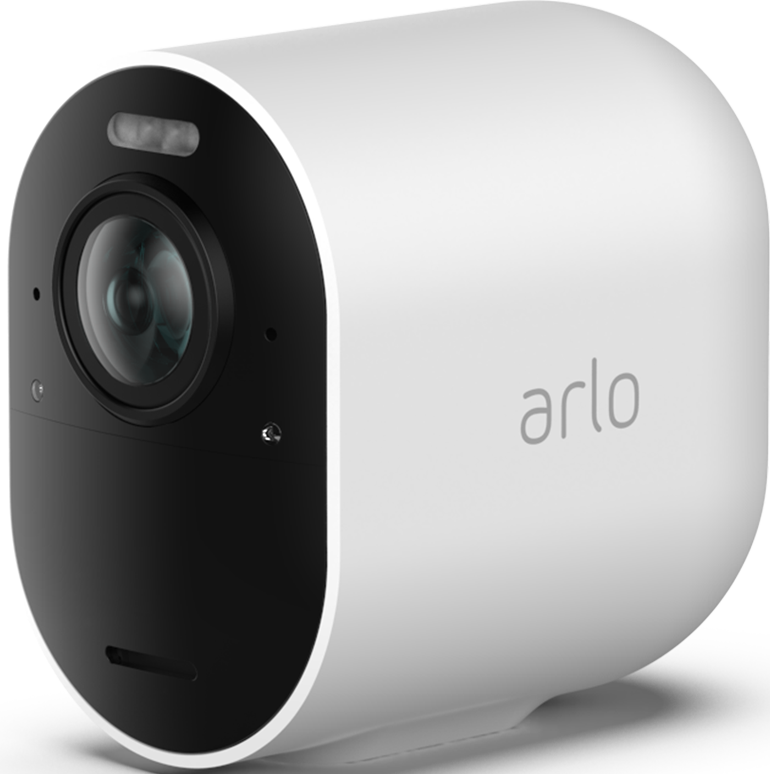
I got a new iPhone 17 pro over 2 months ago. I just noticed location services does not appear for Arlo. I’ve uninstalled, reinstalled, turned on all system services. I cannot get location services to appear. I contacted Arlo and they say location access should be in the Arlo app settings but it is not. Hence why it doesn’t appear in location services. On reinstall each time Arlo app does not prompt to connect to local network. Any ideas? Arlo is also looking at this issue.
I also get invalid factor data when trying to login. SMS comes through then I get the error then hit login again and it goes to my dashboard so never thought much of this until now.
- Mark as New
- Bookmark
- Subscribe
- Mute
- Subscribe to RSS Feed
- Permalink
- Report Inappropriate Content
And I turned off Arlo on iCloud backup as well.


- Mark as New
- Bookmark
- Subscribe
- Mute
- Subscribe to RSS Feed
- Permalink
- Report Inappropriate Content
@lpd688 wrote:
I got a new iPhone 17 pro over 2 months ago. I just noticed location services does not appear for Arlo.
I see it when I
- open Apple Settings
- press on Apps
- press on Arlo Secure
- Mark as New
- Bookmark
- Subscribe
- Mute
- Subscribe to RSS Feed
- Permalink
- Report Inappropriate Content
It is there but not with all the Arlo settings. And under location services it should be there to allow changing access to the network to “always.” But that isn’t there either.
- Mark as New
- Bookmark
- Subscribe
- Mute
- Subscribe to RSS Feed
- Permalink
- Report Inappropriate Content
And I believe I did say but if I did not on reinstall of Arlo I did not get the prompt for Arlo to see the local network and repeated reinstalls produce the same results. It’s like the Arlo app is not seeing or even prompting to look for a network. But the cameras hit the network and are functioning normally. But I cannot get to the settings to change the cameras to “always” on the network bc that setting is not there (no setting is there).
- Mark as New
- Bookmark
- Subscribe
- Mute
- Subscribe to RSS Feed
- Permalink
- Report Inappropriate Content
@lpd688 wrote:
It is there but not with all the Arlo settings.
This is what I see:


It also shows up in "Location Services" set to "always".
- Mark as New
- Bookmark
- Subscribe
- Mute
- Subscribe to RSS Feed
- Permalink
- Report Inappropriate Content
That’s how it should look. However, mine is missing from “Location” all the way down to “Face ID” and I cannot get into the “Always” setting bc it’s like the Arlo app is not hitting my network settings. But I cannot get Arlo to ask to connect to the local network so none of those settings exist for me to toggle on/off. Any idea?
I sent the exact photo you just posted to Arlo last night bc they asked. They also said on reinstall the app should prompt to connect to the local network, but it doesn’t. It only asks to connect to “Home.”
- Mark as New
- Bookmark
- Subscribe
- Mute
- Subscribe to RSS Feed
- Permalink
- Report Inappropriate Content
@lpd688 wrote:
That’s how it should look. However, mine is missing from “Location” all the way down to “Face ID” and I cannot get into the “Always” setting bc it’s like the Arlo app is not hitting my network settings. But I cannot get Arlo to ask to connect to the local network so none of those settings exist for me to toggle on/off. Any idea?
I sent the exact photo you just posted to Arlo last night bc they asked. They also said on reinstall the app should prompt to connect to the local network, but it doesn’t. It only asks to connect to “Home.”
Unfortunately I have no suggestions. If something comes to mind, I'll post back.
- Mark as New
- Bookmark
- Subscribe
- Mute
- Subscribe to RSS Feed
- Permalink
- Report Inappropriate Content
I even went into “System Services” toggled them all on, “off boarded” Arlo, uninstalled Arlo, restarted the phone, reinstalled and the Arlo app will still not prompt to connect to the local network.
- Mark as New
- Bookmark
- Subscribe
- Mute
- Subscribe to RSS Feed
- Permalink
- Report Inappropriate Content
I was able to get the app to look for the local network by telling the cameras to look for a new network. But now I see the battery life on the cameras falling fast. I believe I’m going to have to uninstall all the cameras and reconnect them to the network. Thoughts?
- Mark as New
- Bookmark
- Subscribe
- Mute
- Subscribe to RSS Feed
- Permalink
- Report Inappropriate Content
I’m trying this rather than wait. Remove all cameras from account. Delete them. Off board Arlo app. I removed my phone from the account only leaving email. I will uninstall Arlo app after cameras removed. Reinstall. Add cameras as new. It’s the only thing I can think of. I will let you know if this works or not.
- Mark as New
- Bookmark
- Subscribe
- Mute
- Subscribe to RSS Feed
- Permalink
- Report Inappropriate Content
@lpd688 wrote:
I believe I’m going to have to uninstall all the cameras and reconnect them to the network. Thoughts?
Maybe try restarting the cameras first.
If you decide to uninstall them, then I suggest doing a hardware reset - holding down the sync button inside the housing until the camera LED flashes amber (~15 seconds).
But if you are seeing the charge level, then the cameras must be connected.
- Mark as New
- Bookmark
- Subscribe
- Mute
- Subscribe to RSS Feed
- Permalink
- Report Inappropriate Content
They were connected but battery was dropping fast.
I removed all devices from the account including my phone number. I “off boarded” Arlo then uninstalled. Like a blank account except my plan and email are there.
Wiped the cameras, added them to the account/network. No issues.
Now on the Arlo app, I see “Location” “Bluetooth” but I do not see “Local Network” or “Microphone.” I do see in “System Services” “Arlo” and can change the setting to “Always.” But they are still not seeing the “Local Network” on the Arlo app settings. They are connected and functioning. Will monitor battery power. I do not know if the “Local Network” should be there or not being the cameras run off WiFi not a hub?
I tried on my desktop to add my number back to 2fA with no success and it just says error. If I try from my phone to trust the device I get the same error. If I add SMS it will not let me put my phone number in now. And it deleted my wife as a Admin so I had to resend her the invite. This issue is worse than before.
So while a couple successes there is still something wonky and I’m at a loss at this point? There’s nothing else I can think of. I mean I blanked the account.
- Mark as New
- Bookmark
- Subscribe
- Mute
- Subscribe to RSS Feed
- Permalink
- Report Inappropriate Content
If you have no hub, then the cameras are certainly connected to your home network. The "Local Network" is just allowing the phone app to use your wifi.
No idea why you can't see it though. Are you running iOS 26.5?
- Mark as New
- Bookmark
- Subscribe
- Mute
- Subscribe to RSS Feed
- Permalink
- Report Inappropriate Content
Running iOS 26.5.2. I always update. The power drain on the batteries has stopped. Whatever was going on removing the cameras and reinstalling them seems to resolved that.
At this point, I’ve blanked and started a new. I am at a loss. The 2FA issue now is worse than before. At least before, I could add/remove. Now the app or my desktop won’t let me do anything with the 2FA settings.
I hope Arlo can find a solution to both issues.
- Mark as New
- Bookmark
- Subscribe
- Mute
- Subscribe to RSS Feed
- Permalink
- Report Inappropriate Content
Def a power drain occurring somehow someway. Fully charged batteries some already down 7%. I reduced video quality to help preserve battery life.
- Mark as New
- Bookmark
- Subscribe
- Mute
- Subscribe to RSS Feed
- Permalink
- Report Inappropriate Content
@lpd688 wrote:
Running iOS 26.5.2.
So not related to iOS or the app version, as I am also running 26.5.2 and app version 6.34.0
Just wondering - do you use a VPN on the phone?
- Mark as New
- Bookmark
- Subscribe
- Mute
- Subscribe to RSS Feed
- Permalink
- Report Inappropriate Content
No vpn on the phone but I did turn on private relay for this phone. I don’t know if that makes a difference to the network or not and the same for the battery life. That should have zero effect on the 2FA issue.
I also lowered video quality to preserve battery life but I don’t know that will do anything with the Pro 5.
- Mark as New
- Bookmark
- Subscribe
- Mute
- Subscribe to RSS Feed
- Permalink
- Report Inappropriate Content
@lpd688 wrote:
No vpn on the phone but I did turn on private relay for this phone. I don’t know if that makes a difference to the network or not and the same for the battery life. That should have zero effect on the 2FA issue.
No effect on the camera battery life (in general, the camera battery life is not affected by the app. It is affected by the amount of camera streaming and the quality of the wifi connection to your home network or hub at the camera location).
I don't use private relay - might be worth turning it off and see if that makes any difference.
- Mark as New
- Bookmark
- Subscribe
- Mute
- Subscribe to RSS Feed
- Permalink
- Report Inappropriate Content
I updated Arlo with the fixes I tried. Some success some not. It’s like the new phone did not get all the network settings. But if deleting the app, cameras and all but the email address on the account did not work, I grow concerned about the backend on the Arlo side. Arlo said the app on a new install should prompt to find the local network but it is not no matter what I’ve tried. The 2FA issue has been a known issue for years. And the changes I made exasperated the problem. The only other thing I would even think to try is to reset all network settings on the new phone but that still will not prompt the Arlo app to find the local network or resolve the 2FA issues.
Arlo…
- Mark as New
- Bookmark
- Subscribe
- Mute
- Subscribe to RSS Feed
- Permalink
- Report Inappropriate Content
I have figured out how to get all of the settings back for the Arlo app except access to the local network. Yes, the cameras are connected so it has access, but it does not appear in the app settings. The way I was able to get the settings back was to force one of the cameras to take a specific action which prompted access to the setting. But I have no idea how to force the app to access the local network. And I have no idea how, but I was able to add my number back to 2FA, but I still get invalid factor data. But it does let me back into my dashboard.
- Mark as New
- Bookmark
- Subscribe
- Mute
- Subscribe to RSS Feed
- Permalink
- Report Inappropriate Content
I also have determined do not setup Face ID as a login bc the 2FA failure. And that prevents a login.
DO NOT turn biometrics on or Arlo will NOT ALLOW login.
- Mark as New
- Bookmark
- Subscribe
- Mute
- Subscribe to RSS Feed
- Permalink
- Report Inappropriate Content
Both issues referred to the Arlo developmental team.
- Mark as New
- Bookmark
- Subscribe
- Mute
- Subscribe to RSS Feed
- Permalink
- Report Inappropriate Content
Or engineering team…I think that’s what they said.
- Mark as New
- Bookmark
- Subscribe
- Mute
- Subscribe to RSS Feed
- Permalink
- Report Inappropriate Content
@lpd688 wrote:
I also have determined do not setup Face ID as a login bc the 2FA failure. And that prevents a login.
Odd, as it is enabled for me, and I log in with no problem.
@lpd688 wrote:
But I have no idea how to force the app to access the local network.
Try livestreaming a camera when connected to your home wifi.
-
5s
1 -
Accessing Local Storage
2 -
Accessing Local Storage.
1 -
Activity Zones
1 -
App
1 -
Arlo Cameras
1 -
Arlo Mobile App
18 -
arlo not working
1 -
Arlo Pro 2
1 -
Arlo Pro 5
8 -
Arlo Pro 5S 2K
4 -
Arlo Secure
2 -
Arlo Smart
4 -
Arlo solar panel
1 -
ArloPro5
2 -
audio
3 -
Automation
1 -
Before You Buy
12 -
Blinking
1 -
Cable Length
1 -
Charging
1 -
charging unit
1 -
Clicking sound
1 -
cloud storage retention
1 -
Costa Rica
1 -
dashboard
1 -
detection
1 -
drained battery
3 -
Features
15 -
Firmware
1 -
Firmware Update
1 -
Installation
13 -
internationl usage-abroad help
1 -
live stream
1 -
Live view
1 -
low power mode
1 -
Magenta screen
1 -
metal barns
1 -
Motion Detection
2 -
Night vision
2 -
No recordings
1 -
No Recordings with Activity Zones
2 -
Online and Mobile Apps
1 -
Online Web
1 -
Pro 5s
2 -
Risoluzione dei problemi
1 -
Routine
1 -
Smart Subscription
1 -
Table Top Mount
1 -
Troubleshooting
51 -
Videos
1 -
VMB4000
1 -
Wifi connection
1 -
Wifi loading
1 -
wind
1 -
wireless
1 -
Zones
1
- « Previous
- Next »
-
28 Replies
-
2026-07-02 10:06 PM
-
1415 Views
-
0 Likes
-
3 In Conversation
-