This topic has been marked solved and closed to new posts due to inactivity. We hope you'll join the conversation by posting to an open topic or starting a new one.
- Subscribe to RSS Feed
- Mark Topic as New
- Mark Topic as Read
- Float this Topic for Current User
- Bookmark
- Subscribe
- Printer Friendly Page
-
5 Replies
-
2026-06-20 02:57 AM
-
731 Views
-
0 Likes
-
2 In Conversation
-



- Mark as New
- Bookmark
- Subscribe
- Mute
- Subscribe to RSS Feed
- Permalink
- Report Inappropriate Content
Does anyone have any idea why one of my cameras wouldn’t be showing the motion detection symbol but the other does, despite them having the exact same settings for motion detection? I have combed through every possible setting and the camera that is not detection a motion whatsoever even says it is on “armed away mode and detecting motion” yet, the motion detection symbol is greyed out.
Solved! Go to Solution.
Accepted Solutions


- Mark as New
- Bookmark
- Subscribe
- Mute
- Subscribe to RSS Feed
- Permalink
- Report Inappropriate Content
@Scotty_McP wrote:
Thanks for the reply. Yes, so far I’ve restarted the camera and removed it as a device and reinstalled it. Is the hardware reset you’re talking about the pinhole button on the camera itself?
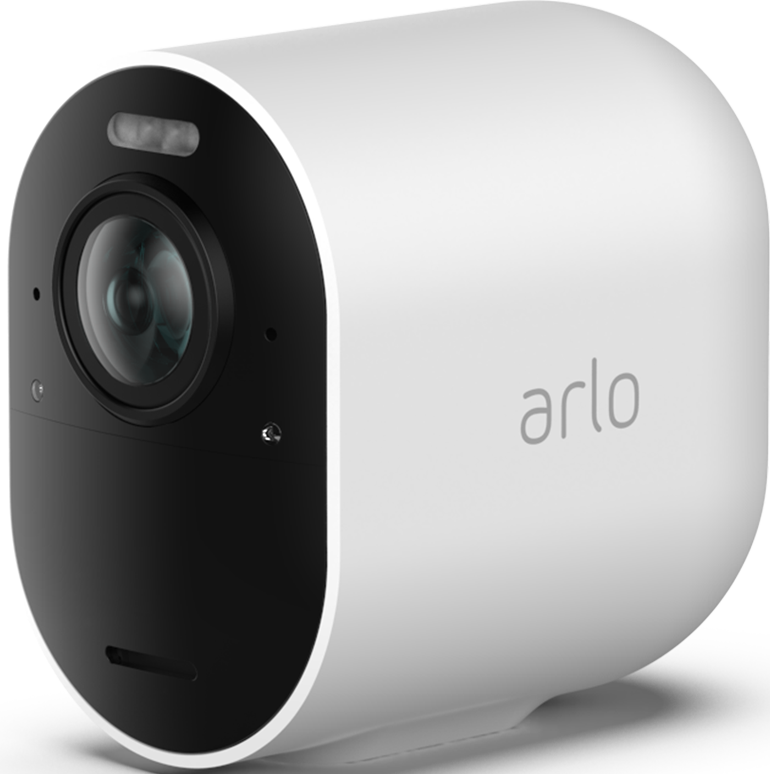
There is no pinhole on the Pro 5s. I mean the button inside the camera housing...
You'd remove it from the account, then press the button until the camera LED flashes amber (~15 sec). Then install again.
- Mark as New
- Bookmark
- Subscribe
- Mute
- Subscribe to RSS Feed
- Permalink
- Report Inappropriate Content
@Scotty_McP wrote:
Does anyone have any idea why one of my cameras wouldn’t be showing the motion detection symbol but the other does, despite them having the exact same settings for motion detection? I have combed through every possible setting and the camera that is not detection a motion whatsoever even says it is on “armed away mode and detecting motion” yet, the motion detection symbol is greyed out.
Have you tried restarting the camera? If that doesn't help, maybe do the hardware reset and reinstall it.
- Mark as New
- Bookmark
- Subscribe
- Mute
- Subscribe to RSS Feed
- Permalink
- Report Inappropriate Content
Thanks for the reply. Yes, so far I’ve restarted the camera and removed it as a device and reinstalled it. Is the hardware reset you’re talking about the pinhole button on the camera itself? I have just deleted and reinstalled the app and will try that next if I don’t have any luck.
- Mark as New
- Bookmark
- Subscribe
- Mute
- Subscribe to RSS Feed
- Permalink
- Report Inappropriate Content
@Scotty_McP wrote:
Thanks for the reply. Yes, so far I’ve restarted the camera and removed it as a device and reinstalled it. Is the hardware reset you’re talking about the pinhole button on the camera itself?
There is no pinhole on the Pro 5s. I mean the button inside the camera housing...
You'd remove it from the account, then press the button until the camera LED flashes amber (~15 sec). Then install again.
- Mark as New
- Bookmark
- Subscribe
- Mute
- Subscribe to RSS Feed
- Permalink
- Report Inappropriate Content
Ah yes, right you are, the little hole is something else. Held the sync button until light flashed amber and added back to the app. Motion detection all working fine now. Thanks for your help! 😊
- Mark as New
- Bookmark
- Subscribe
- Mute
- Subscribe to RSS Feed
- Permalink
- Report Inappropriate Content
@Scotty_McP wrote:
Thanks for your help! 😊
I'm glad you got it working again!
@Scotty_McP wrote:
the little hole is something else.
I suspect you are looking at the microphone.
-
5s
1 -
Accessing Local Storage
2 -
Accessing Local Storage.
1 -
Activity Zones
1 -
App
1 -
Arlo Cameras
1 -
Arlo Mobile App
19 -
arlo not working
1 -
Arlo Pro 2
1 -
Arlo Pro 5
8 -
Arlo Pro 5S 2K
4 -
Arlo Secure
2 -
Arlo Smart
4 -
Arlo solar panel
1 -
ArloPro5
2 -
audio
3 -
Automation
1 -
Before You Buy
12 -
Blinking
1 -
Cable Length
1 -
Charging
1 -
charging unit
1 -
Clicking sound
1 -
cloud storage retention
1 -
Costa Rica
1 -
dashboard
1 -
detection
1 -
drained battery
3 -
Features
15 -
Firmware
1 -
Firmware Update
1 -
Installation
13 -
internationl usage-abroad help
1 -
live stream
1 -
Live view
1 -
low power mode
1 -
Magenta screen
1 -
metal barns
1 -
Motion Detection
2 -
Night vision
2 -
No recordings
1 -
No Recordings with Activity Zones
2 -
Online and Mobile Apps
1 -
Online Web
1 -
Pro 5s
2 -
Risoluzione dei problemi
1 -
Routine
1 -
Smart Subscription
1 -
Table Top Mount
1 -
Troubleshooting
53 -
Videos
1 -
VMB4000
1 -
Wifi connection
1 -
Wifi loading
1 -
wind
1 -
wireless
1 -
Zones
1
- « Previous
- Next »
-
5 Replies
-
2026-06-20 02:57 AM
-
732 Views
-
0 Likes
-
2 In Conversation
-