This topic has been marked solved and closed to new posts due to inactivity. We hope you'll join the conversation by posting to an open topic or starting a new one.
- Subscribe to RSS Feed
- Mark Topic as New
- Mark Topic as Read
- Float this Topic for Current User
- Bookmark
- Subscribe
- Printer Friendly Page
-
12 Replies
-
2025-11-24 01:40 AM
-
9186 Views
-
4 Likes
-
5 In Conversation
-



- Mark as New
- Bookmark
- Subscribe
- Mute
- Subscribe to RSS Feed
- Permalink
- Report Inappropriate Content
Hello everyone,
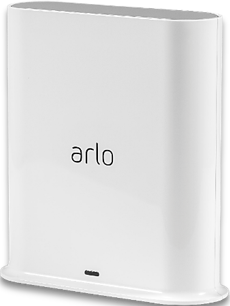
I was considering buying a used Pro SmartHub VMB4540, and the seller mentioned that he was selling it because he could not use it for local video storage without an Arlo subscription.
Before I make any decisions, I would like to confirm: Is it possible to record and store video locally on this hub using an SD card or external hard drive, completely subscription-free? If anyone has firsthand experience with this, I would greatly appreciate details on any limitations or required configurations.
Thank you for your insights!
Solved! Go to Solution.
Accepted Solutions


- Mark as New
- Bookmark
- Subscribe
- Mute
- Subscribe to RSS Feed
- Permalink
- Report Inappropriate Content
Not sure who you talked to but local storage has nothing to do with a subscription. I have local storage working on both my 4540 and 5000. Problems with local storage can be caused by a faulty USB drive or something in your account. You can try removing that storage setting and recreate it to see if that helps. Also, do you see Feed to view recordings or Library? Is this on iOS or Android?

- Mark as New
- Bookmark
- Subscribe
- Mute
- Subscribe to RSS Feed
- Permalink
- Report Inappropriate Content
@EiLo wrote:
Before I make any decisions, I would like to confirm: Is it possible to record and store video locally on this hub using an SD card or external hard drive, completely subscription-free?
Yes. It won't accept an SD card, but it has USB ports. I recommend using a thumb drive, not an external drive. 128-512 gb is enough (the max is 2 TB).
There are limitations
- recordings are only available in the app (not the web browser). So you cannot see them on a PC
- recordings are only available using the primary account (not "friend" accounts).
- no thumbnails, so videos need to be downloaded to the phone before you see anything.
- no ability to make manual recordings or snapshots
- remote access requires router setting changes that many find difficult, and which will not work with some internet service providers.
Note there are other subscription features - one that is often needed is activity zones. Some cameras do support activity zones w/o a subscription, but only when the camera is AC powered.
Also, you do need to use cameras that are compatible with the smarthub (some only connect to your home wifi).
- Mark as New
- Bookmark
- Subscribe
- Mute
- Subscribe to RSS Feed
- Permalink
- Report Inappropriate Content
Thanks for the quick and detailed reply! Really appreciate it.
I just wanted to ask; both the seller I spoke with and a forum user recently mentioned that Arlo now charges $9.99 to store video locally. This seems like a new issue. Is that correct, or is the local storage functionality still as you described?
- Mark as New
- Bookmark
- Subscribe
- Mute
- Subscribe to RSS Feed
- Permalink
- Report Inappropriate Content
@EiLo wrote:both the seller I spoke with and a forum user recently mentioned that Arlo now charges $9.99 to store video locally.
That is not correct. I think they were confusing local storage with cloud storage.
You do need a subscription to access Arlo support (other than for warranty issues)
- Mark as New
- Bookmark
- Subscribe
- Mute
- Subscribe to RSS Feed
- Permalink
- Report Inappropriate Content
My 4540 no longer allows for local storage on a flash drive any longer. Support chat said that it was a known system issue. Seems like they got rid of it so we would be forced to biy a subscription. Don't buy it unless you plan on getting a subscription.
- Mark as New
- Bookmark
- Subscribe
- Mute
- Subscribe to RSS Feed
- Permalink
- Report Inappropriate Content
Not sure who you talked to but local storage has nothing to do with a subscription. I have local storage working on both my 4540 and 5000. Problems with local storage can be caused by a faulty USB drive or something in your account. You can try removing that storage setting and recreate it to see if that helps. Also, do you see Feed to view recordings or Library? Is this on iOS or Android?
- Mark as New
- Bookmark
- Subscribe
- Mute
- Subscribe to RSS Feed
- Permalink
- Report Inappropriate Content
It worked! I removed the hub and added back all the cameras. Now the local storage works again. Thanks!

- Mark as New
- Bookmark
- Subscribe
- Mute
- Subscribe to RSS Feed
- Permalink
- Report Inappropriate Content
The problem is that with the new Arlo Secure app, you cannot delete the dowloaded local videos from your phone. The old app let you clear downloaded videos. I have to delete the phone app and reinstall to get rid of the videos.
- Mark as New
- Bookmark
- Subscribe
- Mute
- Subscribe to RSS Feed
- Permalink
- Report Inappropriate Content
@vtse168 wrote:
The problem is that with the new Arlo Secure app, you cannot delete the dowloaded local videos from your phone. The old app let you clear downloaded videos.
You've never been able to delete local videos from the smarthub storage.
But it should be possible to delete downloaded videos from your phone (and in the case of cloud storage, it should be possible to do that w/o deleting the video from the cloud). I think it'd be enough to have a control that deletes all videos stored on the phone.
No idea if this is possible with Android (clearing the cache might do it), but it is not possible with iOS. @BrookeN , @JamesC , @ShayneS - can you look into this. IMO it is a design bug, not a feature request (though others might have different views).
- Mark as New
- Bookmark
- Subscribe
- Mute
- Subscribe to RSS Feed
- Permalink
- Report Inappropriate Content
I believe he means local recordings that he has downloaded to the phone for viewing. I agree, there used to be a setting to delete those downloads and (at least in the Android app) that feature is missing. I believe the videos would be in the Android folder at the top level of normal overall phone access (where you see Downloads, DCIM, etc. on Android), in the Data subfolder, the com.arlo.app but you'd likely need a rooted phone to access that (I tried a couple of different file managers and failed).
WIthout deleting the app, have you tried clearing cache and, if that fails, clearing data? That's as if you just installed the app but I don't know if that would delete the downloads.
- Mark as New
- Bookmark
- Subscribe
- Mute
- Subscribe to RSS Feed
- Permalink
- Report Inappropriate Content
@jguerdat wrote:WIthout deleting the app, have you tried clearing cache and, if that fails, clearing data?
Those are not options with iOS. The only general way to clear out the data on the iPhone (or iPad) is to uninstall and reinstall the app.
@jguerdat wrote:
I believe he means local recordings that he has downloaded to the phone for viewing.ds.
Yeah, I thought that might be the case, so I also addressed that in my own reply.
- Mark as New
- Bookmark
- Subscribe
- Mute
- Subscribe to RSS Feed
- Permalink
- Report Inappropriate Content
- Mark as New
- Bookmark
- Subscribe
- Mute
- Subscribe to RSS Feed
- Permalink
- Report Inappropriate Content
@vtse168 wrote:
I tried to locate the files on my iPhone but failed.
I'm not seeing them either. I think the only way to get rid of them is to uninstall the app and then reinstall it.
-
5s
1 -
Accessing Local Storage
2 -
Accessing Local Storage.
1 -
Activity Zones
1 -
App
1 -
Arlo Cameras
1 -
Arlo Mobile App
18 -
arlo not working
1 -
Arlo Pro 2
1 -
Arlo Pro 5
8 -
Arlo Pro 5S 2K
4 -
Arlo Secure
2 -
Arlo Smart
4 -
Arlo solar panel
1 -
ArloPro5
2 -
audio
3 -
Automation
1 -
Before You Buy
12 -
Blinking
1 -
Cable Length
1 -
Charging
1 -
charging unit
1 -
Clicking sound
1 -
cloud storage retention
1 -
Costa Rica
1 -
dashboard
1 -
detection
1 -
drained battery
3 -
Features
15 -
Firmware
1 -
Firmware Update
1 -
Installation
13 -
internationl usage-abroad help
1 -
live stream
1 -
Live view
1 -
low power mode
1 -
Magenta screen
1 -
metal barns
1 -
Motion Detection
2 -
Night vision
2 -
No recordings
1 -
No Recordings with Activity Zones
2 -
Online and Mobile Apps
1 -
Online Web
1 -
Pro 5s
2 -
Risoluzione dei problemi
1 -
Routine
1 -
Smart Subscription
1 -
Table Top Mount
1 -
Troubleshooting
51 -
Videos
1 -
VMB4000
1 -
Wifi connection
1 -
Wifi loading
1 -
wind
1 -
wireless
1 -
Zones
1
- « Previous
- Next »
-
12 Replies
-
2025-11-24 01:40 AM
-
9187 Views
-
4 Likes
-
5 In Conversation
-