This topic has been closed to new posts due to inactivity. We hope you'll join the conversation by posting to an open topic or starting a new one.
- Subscribe to RSS Feed
- Mark Topic as New
- Mark Topic as Read
- Float this Topic for Current User
- Bookmark
- Subscribe
- Printer Friendly Page
-
6 Replies
-
2022-01-23 12:11 PM
-
3082 Views
-
0 Likes
-
3 In Conversation
-



- Mark as New
- Bookmark
- Subscribe
- Mute
- Subscribe to RSS Feed
- Permalink
- Report Inappropriate Content
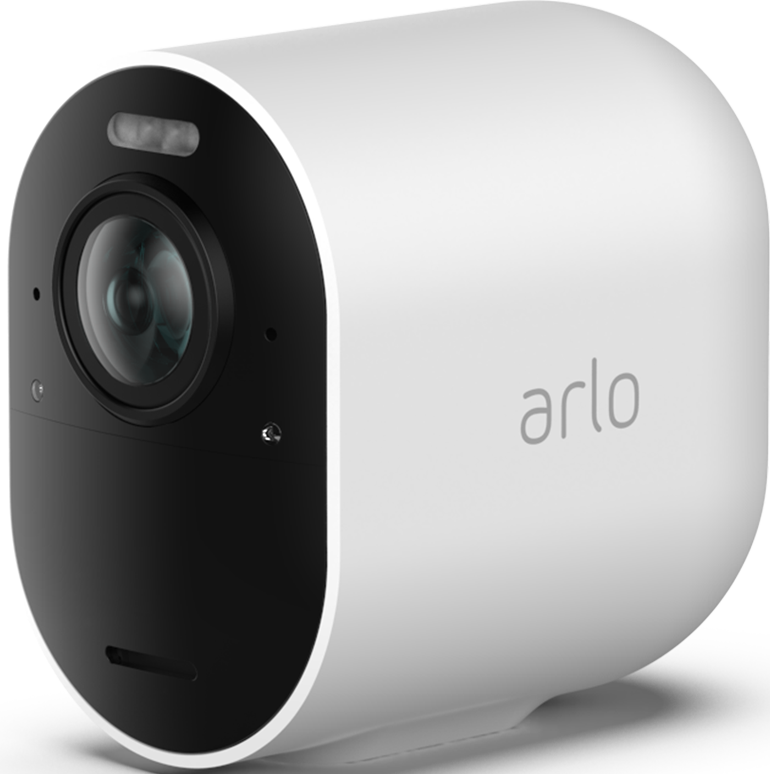
I bought 2 Arlo Pro 4 camera and a Arlo Pro 3 floodlight camera to connect to my existing base station (vbm4000r3). One of the pro cameras and the floodlight have connect no problem, record and work beautifully. The other pro camera won't recognize any activity, send notifications, or record. If I pull up the camera in live mode it works, but that's it. I've reset it back to factory settings twice and still haven't had luck. Any ideas?
Also, does anyone have a number for customer service as I can't find a phone number to get a person on the phone.
- Related Labels:
-
Troubleshooting


- Mark as New
- Bookmark
- Subscribe
- Mute
- Subscribe to RSS Feed
- Permalink
- Report Inappropriate Content
Have you checked your active mode to verify that there's a rule for the camera that's not recording?
Phone numbers are provided if you have a subscription by going to Settings, Support.
- Mark as New
- Bookmark
- Subscribe
- Mute
- Subscribe to RSS Feed
- Permalink
- Report Inappropriate Content
I have a subscription and found a phone number and can try calling at some point if we can't figure it out over the forum.


- Mark as New
- Bookmark
- Subscribe
- Mute
- Subscribe to RSS Feed
- Permalink
- Report Inappropriate Content
@WafflesForU wrote:
The settings match the other cameras that work and are set to record. I've attached a screenshot. Any other thoughts?
Can you make a manual recording when livestreaming (note you'll need to turn off 2K livestreaming if you have that enabled)?
Have you tried the motion detection test? https://kb.arlo.com/41/How-do-I-change-the-motion-sensitivity-on-my-Arlo-camera
- Mark as New
- Bookmark
- Subscribe
- Mute
- Subscribe to RSS Feed
- Permalink
- Report Inappropriate Content
- Mark as New
- Bookmark
- Subscribe
- Mute
- Subscribe to RSS Feed
- Permalink
- Report Inappropriate Content
@WafflesForU wrote:
Sensitivity is turned up to 99 and I can be just a few feet, but it doesn't do anything.
I think that's the problem.
If the camera has any third-part skins on it, try taking them off.
Otherwise, I suggest
- exchanging the camera with the seller
- getting a replacement from Arlo support
If you can still exchange it, that would be fastest and easiest.
- Mark as New
- Bookmark
- Subscribe
- Mute
- Subscribe to RSS Feed
- Permalink
- Report Inappropriate Content
No skins.
I called Arlo, and they were super responsive. Just did the RMA process for a new camera. Thanks for trying to help and the advice on where to find everything. Much appreciated!
-
Arlo Mobile App
491 -
Arlo Pro 3
1 -
Arlo Pro 4
2 -
Arlo Secure
3 -
Arlo Smart
226 -
Arlo Wire-Free
1 -
Before You Buy
352 -
Dépannage
1 -
Features
459 -
Installation
450 -
labels
1 -
Samsung SmartThings
1 -
Troubleshooting
1,892
-
6 Replies
-
2022-01-23 12:11 PM
-
3083 Views
-
0 Likes
-
3 In Conversation
-