- English
- /
- Services
- /
- Arlo Home Security System
- /
- Local events from base station VMB5000r6 not shown...
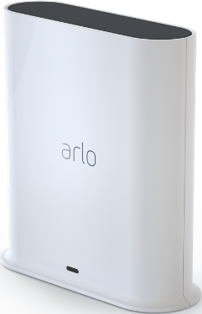
Local events from base station VMB5000r6 not shown on new iPhone17p
- Subscribe to RSS Feed
- Mark Topic as New
- Mark Topic as Read
- Float this Topic for Current User
- Bookmark
- Subscribe
- Printer Friendly Page
-
5 Replies
-
2025-12-01 08:40 AM
-
50 Views
-
0 Likes
-
3 In Conversation
-




- Mark as New
- Bookmark
- Subscribe
- Mute
- Subscribe to RSS Feed
- Permalink
- Report Inappropriate Content
Hallo,
After installing my new iPhone17p I can't see the local events in the Arlo secure app, the events are stored on my local base station VMB5000r6. In the Arlo secure app -> Feed -> Local - under local it see No Events. My iPhone is on the same wifi network as the basestation. The events is still showing on the old iPhone15p. I have restartet the base station and the iPhone17p but it does not help. I am logged on with the same user on both iPhones.
Appreciate any help except going back to old iPhone 🙂
- Related Labels:
-
Arlo Mobile App


- Mark as New
- Bookmark
- Subscribe
- Mute
- Subscribe to RSS Feed
- Permalink
- Report Inappropriate Content
Can you please make sure that the cameras have the correct routines are set up on the iPhone 17. That the cameras are set to record.


- Mark as New
- Bookmark
- Subscribe
- Mute
- Subscribe to RSS Feed
- Permalink
- Report Inappropriate Content
@BrookeN wrote:Can you please make sure that the cameras have the correct routines are set up on the iPhone 17. That the cameras are set to record.
apparently everything has been set up properly. Since "The events is still showing on the old iPhone15p".
@AG400 (assuming "events" mean local recordings),
- what login account are you using on the iPhone 17? Same or different one from the iPhone 15p?
- on iPhone 17, can you see the events/local recordings from Devices >> your Smarthub >> storage settings ?
Alex
- Mark as New
- Bookmark
- Subscribe
- Mute
- Subscribe to RSS Feed
- Permalink
- Report Inappropriate Content
Yes the new iPhone17 has the routines from the old phone, the routines have not change and are visible on the new iPhone17
- Mark as New
- Bookmark
- Subscribe
- Mute
- Subscribe to RSS Feed
- Permalink
- Report Inappropriate Content
Hallo,
Yes event = local recordings.
Login: using the same login as on the iphone 15
On iPhone 17 - Arlo app: Devices -> select Base station -> device settings -> storage settings -> local storage settings (settings are the same on the 2 iphones)
On the old iphone 15 under storage settings I can see all the recordings by date and time but on the iphone 17 they are not shown.
Thanks
- Mark as New
- Bookmark
- Subscribe
- Mute
- Subscribe to RSS Feed
- Permalink
- Report Inappropriate Content
Try to reset the basestation and add it back to the iPhone 17, you will need to add the cameras back on as well.
-
Accessing Local Storage
1 -
Apple HomeKit
1 -
Apps
1 -
Arlo
2 -
Arlo app
2 -
Arlo Essential Spotlight
2 -
Arlo Mobile App
8 -
Arlo Pro 3 Floodlight
1 -
Arlo Pro 5S 2K
1 -
Arlo Secure
5 -
Arlo Secure 4.0
1 -
Arlo Smart
4 -
Arlo Smart Hub
1 -
Arlo Web and Mobile Apps
1 -
Before You Buy
14 -
customer service
2 -
door sensor
1 -
Eero
1 -
Features
14 -
Firmware Release Notes
1 -
google
1 -
home
2 -
home security
3 -
IFTTT
1 -
Installation
12 -
Keypad
3 -
Keypad Sensor Hub
4 -
mode
1 -
Modes and Rules
1 -
monitoring
2 -
Mount
1 -
MS1001
1 -
No Sound
1 -
old feed
1 -
PIN
1 -
Primary PIN
1 -
Public Key Required
1 -
RMA
1 -
Secondary PIN
1 -
Security
3 -
Security Keypad
1 -
Security System
2 -
Security System App
1 -
Sensor
1 -
Setting-up
1 -
Siren
1 -
support
1 -
System
1 -
Test Mode
1 -
Total Security Package
1 -
Troubleshooting
20 -
update
1 -
Wall
1 -
Website
1
- « Previous
- Next »
-
5 Replies
-
2025-12-01 08:40 AM
-
51 Views
-
0 Likes
-
3 In Conversation
-