This topic has been closed to new posts due to inactivity. We hope you'll join the conversation by posting to an open topic or starting a new one.
- English
- /
- Cameras
- /
- Arlo Essential Security Camera
- /
- VMB5000 switching from Cloud storage to Local SD s...
VMB5000 switching from Cloud storage to Local SD storage.
- Subscribe to RSS Feed
- Mark Topic as New
- Mark Topic as Read
- Float this Topic for Current User
- Bookmark
- Subscribe
- Printer Friendly Page
-
2 Replies
-
2025-12-16 07:11 AM
-
1123 Views
-
0 Likes
-
2 In Conversation
-


- Mark as New
- Bookmark
- Subscribe
- Mute
- Subscribe to RSS Feed
- Permalink
- Report Inappropriate Content
Dear all,
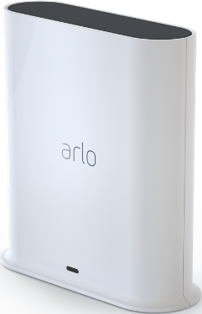
I bought a VMB5000 with local a micro SD in it and set it up. Formatted and all go.
I selected the storage library from cloud to My new hub name and since that no recording go into the HUB. he still goto to the Cloud storage what I see.
How can i get it to work that all my cameras use the hub storage? I have 3 cameras (1 x doorbell and 2 others).
And Like to stop my Cloud services later if its working good.
Thank you.
- Related Labels:
-
Troubleshooting


- Mark as New
- Bookmark
- Subscribe
- Mute
- Subscribe to RSS Feed
- Permalink
- Report Inappropriate Content
Any camera that is connected to the hub will record on the SD card. Any camera connected to WiFi will not so you would need to remove them from your account and reinstall them but this time connect them to the hub.
- Mark as New
- Bookmark
- Subscribe
- Mute
- Subscribe to RSS Feed
- Permalink
- Report Inappropriate Content
hey hi JGuerdat,
Ok i have done one videocamera.
It is exactly removing from the App cameras list and reinstall again, during that process your hub is already found and you can choose the Hub as storage..
Thank you.
-
2 Replies
-
2025-12-16 07:11 AM
-
1124 Views
-
0 Likes
-
2 In Conversation
-