- Subscribe to RSS Feed
- Mark Topic as New
- Mark Topic as Read
- Float this Topic for Current User
- Bookmark
- Subscribe
- Printer Friendly Page
- « Previous
- Next »
-
57 Replies
-
2026-06-27 11:37 AM
-
6276 Views
-
17 Likes
-
25 In Conversation
-




- Mark as New
- Bookmark
- Subscribe
- Mute
- Subscribe to RSS Feed
- Permalink
- Report Inappropriate Content
Hello.
I have three Arlo Essential Outdoor Cameras third generation and three Arlo Essential Outdoor Cameras second generation. All were connected to the WiFi and working well until three weeks ago. Nothing changed, no loss of power, no password change, nothing different happened.
The third generation cameras went offline. And then while troubleshooting the third generation cameras yesterday, the second generation cameras went offline.
I am getting either the error code of 12800 for no internet connection or just no internet connection error for all 6 cameras.
I have reset all cameras. I have uninstalled the app and reinstalled it. I have offloaded the app and restored it. I have unplugged the router and also reset the router. I have brought the cameras inside and placed directly next to the router. The router is a Verizon gateway router. And all the cameras are charged to at least 70% for batteries.
The internet connection is up and working and is the 2.4 GHz, the same on the iPhone. Bluetooth is connected and has permission.
I have called customer support and currently have a ticket in place however nothing as far as trouble shooting is working to get all 6 cameras back connected to the WiFi.
Does anyone have any thoughts or recommendations moving forward?
These cameras are 7-8 months old and purchased as 2 three packs on Amazon.
Thanks.
Solved! Go to Solution.
Best answers
-
Hello everyone,
We appreciate all the patience you have shown while we investigated this behavior.
We have a fix for the error message you are seeing. However, it does need a mobile hotspot or alternate Wi-Fi to preform these steps.
If you have this available please send me a message and I can walk you through the steps.
If you do not have this available, please still dm me and let me know.
Thank you.
-
I have passed this information onto our development team. I will reach back out to you as soon as possible.



- Mark as New
- Bookmark
- Subscribe
- Mute
- Subscribe to RSS Feed
- Permalink
- Report Inappropriate Content
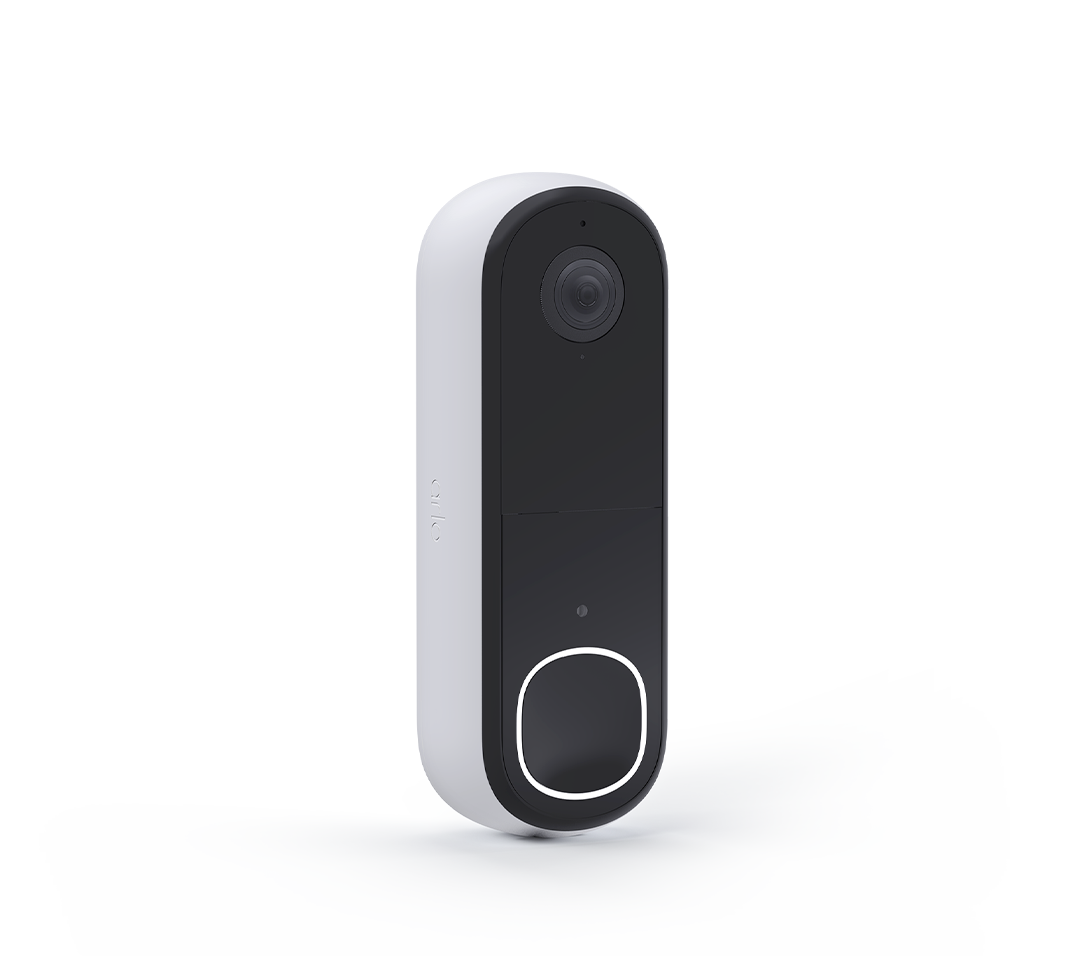
@PotatoHead and @kmartymcfly I have let the team know that your doorbells were able to onboard. However, now they are showing offline. I will be in touch soon.

- Mark as New
- Bookmark
- Subscribe
- Mute
- Subscribe to RSS Feed
- Permalink
- Report Inappropriate Content
Has there been a resolution to this error code? I'm having the same issue.
- Mark as New
- Bookmark
- Subscribe
- Mute
- Subscribe to RSS Feed
- Permalink
- Report Inappropriate Content
Apparently another update took place Monday night (9/7)? At any rate, my doorbell is working.
- Mark as New
- Bookmark
- Subscribe
- Mute
- Subscribe to RSS Feed
- Permalink
- Report Inappropriate Content
Having posted that my doorbell was working Monday 9/7, it's no longer working correctly as of 9/11. Same problems as before: I can sometimes access it from the app, sometimes not; motion detection doesn't work; and an "unknown error" occurs when I try to set up zones.
I'll also note that on August 27 I received an email from the Arlo Resolution Team about error 12800 with instructions how to update the firmware via another network. The email stated, *** If the first option is not available, please respond with your complete shipping address and contact number so we can send a replacement unit this coming week *** I did respond as the email invited because of these continued problems and never heard back, only to discover that the response went to a "no-reply" email address. I'd just like my doorbell to work.
- Mark as New
- Bookmark
- Subscribe
- Mute
- Subscribe to RSS Feed
- Permalink
- Report Inappropriate Content
There should have been a manual firmware update option in the app for exactly this sort of problem. Then we could just do it ourselves over bluetooth. Or even USB for that matter.
- Mark as New
- Bookmark
- Subscribe
- Mute
- Subscribe to RSS Feed
- Permalink
- Report Inappropriate Content
Is anyone still seeing this same behavior?
- Mark as New
- Bookmark
- Subscribe
- Mute
- Subscribe to RSS Feed
- Permalink
- Report Inappropriate Content
This should now be resolved, if anyone is still seeing this behavior, please reach out to me directly.
- Mark as New
- Bookmark
- Subscribe
- Mute
- Subscribe to RSS Feed
- Permalink
- Report Inappropriate Content
Hi @BrookeN
unfortunately I am still experiencing the same Wi-Fi connection issue with my Arlo Video Doorbell 2nd Gen.
My device is an AVD3001A and is currently running firmware 10.1.14_94fd226. Previously it was on 10.0.2509_f51e5dc.
The issue is reproducible as follows:
- Mobile 2.4 GHz hotspot → works immediately
- FRITZ!Box 6670 normal Wi-Fi → does not connect
- FRITZ!Box 6670 guest Wi-Fi → used to work, but now no longer connects either
I already tested 2.4 GHz only, WPA2 only, disabled 5 GHz, enabled increased Wi-Fi compatibility, disabled VPN, tested alternative DNS, reset and re-onboarded the doorbell, and performed setup close to the router.
The doorbell itself is clearly still able to connect to Wi-Fi and the internet, because it works normally through the mobile hotspot.
Since you mentioned that the Error 12800 issue should now be resolved, could you please check whether my device still needs the specific fix / firmware correction / rollback that was discussed earlier in this thread?
I can keep the doorbell online via the mobile hotspot if needed.
Please let me know how to fix this issue permanently.
Thank you.
- « Previous
- Next »
-
180 degree
1 -
250-50602-01
1 -
alerts
1 -
Alexa
1 -
Amazon Alexa
1 -
Android App
1 -
animal
1 -
api_key
1 -
Arlo
1 -
Arlo 2nd Gen
1 -
Arlo Cameras
2 -
Arlo Essential 2nd Gen always goes offline
1 -
Arlo Essential Spotlight
2 -
Arlo Mobile App
23 -
Arlo Secure 4.0
1 -
Arlo Smart
2 -
base station
1 -
Batteries
1 -
Battery life
2 -
Battery.
1 -
Before You Buy
9 -
camera
2 -
connection
1 -
constant
1 -
customer service
1 -
Doorbell reset
1 -
drained battery
1 -
Essential
1 -
Essential Camera feature request
1 -
Essential outdoor
1 -
Features
14 -
freeze
1 -
Google Nest
1 -
Idk
1 -
Installation
15 -
motion
1 -
Motion Detection
3 -
motiondetection
1 -
need help
1 -
network
1 -
New features
1 -
Night vision
1 -
No recordings
1 -
not working
1 -
Orbi
1 -
Other Discussions
1 -
Payment
1 -
privacy zones essential 2k
1 -
problemshooting
1 -
Product
1 -
Record
1 -
Reliable
1 -
returns
1 -
Router
1 -
sensor not working
1 -
Siren
1 -
smart things
1 -
too many
1 -
Troubleshooting
73 -
Unknown charges
1 -
VMC3050
1
- « Previous
- Next »
-
57 Replies
-
2026-06-27 11:37 AM
-
6277 Views
-
17 Likes
-
25 In Conversation
-