- Subscribe to RSS Feed
- Mark Topic as New
- Mark Topic as Read
- Float this Topic for Current User
- Bookmark
- Subscribe
- Printer Friendly Page
-
10 Replies
-
2026-05-25 05:09 PM
-
2002 Views
-
0 Likes
-
4 In Conversation
-




- Mark as New
- Bookmark
- Subscribe
- Mute
- Subscribe to RSS Feed
- Permalink
- Report Inappropriate Content
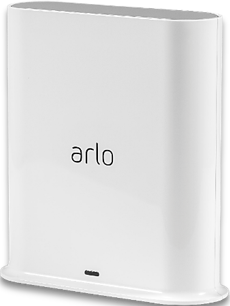
No idea what's going on but my VMB4540 did not come with an Apple Home (HomeKit) token/setup code, and Arlo support has been unhelpful for the last 6 days. After having already spent 2 hours on the phone being told "what you're seeing isn't what you should be seeing" I sent a video screen recording. Now keep getting emails asking for a time and phone number to call me. Then today I got an email saying "Looks like your device is online, so you don't need our help."
I never had a problem getting the device online. I need to connect to Apple Home. Why is this so difficult to understand or fix? I'm about to uninstall my cameras and send the whole thing back for a refund. I'm furious. I've been dealing with actual threats and the local police have encouraged me to install home security. But I need that home security to actually work and not increase my stress levels. C'mon, Arlo. Be useful.
- Related Labels:
-
Apple HomeKit


- Mark as New
- Bookmark
- Subscribe
- Mute
- Subscribe to RSS Feed
- Permalink
- Report Inappropriate Content
Did you ask them for a token reset, and then reboot the smarthub?


- Mark as New
- Bookmark
- Subscribe
- Mute
- Subscribe to RSS Feed
- Permalink
- Report Inappropriate Content
Do you have two account, the account I see does not have a basestation on it. It has two Pro 5 with a subscription. I cannot send a token. reset for the Apple Homekit unless there is a basestation on the account.
- Mark as New
- Bookmark
- Subscribe
- Mute
- Subscribe to RSS Feed
- Permalink
- Report Inappropriate Content
That's because it's back in the box waiting to be returned. Arlo support has apparently already sent a token, and it didn't help. Now I'm getting a persistent "Uncertified Accessory" error.
I can try going through it all again, if you're sure this will work. But I'm hesitant to spent even one more minute on this product. In fact, I'm most likely going to return the cameras too, as soon as I find another company that actually provides the connectivity it advertises.
What I don't understand is why these devices don't just come with the appropriate QR code. It's 2026. You have probably hundreds, if not thousands of tech support cases to assist people through this. I wonder how many dollars have been spent by Arlo helping customers troubleshoot something that is 100% fixable by simply having the setup code included with the device -- just like every other company that advertises its product as compatible with Apple Home.
- Mark as New
- Bookmark
- Subscribe
- Mute
- Subscribe to RSS Feed
- Permalink
- Report Inappropriate Content
I did. I think they finally offered that solution around hour 18, but only after I brought it up first (having seen it on this thread).
- Mark as New
- Bookmark
- Subscribe
- Mute
- Subscribe to RSS Feed
- Permalink
- Report Inappropriate Content
The Apple Home kit is generally set up without a code. I have instructions you can follow to do that as well.
- Mark as New
- Bookmark
- Subscribe
- Mute
- Subscribe to RSS Feed
- Permalink
- Report Inappropriate Content
I've followed those instructions -- literally -- dozens of times.
- Mark as New
- Bookmark
- Subscribe
- Mute
- Subscribe to RSS Feed
- Permalink
- Report Inappropriate Content
You followed these ones:
To setup an Arlo device without a setup code:
- Launch the Arlo Secure App on your Apple device.
- Tap Devices.
- Select an Arlo SmartHub or Arlo Base Station.
- Tap the name of your Arlo Smarthub or Arlo Base Station.
- Tap HomeKit.
- Select the Arlo SmartHub or Arlo Base Station you want to add to Apple Home.
If you receive an Uncertified Accessory Error message, visit: When adding my Arlo Base Station to Apple Home, what should I do if I receive an Uncertified Accesso... - Select a Home or tap Add New Home.
If you don’t have a Home set up in the Arlo Secure App, you are directed to create a Home. - Select a Room or tap Add a New Room.
If you don’t have a Room set up in the Arlo Secure App, you are directed to create a Room. - Tap Continue to add devices to HomeKit to add devices or additional Arlo Base Stations.
- Continue through the setup flows to confirm the name and room placement for each device.
Note: The name that you give each device is used for Siri commands. Choose a unique name that is easy to remember and pronounce. - Confirm the name of the device.
- Tap Skip, or rename any other devices as needed.
- Tap Finish.
Your devices are ready to use with Apple Home.
- Mark as New
- Bookmark
- Subscribe
- Mute
- Subscribe to RSS Feed
- Permalink
- Report Inappropriate Content
Yes. Repeatedly. Around hour 19 is when I finally started to get the Uncertified Accessory error message. Tried troubleshooting around that for another 90 minutes, but it persisted. That's when I unplugged it and put it back in the box.
- Mark as New
- Bookmark
- Subscribe
- Mute
- Subscribe to RSS Feed
- Permalink
- Report Inappropriate Content
I’m in the same situation needing a token for my VMB5000r4 so I can set up HomeKit, pleeeeease.
- Mark as New
- Bookmark
- Subscribe
- Mute
- Subscribe to RSS Feed
- Permalink
- Report Inappropriate Content
I recevied your message @Morko and it has been reset. Please follow the steps I sent you in the dm.
-
Amazon Alexa
117 -
Apple HomeKit
778 -
Apple TV App
7 -
AppleTV
33 -
Arlo Mobile App
62 -
Arlo Pro
2 -
Arlo Pro 2
1 -
Arlo Q (Plus)
1 -
Arlo Secure
10 -
Arlo Smart
40 -
Arlo Wire-Free
1 -
Before You Buy
30 -
Features
89 -
Firmware Release Notes
8 -
Google Assistant
104 -
IFTTT
100 -
IFTTT (If This Then That)
117 -
Installation
91 -
Modes and Rules
13 -
Motion Detection
1 -
Online and Mobile Apps
70 -
Samsung SmartThings
89 -
Security System
1 -
Service and Storage
5 -
SmartThings
73 -
Troubleshooting
401 -
Verisure
1 -
Videos
1
- « Previous
- Next »
-
10 Replies
-
2026-05-25 05:09 PM
-
2003 Views
-
0 Likes
-
4 In Conversation
-