Troubleshooting
- Subscribe to RSS Feed
- Mark Topic as New
- Mark Topic as Read
- Float this Topic for Current User
- Bookmark
- Subscribe
- Printer Friendly Page
-
3 Replies
-
2026-03-03 04:25 AM
-
1108 Views
-
0 Likes
-
3 In Conversation
-



- Mark as New
- Bookmark
- Subscribe
- Mute
- Subscribe to RSS Feed
- Permalink
- Report Inappropriate Content
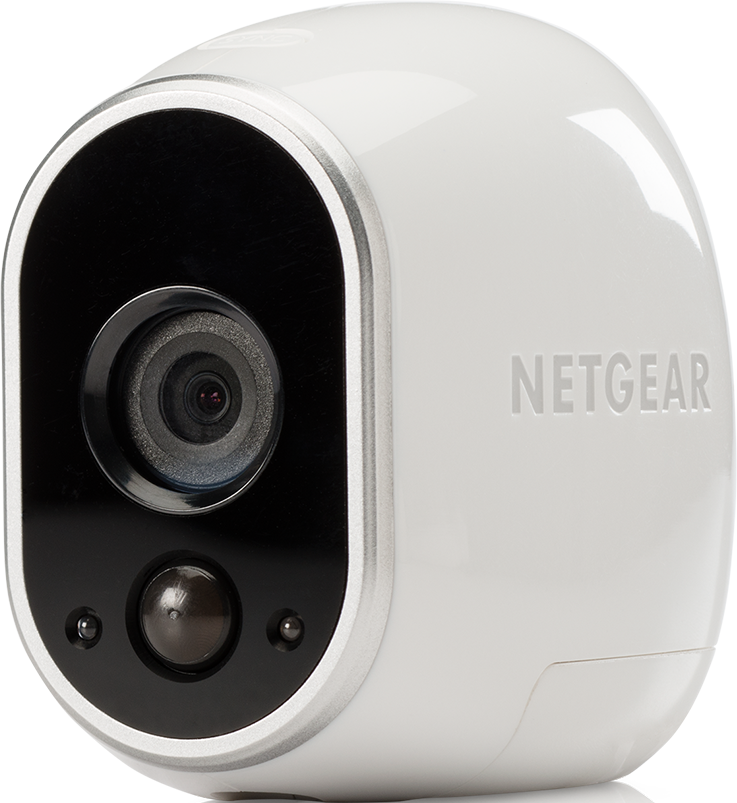
I have a couple of cameras that keep going off line, even with new batteries. What might the issue be.
- Related Labels:
-
Troubleshooting


- Mark as New
- Bookmark
- Subscribe
- Mute
- Subscribe to RSS Feed
- Permalink
- Report Inappropriate Content
@Gatorsfam wrote:
I have a couple of cameras that keep going off line, even with new batteries. What might the issue be.
What camera model?
If you have some cameras that aren't having this issue, try swapping the cameras, and see if the problem moves with the camera, or stays with the location.
You can also check your wifi connection speed at the camera locations using your phone. Disable mobile data, just to make sure you are testing the wifi speed.
- Mark as New
- Bookmark
- Subscribe
- Mute
- Subscribe to RSS Feed
- Permalink
- Report Inappropriate Content
Since the OP shows an original wireless camera as the product, it's connected to a base station. However, the OP does need to verify the camera model to be sure.
You can still use a WiFi app to see the signal strength at the cameras but that doesn't discount interference. I would bring a camera indoors for testing to see if that makes a difference. As @StephenB suggests, swapping cameras around with others that don't have the issue is also a good troubleshooting step.
- Mark as New
- Bookmark
- Subscribe
- Mute
- Subscribe to RSS Feed
- Permalink
- Report Inappropriate Content
@jguerdat wrote:
Since the OP shows an original wireless camera as the product, it's connected to a base station.
Most people do have their base near their home wifi router. In those cases the home wifi signal should be about the same as the base.
I wasn't meaning to suggest using a wifi analyzer, instead I was thinking speedtest (or the cloudflare equivalent). Persistent outdoor interference isn't all that likely, but if there is a nearby interference source, then you should get lower speeds and/or packet loss when testing your home wifi speed with Ookla or CloudFlare.
Indoor interference (base too close to router) is very possible. So make sure the base is as far away from the router as the supplied ethernet cord will reach (5-6 feet).
@jguerdat wrote:
However, the OP does need to verify the camera model to be sure.
A lot of folks don't actually know what they have, and end up just picking something. @Gatorsfam - the model you picked uses 4 CR132 batteries, not the square lithium batteries used in newer models.
-
Accessories
4 -
Activity Zones
1 -
Amazon Alexa
1 -
Apple HomeKit
2 -
Apple TV App
9 -
Applications mobile et en ligne
1 -
Apps
4 -
Arlo Go
3 -
Arlo Mobile App
864 -
Arlo Pro
36 -
Arlo Pro 2
1 -
Arlo Q (Plus)
3 -
Arlo Smart
235 -
Arlo Web and Mobile Apps
18 -
Arlo Wire-Free
30 -
base station
1 -
Batteries
529 -
Before You Buy
979 -
Can't view cameras live at all
1 -
Dépannage
1 -
Détection de mouvements
1 -
Features
1,187 -
Fehlerbehebung
1 -
Firmware Release Notes
93 -
Google Assistant
1 -
Hardware
1 -
home security
1 -
IFTTT (If This Then That)
105 -
Installation
2,086 -
Iphone 14 pro
1 -
Live view
1 -
Modes and Rules
1 -
Motion Detection
2 -
Object Recognition
3 -
Online and Mobile Apps
983 -
Online und mobile Apps
1 -
Order Not Going Through... help please!
1 -
Other Discussions
1 -
Partner Integrations
4 -
Security
1 -
Service and Storage
14 -
Smart Subscription
3 -
SmartThings
71 -
Troubleshooting
9,342 -
Videos
233 -
Vidéo
2 -
Warranty & Contracts
2
- « Previous
- Next »
-
3 Replies
-
2026-03-03 04:25 AM
-
1109 Views
-
0 Likes
-
3 In Conversation
-