- Subscribe to RSS Feed
- Mark Topic as New
- Mark Topic as Read
- Float this Topic for Current User
- Bookmark
- Subscribe
- Printer Friendly Page
- « Previous
-
- 1
- 2
- Next »
-
32 Replies
-
2025-10-15 07:13 PM
-
5936 Views
-
0 Likes
-
3 In Conversation
-



- Mark as New
- Bookmark
- Subscribe
- Mute
- Subscribe to RSS Feed
- Permalink
- Report Inappropriate Content
I'm not sure where to start because there's so many issues here...this involves two other posts of mine, that you've been involved in.
As you know, in another post Re: Security Light Not Turning on Light with Motio... - Arlo Community which went into the strange goings on with two Security Lights no longer turning on the light or cross-triggering the corresponding cameras. That, along with me finding actions, in routines, disappearing or turning off...which is how I found the Pro 5S "record video" slide switch turning itself off and no longer able to be turned on Pro 5S Live Streaming Issue - Arlo Community
After spending the past two full days installing/uninstalling the two lights and the two cameras multiple times along with rewriting, over & over, the corresponding routines (those lights cross-triggered the Pro 5S, mentioned in the other post & a Pro 3) I've found the following...the routine for the lights both managed to turn the brightness to low (so they wouldn't light at all) in a setting that does not appear in routines on the app but is pretty much hidden in routines on the web portal and only appears when you click on an arrow to the right of the "turn on a light" action. By turning those both up, the lights now both work, but will randomly quit and have to be turned back up...light issue partially solved.
Here's what I've found with the videos not recording with motion sensed by the camera. As you know, from the one post, the Pro 5S "record video" slide switch would turn itself off and not be able to be turned back on (without uninstalling/reinstalling the camera) but even with the slide switch slid off the camera was still able to be cross-triggered by the corresponding light and would record...this was originally exclusive to the Pro 5S but today I found that the Pro 3, triggered by the other light, now has the same issue with the record slide switch. Now, with the issue of the videos not recording when cross-triggered by the lights and with all of the uninstall/reinstall of both the lights & camera, I found that all of a sudden the videos were recording when cross-triggered by the lights and I couldn't figure out why, until I was satisfied that the lights were now working and I put the "activity zones" back in and, you guessed it, no more video recording. Note that I've always had activity zones on those two cameras and by setting the videos triggered by the camera to 40 seconds and the videos cross-triggered by the lights to 45 seconds, I could always see that both were working. After I found this issue, I confirmed that it wasn't just these two cameras by setting up the doorbell to cross-trigger some other cameras with the same results...video recorded without activity zones, no video with. Note that if you try to set up a cross-triggering routine, after the record slide switch has slid itself to off, the device that you're trying to cross-trigger no longer shows as a selection of available devices and then you have to uninstall/reinstall that camera to get the slide switch on and set up the routine.
So, the issues here (that I was led to by the lights not working weeks ago) seem to be two things...routines changing and sometimes eliminating actions along with cross-triggering no longer recording when activity zones are set on the camera that is cross-triggered.
Seems like there's so many issues and variables that I've found in the past two days, it's hard to keep track of.
Paul
Solved! Go to Solution.
- Related Labels:
-
Troubleshooting


- Mark as New
- Bookmark
- Subscribe
- Mute
- Subscribe to RSS Feed
- Permalink
- Report Inappropriate Content
I do not have any update as of yet.
- Mark as New
- Bookmark
- Subscribe
- Mute
- Subscribe to RSS Feed
- Permalink
- Report Inappropriate Content
@BrookeN
Hi Brooke,
Just want to let you know I really appreciate that you passed this issue on to the proper people who can resolve it, and I do realize that the Security Lights are EOL, although the firmware update (April 2024) which started this whole "notification" issue, was done prior to the EOL date of 01/01/2025.
Here's my feelings on this and maybe you could pass this along to the right people who can see that this gets resolved...
As far as the EOL on the lights...I wouldn't expect any changes or improvements with an EOL product itself but do expect that they actually continue to function as designed, within the current app, until they just totally physically fail. Of course, it's not as if the notification feature broke over time but instead, the issue was caused by a firmware update to the app. After all, those settings for the EOL lights are still included in the current app's "routines" and should probably continue to work as the app intends them to.
I actually posted the following timeline earlier in this discussion thread, but thought it was worth including again...
- Prior to the early 2024 issue of the "lights not detecting motion", the light's settings, in the app, all worked...Send Notification On or Off (routines) & Mute Notifications (for all devices) all worked as intended.
- After the 2024 issue of the "lights not detecting motion" was resolved (first week of April 2024), the lights Send Notification On or Off (in routines) continued to work as intended, but if the Send Notification slider was "On", the lights would still continue to send push notifications even when Mute Notifications (for all devices) was on, but at least each lights notification could be turned off in routines...not ideal but at least I could silence them, which was what I had done from 2024 up until this latest firmware update was installed on 10/27/2025.
- When the 10/27/2025 firmware was installed, the lights now continue to send push notifications regardless of whether Send Notifications is On or Off and/or Mute Notifications is on or off...there's no way of shutting that off.
- Mark as New
- Bookmark
- Subscribe
- Mute
- Subscribe to RSS Feed
- Permalink
- Report Inappropriate Content
Thank you for this information.
- Mark as New
- Bookmark
- Subscribe
- Mute
- Subscribe to RSS Feed
- Permalink
- Report Inappropriate Content
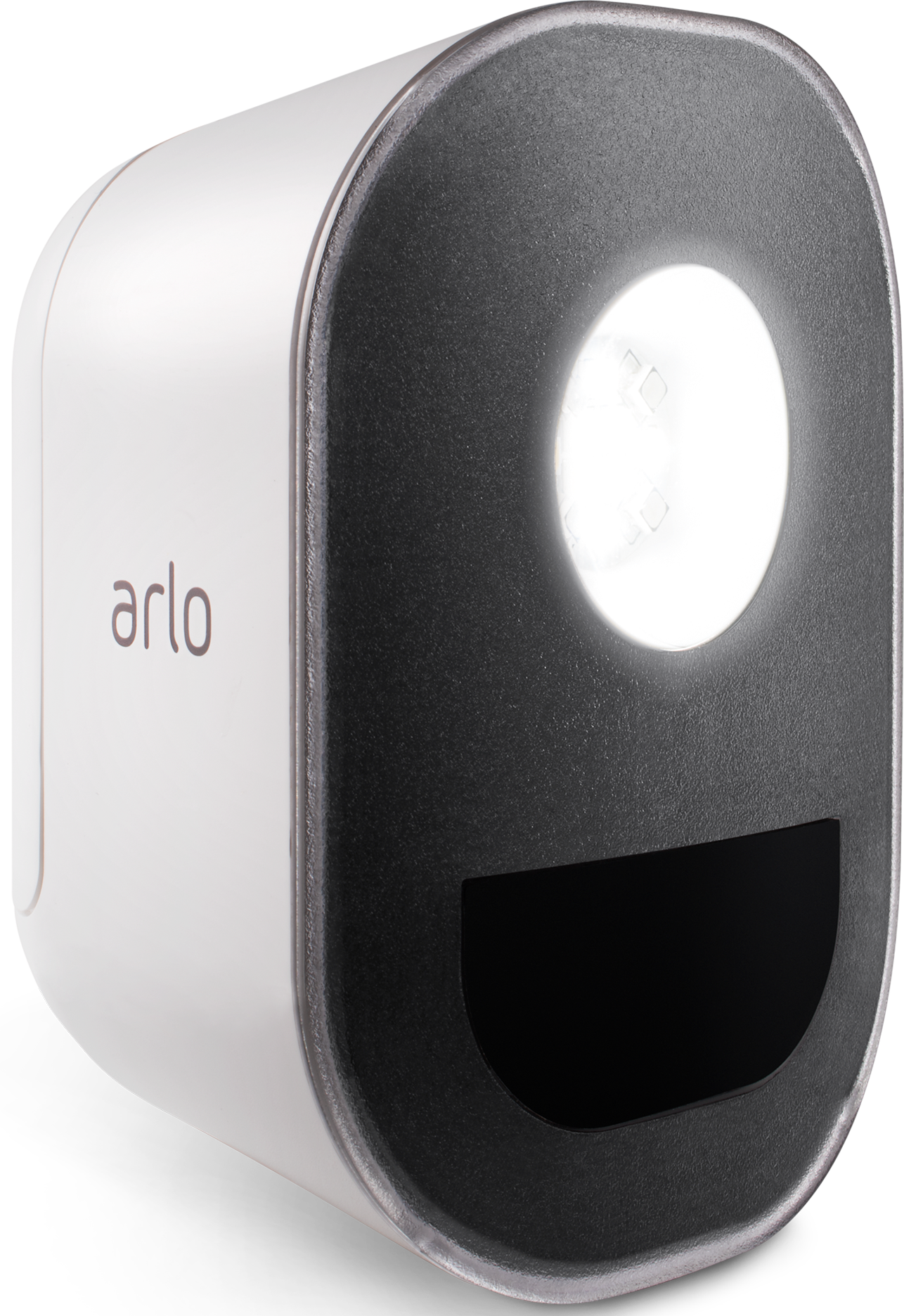
If anyone has any Arlo Security Lights, I'd be curious if you're able to successfully shut off notifications, either in "Routines" or "Mute Notifications" and, if you are able to do so, are you on an Android or iOS?
Thanks


- Mark as New
- Bookmark
- Subscribe
- Mute
- Subscribe to RSS Feed
- Permalink
- Report Inappropriate Content
@KachinaShadow wrote:
If anyone has any Arlo Security Lights, I'd be curious if you're able to successfully shut off notifications, either in "Routines" or "Mute Notifications" and, if you are able to do so, are you on an Android or iOS?
Thanks
I am on iOS, and am not getting any notifications from my light (though they are enabled in the mode I am using).
The light still does go on when triggered by motion. I haven't tried other features recently (triggering recordings or manual control of the light).
- Mark as New
- Bookmark
- Subscribe
- Mute
- Subscribe to RSS Feed
- Permalink
- Report Inappropriate Content
@StephenB wrote:
I am on iOS, and am not getting any notifications from my light (though they are enabled in the mode I am using). The light still does go on when triggered by motion. I haven't tried other features recently (triggering recordings or manual control of the light).
I actually have the lights that I purchased to test this issue, and they're just stand alone and not triggering recording on other devices but still continue to send notifications no matter what. So basically, I have some that trigger recording on other devices and some that are just stand alone...all of which I'm unable to stop notifications.
Maybe this issue is only with the Android app and not the iOS... I'm curious to see what others say 🤔
- Mark as New
- Bookmark
- Subscribe
- Mute
- Subscribe to RSS Feed
- Permalink
- Report Inappropriate Content
- Mark as New
- Bookmark
- Subscribe
- Mute
- Subscribe to RSS Feed
- Permalink
- Report Inappropriate Content
@KachinaShadow I am happy to hear the behavior you were seeing is now resolved.
- « Previous
-
- 1
- 2
- Next »
-
Accessories
4 -
Activity Zones
1 -
Amazon Alexa
1 -
Apple HomeKit
2 -
Apple TV App
9 -
Applications mobile et en ligne
1 -
Apps
4 -
Arlo Go
3 -
Arlo Mobile App
862 -
Arlo Pro
36 -
Arlo Pro 2
1 -
Arlo Q (Plus)
3 -
Arlo Smart
234 -
Arlo Web and Mobile Apps
18 -
Arlo Wire-Free
30 -
base station
1 -
Batteries
529 -
Before You Buy
978 -
Can't view cameras live at all
1 -
Dépannage
1 -
Détection de mouvements
1 -
Features
1,182 -
Fehlerbehebung
1 -
Firmware Release Notes
93 -
Google Assistant
1 -
Hardware
1 -
home security
1 -
IFTTT (If This Then That)
105 -
Installation
2,085 -
Iphone 14 pro
1 -
Live view
1 -
Modes and Rules
1 -
Motion Detection
2 -
Object Recognition
3 -
Online and Mobile Apps
983 -
Online und mobile Apps
1 -
Order Not Going Through... help please!
1 -
Other Discussions
1 -
Partner Integrations
4 -
Security
1 -
Service and Storage
14 -
Smart Subscription
3 -
SmartThings
71 -
Troubleshooting
9,332 -
Videos
233 -
Vidéo
2 -
Warranty & Contracts
2
- « Previous
- Next »
-
32 Replies
-
2025-10-15 07:13 PM
-
5937 Views
-
0 Likes
-
3 In Conversation
-