This topic has been closed to new posts due to inactivity. We hope you'll join the conversation by posting to an open topic or starting a new one.
- Subscribe to RSS Feed
- Mark Topic as New
- Mark Topic as Read
- Float this Topic for Current User
- Bookmark
- Subscribe
- Printer Friendly Page
-
7 Replies
-
2026-01-27 08:35 AM
-
1215 Views
-
3 Likes
-
3 In Conversation
-



- Mark as New
- Bookmark
- Subscribe
- Mute
- Subscribe to RSS Feed
- Permalink
- Report Inappropriate Content
Hi all,
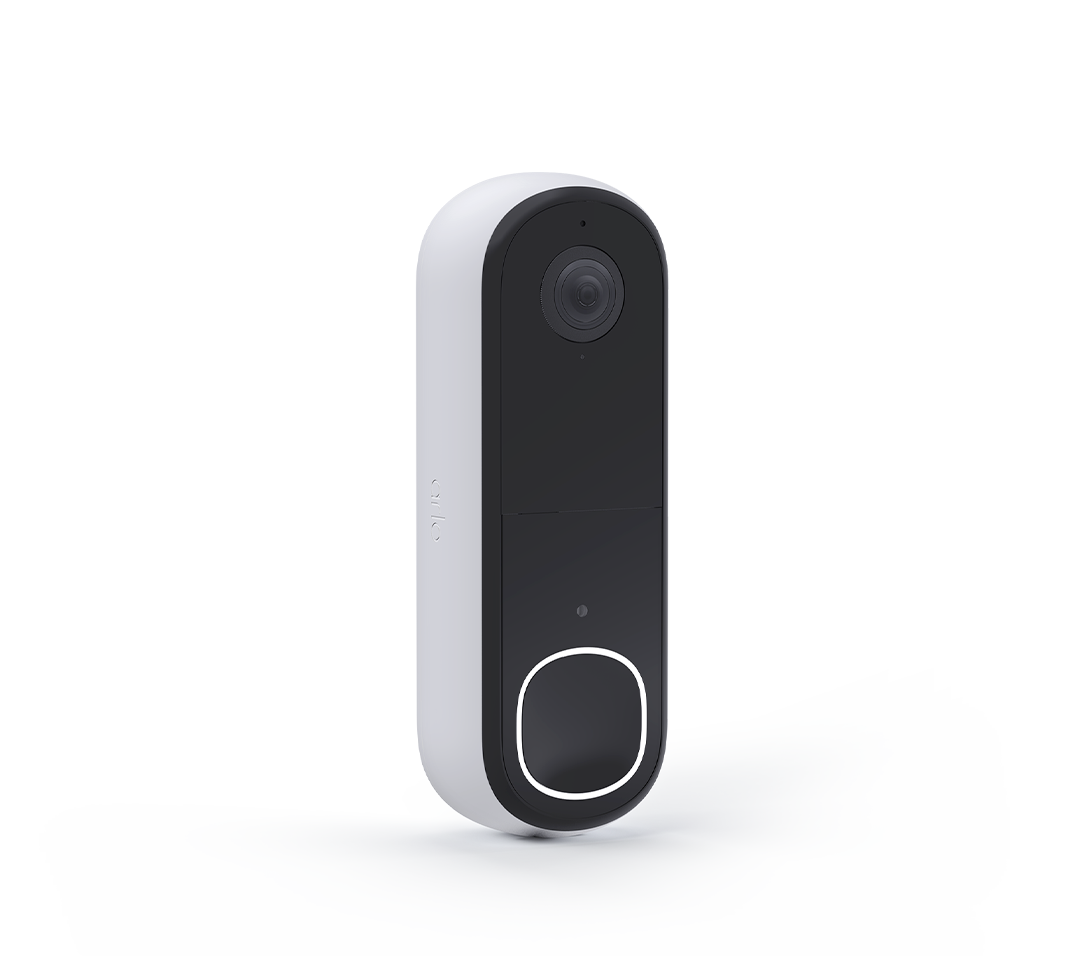
I just got this answer from Arlo support, since I seem to be unable to receive notification when the button is pressed.
I do not want the SIP call, just a simple notification.
Did Arlo actually REMOVE the notifications? This seems crazy.
I have the ARLO base and android phone.
Furthermore, the Arlo Dorrbell shows up in ST, but none of the options to control it work, it is never triggered
```
I have consulted the possibility we spoke about with our engineering team.
They have explained that unfortunately we won't be able to set it up.
They mentioned that the Silent Mode will mute all the Doorbell's additional functionalities apart from the motion triggered videos and notifications.
But I'm afraid muting calls and replacing them with just notifications will be impossible.
I sincerely apologize.
Please, let me know if you
```
- Related Labels:
-
Features
-
Troubleshooting


- Mark as New
- Bookmark
- Subscribe
- Mute
- Subscribe to RSS Feed
- Permalink
- Report Inappropriate Content
You can set up the doorbell in modes to send a notification to you if you get motion detection. However, there is no way to mute the calls and still get notifications. Here is an article stating what is disabled when putting in silent mode:
https://kb.arlo.com/000063237/How-do-I-enable-and-disable-Silent-Mode-for-calls-from-my-Arlo-Doorbel...
- Mark as New
- Bookmark
- Subscribe
- Mute
- Subscribe to RSS Feed
- Permalink
- Report Inappropriate Content
Can I setup the device so it sends a notification if the button is pressed?
I can't believe the software is so dumb it does not allow a notification upon button press different from SIP call.
That's ridiculous
- Mark as New
- Bookmark
- Subscribe
- Mute
- Subscribe to RSS Feed
- Permalink
- Report Inappropriate Content
You can set up the notification in the Routines sections then under modes you can choose to have it send a notification with motion.
- Mark as New
- Bookmark
- Subscribe
- Mute
- Subscribe to RSS Feed
- Permalink
- Report Inappropriate Content
Silent mode on
Button pressed - > Amazon echo sends notification.
So clearly the event is programmed into the API
But it's not possible to select the button pressed action in the arlo modes triggers, just motion.
This is bizarre / lazy programming.
Why is there no notification category for the button pressed, it's just a software update.
Arlo is extremely expensive and this basic stuff is ignored.
What a joke of a platform
Not even timestamp is supported
- Mark as New
- Bookmark
- Subscribe
- Mute
- Subscribe to RSS Feed
- Permalink
- Report Inappropriate Content
So why does the Alexa integration is able to capture button presses and no other app does it? Not even Arlo? This is a feature that was not enabled in the app, it is clearly there.
Is there a way to filter the SIP call so I do not have to enable silent mode and than allow smartthings to receive button notification?
- Mark as New
- Bookmark
- Subscribe
- Mute
- Subscribe to RSS Feed
- Permalink
- Report Inappropriate Content
There is no way to filter SIP calls, enabling silent mode will will disable all incoming calls.


- Mark as New
- Bookmark
- Subscribe
- Mute
- Subscribe to RSS Feed
- Permalink
- Report Inappropriate Content
@BrookeN wrote:
There is no way to filter SIP calls, enabling silent mode will will disable all incoming calls.
Just to clarify - it only disables incoming calls from the doorbell. The settings also allo you to independently turn on/off the traditional chime.
-
2nd Gen
2 -
Arlo 2nd Gen
1 -
Arlo Mobile App
28 -
Arlo Secure
1 -
Arlo Smart
5 -
Arlo Video Doorbell
6 -
audio
1 -
AVD3001
2 -
AVD4001
2 -
AVD4001-100AUS
1 -
Batteries
1 -
Before You Buy
7 -
communication
1 -
deta
1 -
Doorbell
2 -
drained battery
1 -
Features
13 -
Feedback
1 -
homekit
2 -
IFTTT
1 -
Installation
23 -
intermittent
1 -
Mechanical chime
1 -
Motion Detection
2 -
no app model
1 -
noise
1 -
Phonecall
1 -
reset
1 -
Secure Plus plan
1 -
Secure Trial Active
1 -
speaker
1 -
Talk
1 -
token
1 -
Troubleshooting
58 -
Video
1 -
wired
2 -
Wmb4540
1
- « Previous
- Next »
-
7 Replies
-
2026-01-27 08:35 AM
-
1216 Views
-
3 Likes
-
3 In Conversation
-