This topic has been marked solved and closed to new posts due to inactivity. We hope you'll join the conversation by posting to an open topic or starting a new one.
- Subscribe to RSS Feed
- Mark Topic as New
- Mark Topic as Read
- Float this Topic for Current User
- Bookmark
- Subscribe
- Printer Friendly Page
-
9 Replies
-
2026-02-02 10:35 PM
-
2167 Views
-
4 Likes
-
4 In Conversation
-



- Mark as New
- Bookmark
- Subscribe
- Mute
- Subscribe to RSS Feed
- Permalink
- Report Inappropriate Content
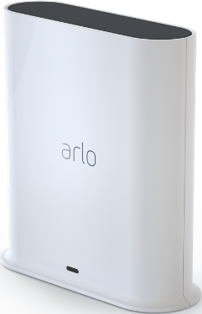
I have install the SmartHub and added a USB but I still can not get the camera footage to record locally to the USB device.
I have following the instruction step be step and formatted the USB drive. Still no luck. very ODD! and HELP!
Solved! Go to Solution.
- Related Labels:
-
Arlo Smart
Accepted Solutions
- Mark as New
- Bookmark
- Subscribe
- Mute
- Subscribe to RSS Feed
- Permalink
- Report Inappropriate Content
I had to disconnect the camera from the Wi-Fi account and reconnect it to the smart hub.


- Mark as New
- Bookmark
- Subscribe
- Mute
- Subscribe to RSS Feed
- Permalink
- Report Inappropriate Content
Did you format the drive using the hub? The format must be FAT32 which many computers won't do by default. You may also want to check the drive on a computer to verify that there's only one partition. Many drives come with multiple partitions with some manufacturer's utilities installed. If there are more than one, remove all partitions and try formatting again.
- Mark as New
- Bookmark
- Subscribe
- Mute
- Subscribe to RSS Feed
- Permalink
- Report Inappropriate Content
Thank you, I formatted the drive using the app while it was in the SmartHub.
- Mark as New
- Bookmark
- Subscribe
- Mute
- Subscribe to RSS Feed
- Permalink
- Report Inappropriate Content
That would imply one thing is happening, either:
1) There are multiple partitions on the drive that must be deleted
or
2) the cameras are not connected to the hub but are connected to your WiFi. Only cameras connected to the hub can be recorded locally.

- Mark as New
- Bookmark
- Subscribe
- Mute
- Subscribe to RSS Feed
- Permalink
- Report Inappropriate Content
@VK6JOP wrote:
I have install the SmartHub and added a USB but I still can not get the camera footage to record locally to the USB device.
I have following the instruction step be step and formatted the USB drive. Still no luck. very ODD! and HELP!
Are your cameras connected through your smarthub? Or are they instead connected to your home wifi?
- Mark as New
- Bookmark
- Subscribe
- Mute
- Subscribe to RSS Feed
- Permalink
- Report Inappropriate Content
I have reformatted the drive with a computer and then again with the app. Still no event logs are recording.
- Mark as New
- Bookmark
- Subscribe
- Mute
- Subscribe to RSS Feed
- Permalink
- Report Inappropriate Content
Thank you I will try point 2.. this information is new to me. Thx

- Mark as New
- Bookmark
- Subscribe
- Mute
- Subscribe to RSS Feed
- Permalink
- Report Inappropriate Content
Did you use the hub to format the drive? FAT32 is the required format, which many PCs don't support by default. To make sure there is only one partition, you might also wish to examine a computer's drive. Many drives have several partitions and utilities from the manufacturer preinstalled.
- Mark as New
- Bookmark
- Subscribe
- Mute
- Subscribe to RSS Feed
- Permalink
- Report Inappropriate Content
Thank you. Since this information is new to me, I will attempt point 2... Thanks
- Mark as New
- Bookmark
- Subscribe
- Mute
- Subscribe to RSS Feed
- Permalink
- Report Inappropriate Content
I had to disconnect the camera from the Wi-Fi account and reconnect it to the smart hub.
-
Activity Zones
34 -
animal
1 -
Apple HomeKit
1 -
Arlo Mobile App
72 -
Arlo Q Series
1 -
Arlo Secure
47 -
Arlo Smart
451 -
Arlo Web and Mobile Apps
3 -
Before You Buy
58 -
detection
1 -
e911
14 -
Features
53 -
Firmware Release Notes
2 -
Google Assistant
1 -
IFTTT
1 -
Installation
38 -
notifications
1 -
Object Recognition
54 -
Online and Mobile Apps
17 -
Service and Storage
31 -
Servicio y Almacenamiento
1 -
Smart Subscription
268 -
SmartThings
7 -
Troubleshooting
311
- « Previous
- Next »
-
9 Replies
-
2026-02-02 10:35 PM
-
2168 Views
-
4 Likes
-
4 In Conversation
-