This topic has been marked solved and closed to new posts due to inactivity. We hope you'll join the conversation by posting to an open topic or starting a new one.
- Subscribe to RSS Feed
- Mark Topic as New
- Mark Topic as Read
- Float this Topic for Current User
- Bookmark
- Subscribe
- Printer Friendly Page
-
94 Replies
-
2026-04-19 03:38 PM
-
5801 Views
-
2 Likes
-
16 In Conversation
-




- Mark as New
- Bookmark
- Subscribe
- Mute
- Subscribe to RSS Feed
- Permalink
- Report Inappropriate Content
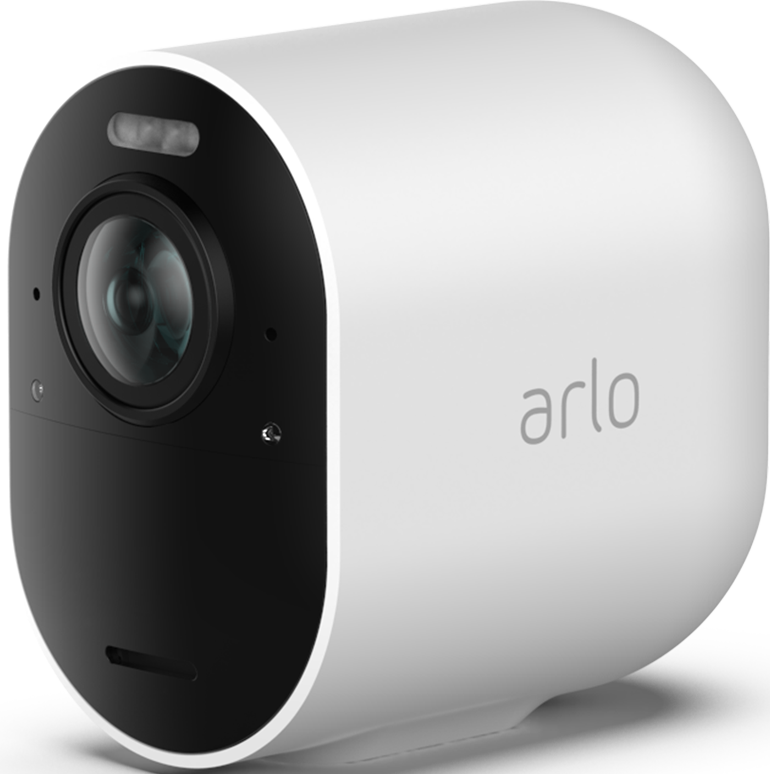
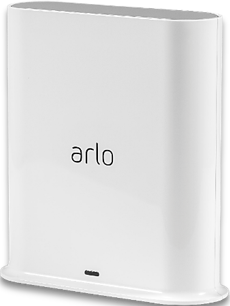
Recently my Pro 3 cameras will not update the video settings screen picture or activity zone screen picture, even though the live view, motion detection, and recording still functions. (however, be aware that the snapshot and recording icons are unavailable if you have 2K selected) SmartHub is VMB4540r3 firmware 1.29.1.0_1949_7ee40c0. Pro 3 cameras are firmware 34.100.3_62d111c. I have tried unplugging the SmartHub for 30 seconds and restarting, have also tried the screen snapshot or video recording reset fix, the picture 180 swap fix, from both the PC and iphone app. I have also reformatted the usb storage of the SmartHub, and also deleted the iPhone Arlo app and reinstalled. I have also tried removing the Pro 3 cameras and adding them again as new devices. My one Pro 5s that is connected to this SmartHub still works as it should and refreshes the video settings and activity screen fine. (Note: By design, even the Pro 5s will also not display snapshot or record icons if 2K is selected while connected to this Smart Hub). Is it time to ditch the Pro 3 cameras in order to have video setting and activity zone screen refreshing work again as it does with newer cameras? I am assuming the latest firmware upgrade is to blame forcing us to buy new cameras. Using the PC, the Pro 3 video settings and activity zones show no picture at all, while the iPhone app Pro 3 settings shows the incorrect non updating pictures from the historic past.
Solved! Go to Solution.
- Related Labels:
-
Features
-
Troubleshooting
Best answers
-
I have migrated everyone to the field trial. If anyone is still seeing this same behavior please let me know.
-
The devices have been migrated to a field trial. Can you please check and see if you see a change in the behavior you were seeing.
@Bex26 your devices were not moved over as they are offline. As soon as they are online can you let me know. And I will get those onto the field trial as well.



- Mark as New
- Bookmark
- Subscribe
- Mute
- Subscribe to RSS Feed
- Permalink
- Report Inappropriate Content
My cameras came back online yesterday evening all by themselves.
- Mark as New
- Bookmark
- Subscribe
- Mute
- Subscribe to RSS Feed
- Permalink
- Report Inappropriate Content
Unbelievable, cameras offline again! Arlo fix your **bleep**!
- Mark as New
- Bookmark
- Subscribe
- Mute
- Subscribe to RSS Feed
- Permalink
- Report Inappropriate Content
My Pro 3 cameras also started working today, 5/4/26. Regarding the frozen screen views in video settings and activity zones, everything suddenly started working as it should.


- Mark as New
- Bookmark
- Subscribe
- Mute
- Subscribe to RSS Feed
- Permalink
- Report Inappropriate Content
Is everyone seeing this as resolved? Is anyone within the thread still seeing the same behavior?

- Mark as New
- Bookmark
- Subscribe
- Mute
- Subscribe to RSS Feed
- Permalink
- Report Inappropriate Content
Well, cameras worked for me, Arlo Pro 3, even before app upgrade.
it is the activity zones, the video does not refresh. Just trying but same old freeze picture.
- Mark as New
- Bookmark
- Subscribe
- Mute
- Subscribe to RSS Feed
- Permalink
- Report Inappropriate Content
BrookeN, My pro 3 cameras still don’t work correctly. My last statement that noted they had started working again was incorrect because I had mistakenly grabbed a pro 5 camera that I was also testing for a moisture problem. The pro 3 cameras issue is NOT resolved.
- Mark as New
- Bookmark
- Subscribe
- Mute
- Subscribe to RSS Feed
- Permalink
- Report Inappropriate Content
@Perry_H do you have your Pro 3 on a different account? I do not see any on the account. Can you dm me the serial numbers of the Pro 3 you are seeing this behavior with.
- Mark as New
- Bookmark
- Subscribe
- Mute
- Subscribe to RSS Feed
- Permalink
- Report Inappropriate Content
I have removed all six of my pro 3 cameras because Arlo will not fix this problem. Arlo’s repair suggestion is always “buy more cameras”. One by one, I was forced to replace all six of my pro 3 cameras with pro 5 cameras (and one pro 6 with poor color quality). This is the only way to fix the active zone and video settings problem. I reinstalled one of the pro 3 cameras again last night to make sure the problem is still there, and it is. I don’t see an obvious way to “dm” you the serial number of that camera that I added back to my account last night for testing. How do I direct message you?
- Mark as New
- Bookmark
- Subscribe
- Mute
- Subscribe to RSS Feed
- Permalink
- Report Inappropriate Content
I sent you a dm to respond to, please let me know if you do not see it.
- Mark as New
- Bookmark
- Subscribe
- Mute
- Subscribe to RSS Feed
- Permalink
- Report Inappropriate Content
Nothing resolved completely on my end of things. Cameras are fine for some hours, than like clockwork, go offline again in the afternoon, through the evening and into the night. And I absolutely NEED them in the nightime!
- Mark as New
- Bookmark
- Subscribe
- Mute
- Subscribe to RSS Feed
- Permalink
- Report Inappropriate Content
- Mark as New
- Bookmark
- Subscribe
- Mute
- Subscribe to RSS Feed
- Permalink
- Report Inappropriate Content
Our development team is currently investigating this. I will reach out with an update as soon as possible.
- Mark as New
- Bookmark
- Subscribe
- Mute
- Subscribe to RSS Feed
- Permalink
- Report Inappropriate Content
Thankyou for the update.
- Mark as New
- Bookmark
- Subscribe
- Mute
- Subscribe to RSS Feed
- Permalink
- Report Inappropriate Content
- Mark as New
- Bookmark
- Subscribe
- Mute
- Subscribe to RSS Feed
- Permalink
- Report Inappropriate Content
I have the exact same problem.
I’m on 6.24.1 (23April update) and both the devices and dashboard views are not updating with a snapshot of the latest activity.
Feed is showing the recorded videos without issues.
I’ve tried removing and re-adding the widgets to the dashboard, also tried logout and login.
I should also note that the problem occurs both in iPhone and iPad no matter the power settings.
- Mark as New
- Bookmark
- Subscribe
- Mute
- Subscribe to RSS Feed
- Permalink
- Report Inappropriate Content
Our team is currently investigating this behavior, I will update the community soon.
- Mark as New
- Bookmark
- Subscribe
- Mute
- Subscribe to RSS Feed
- Permalink
- Report Inappropriate Content
This is being investigated. I will reach out to the community soon.

- Mark as New
- Bookmark
- Subscribe
- Mute
- Subscribe to RSS Feed
- Permalink
- Report Inappropriate Content
I recently adjusted one of my cameras to help exclude areas where I don't need to record anything. Because of this I need to amend my activity zones. However the activity zone preview image I’m shown is the view from the old position. Since moving the camera I’ve had live views, I’ve had motion alerts, I’ve done all sorts of things but the activity zone preview remains out of date. How do I force this to update?


- Mark as New
- Bookmark
- Subscribe
- Mute
- Subscribe to RSS Feed
- Permalink
- Report Inappropriate Content
Have you actually tried to reshape the zone and then save that change? If nothing else, you can delete the zone by swiping left and clicking on the trashcan followed by creating what you need.
- Mark as New
- Bookmark
- Subscribe
- Mute
- Subscribe to RSS Feed
- Permalink
- Report Inappropriate Content
I don’t have any trouble creating or deleting the zones themselves. The problem is that they are being drawn on a preview image which doesn’t match the new camera perspective.
- Mark as New
- Bookmark
- Subscribe
- Mute
- Subscribe to RSS Feed
- Permalink
- Report Inappropriate Content
Gotcha - thanks. I just tried looking at and modifying a zone on one of my cameras which caused the camera to provide a new view. Are you saying it doesn't do that when first entering the Activity Zones section is the camera settings? Have you tried restarting the camera (if connected to WiFi) or the hub to see if that helps?
- Mark as New
- Bookmark
- Subscribe
- Mute
- Subscribe to RSS Feed
- Permalink
- Report Inappropriate Content
Rebooting the camera or adding or deleting activity zones doesn’t affect it sadly.
- Mark as New
- Bookmark
- Subscribe
- Mute
- Subscribe to RSS Feed
- Permalink
- Report Inappropriate Content
I have the same problem today on three cameras. I rebooted the base station and that did not help. Also chat support sucked - they asked multiple times if I was still there when I was responding to their questions. My internet service is fine otherwise.
- Mark as New
- Bookmark
- Subscribe
- Mute
- Subscribe to RSS Feed
- Permalink
- Report Inappropriate Content
Is this Pro 3 camera's?
- Mark as New
- Bookmark
- Subscribe
- Mute
- Subscribe to RSS Feed
- Permalink
- Report Inappropriate Content
Oh, I really should have specified that. Yes for mine it’s a Pro3 that is affected. My other Pro3 seems to be fine oddly enough (although it is hard to say as so little changes in the location it’s in, the image could still be out of date).
I also don’t seem to be able to get a preview at all for activity zones for my Essential Indoor cameras. It prompts for Face ID but never actually opens the shutter. But I don’t use that feature on those.
My wireless doorbell is fine, although it uses a slightly different zones system.
-
Arlo Mobile App
449 -
Arlo Pro 3
7 -
Arlo Secure
2 -
Arlo Smart
321 -
Before You Buy
304 -
Features
409 -
Firmware Release Notes
4 -
Installation
366 -
Online and Mobile Apps
15 -
Service and Storage
17 -
Troubleshooting
1,942
-
94 Replies
-
2026-04-19 03:38 PM
-
5802 Views
-
2 Likes
-
16 In Conversation
-