- Subscribe to RSS Feed
- Mark Topic as New
- Mark Topic as Read
- Float this Topic for Current User
- Bookmark
- Subscribe
- Printer Friendly Page
-
1 Reply
-
2026-02-15 08:33 AM
-
847 Views
-
0 Likes
-
2 In Conversation
-


- Mark as New
- Bookmark
- Subscribe
- Mute
- Subscribe to RSS Feed
- Permalink
- Report Inappropriate Content
Whether using the application (on my Android phone) or viewing cameras via the Arlo Web Portal this functionality previously worked so I am unsure when it began, but as of my attempt today I discovered that manually recording a video or taking a picture when viewing a camera is no longer working.
It gives the appearance the recording or photo is taken, including providing a camera shutter sound, but nothing is being saved to the base station despite the USB having sufficient space.
As stated, this functionality previously worked and I used it often with my five cameras. Now all of sudden, it doesn't work and I have no idea why.
My setup includes:
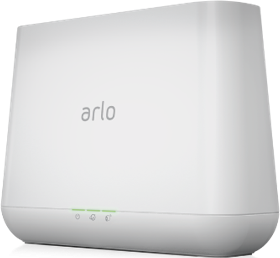
One Base Station VMB4000r3
Firmware 1.29.0.0_4747_b0665428
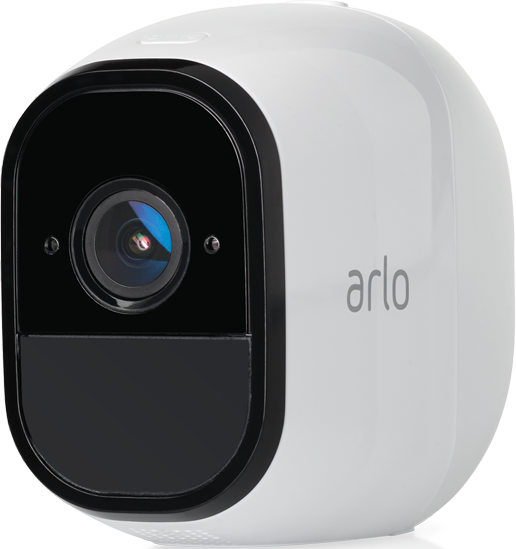
Five Arlo Pro Cameras (VMC4030)
Firmware 1.092.1.0_9_120d8b7
Using VMB3000|Arlo Smart Home Security with 5 Arlo Pro Cameras and Solar Panels
Solved! Go to Solution.
- Related Labels:
-
Troubleshooting
Accepted Solutions



- Mark as New
- Bookmark
- Subscribe
- Mute
- Subscribe to RSS Feed
- Permalink
- Report Inappropriate Content
I'm confused. The originally Pro cameras have free 7 day cloud recording. If you're using local recordings, you have to eject the drive from the base for viewing on a computer. Local recording does not support snapshots, just recordings but the cloud should show everything.
- Mark as New
- Bookmark
- Subscribe
- Mute
- Subscribe to RSS Feed
- Permalink
- Report Inappropriate Content
I'm confused. The originally Pro cameras have free 7 day cloud recording. If you're using local recordings, you have to eject the drive from the base for viewing on a computer. Local recording does not support snapshots, just recordings but the cloud should show everything.
-
Apple HomeKit
1 -
Arlo Mobile App
510 -
Arlo Pro
27 -
Arlo Pro 2
1 -
Arlo Pro 3
2 -
Arlo Secure
1 -
Arlo Smart
114 -
Arlo Ultra
1 -
Arlo Web and Mobile Apps
6 -
Arlo Wire-Free
10 -
Before You Buy
1,220 -
Discovery
1 -
Features
257 -
Firmware
1 -
Firmware Release Notes
119 -
Hardware
2 -
IFTTT
1 -
IFTTT (If This Then That)
48 -
Installation
1,448 -
Installation & Upgrade
1 -
Online and Mobile Apps
1,266 -
Partner Integrations
1 -
Security
1 -
Service and Storage
563 -
Smart Subscription
1 -
SmartThings
39 -
Software & Apps
1 -
Troubleshooting
7,444 -
Videos
1
- « Previous
- Next »
-
1 Reply
-
2026-02-15 08:33 AM
-
848 Views
-
0 Likes
-
2 In Conversation
-