This topic has been marked solved and closed to new posts due to inactivity. We hope you'll join the conversation by posting to an open topic or starting a new one.
- Subscribe to RSS Feed
- Mark Topic as New
- Mark Topic as Read
- Float this Topic for Current User
- Bookmark
- Subscribe
- Printer Friendly Page
-
33 Replies
-
2025-12-04 10:51 AM
-
2843 Views
-
7 Likes
-
11 In Conversation
-





- Mark as New
- Bookmark
- Subscribe
- Mute
- Subscribe to RSS Feed
- Permalink
- Report Inappropriate Content
Will not update
Solved! Go to Solution.
Accepted Solutions


- Mark as New
- Bookmark
- Subscribe
- Mute
- Subscribe to RSS Feed
- Permalink
- Report Inappropriate Content
Wanted to publicly acknowledge BrookeN. She took care of this and got a NEW VMB4540r4 out to me quickly and easily updated and added the PRO 4 Cameras.....Thank You Brooke and Arlo for being so responsive. 🙂


- Mark as New
- Bookmark
- Subscribe
- Mute
- Subscribe to RSS Feed
- Permalink
- Report Inappropriate Content
What have you tried? Typically a hub reboot will allow new firmware to be updated. My 4540 is using firmware 1.28.2.0_1938_53ee4a5


- Mark as New
- Bookmark
- Subscribe
- Mute
- Subscribe to RSS Feed
- Permalink
- Report Inappropriate Content
@Tiffneyrgeorge We are aware of the behavior you are seeing. I will have your basestation moved over to the field trial. I will let you know as soon as it is completed. Please make sure the base station is online.

- Mark as New
- Bookmark
- Subscribe
- Mute
- Subscribe to RSS Feed
- Permalink
- Report Inappropriate Content
I have a 4540r2 that shows
1.28.2.0_1938_53ee4a5 and acts like it is checking and up to date but shows a yellow question mark and never displays a last update check date.
I’ve been having issues with connectivity to and recording consistency/quality since about the beginning of the month. Tried all the standard troubleshooting. Remove/readdding cameras. Rebooting hub and router multiple times.

- Mark as New
- Bookmark
- Subscribe
- Mute
- Subscribe to RSS Feed
- Permalink
- Report Inappropriate Content
same smarthub and same firmware version: if i check for update i see
last check: no update check yet
and if i try to force a firmware update check i have a scree with a red x and "impossibile to update firmware" with two keys (retry and retry later). If i press retry returns immediatly to "impossibile firmware update page" as for a unreachable update service
- Mark as New
- Bookmark
- Subscribe
- Mute
- Subscribe to RSS Feed
- Permalink
- Report Inappropriate Content
- Mark as New
- Bookmark
- Subscribe
- Mute
- Subscribe to RSS Feed
- Permalink
- Report Inappropriate Content
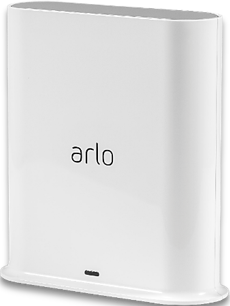
Have same issue. Won't update the latest Firmware. Having issues connecting 2ea pro2, essential 1 and a table VMC2040. It just cycles out. The Hub connection to router was good. .
Wondering if this can be fixed or?.
- Mark as New
- Bookmark
- Subscribe
- Mute
- Subscribe to RSS Feed
- Permalink
- Report Inappropriate Content
I’m having the same issue.
- Mark as New
- Bookmark
- Subscribe
- Mute
- Subscribe to RSS Feed
- Permalink
- Report Inappropriate Content
My VMB4540r3 with firmware 1.28.2.0_1938_53ee4a5 is also not updating. When I use the app to check for updates it shows an error "Firmware could not be updated." with the option to Try Again or Try Again Later. Can I get a fix for this too?
- Mark as New
- Bookmark
- Subscribe
- Mute
- Subscribe to RSS Feed
- Permalink
- Report Inappropriate Content
I will have the development team look into these. I will reach back out to you as soon as possible.
- Mark as New
- Bookmark
- Subscribe
- Mute
- Subscribe to RSS Feed
- Permalink
- Report Inappropriate Content
I am also having problems with firmware 1.28.2.0_1938_53ee4a5 on a VMB4540r3 smart hub. I am unable to access local storage or update the firmware.
- Mark as New
- Bookmark
- Subscribe
- Mute
- Subscribe to RSS Feed
- Permalink
- Report Inappropriate Content
Checking with the development team the firmware is up to date on the Smarthubs. The can't update firmware is showing I understand and they are still working on that. However, the firmware is up to date.
Is anyone still having trouble adding a device do to the firmware can't update message?
- Mark as New
- Bookmark
- Subscribe
- Mute
- Subscribe to RSS Feed
- Permalink
- Report Inappropriate Content
Thank you for the follow-up. I guess my cameras randomly disconnecting and suffering massive battery drain is not related then. I'll see about putting in a trouble ticket.
Cheers!
- Mark as New
- Bookmark
- Subscribe
- Mute
- Subscribe to RSS Feed
- Permalink
- Report Inappropriate Content
@ObiDon you can create a new thread for those behavior's you are seeing and they can be looked into. I do not see where you mentioned that in this thread.
- Mark as New
- Bookmark
- Subscribe
- Mute
- Subscribe to RSS Feed
- Permalink
- Report Inappropriate Content
When troubleshooting an issue that keeps me from accessing my local stored video, I noticed the firmware would not update.
I get a message "There was an error obtaining your library. Arlo team is working on this issue."
What would my next step be?
- Mark as New
- Bookmark
- Subscribe
- Mute
- Subscribe to RSS Feed
- Permalink
- Report Inappropriate Content
Can you log out of the account and log back in, also try uninstalling the app and reinstalling it.
- Mark as New
- Bookmark
- Subscribe
- Mute
- Subscribe to RSS Feed
- Permalink
- Report Inappropriate Content
I too am trying to update 4540. Have had some time but just opened box recently. It is added to my account but will not allow ARLO Pro 4 to access this hub....(only showing 4500 i have had for 8 years). Please reply to this I already have a support case supposedly open on this.
- Mark as New
- Bookmark
- Subscribe
- Mute
- Subscribe to RSS Feed
- Permalink
- Report Inappropriate Content
I have had a support ticket on this issue as my 4540 will not update firmware which is preventing me from adding any cameras. I have operational VMB4000 i have used for 7 years i bet. I was hoping to add the 4540 that i purchased some time ago but just opened out of the box. This has been going on for well over a week. Can you get me on the field trial or whatever. I am not getting any help from support ticket.
- Mark as New
- Bookmark
- Subscribe
- Mute
- Subscribe to RSS Feed
- Permalink
- Report Inappropriate Content
@oregonducks I seen your other post and I am looking into this. I will update you as soon as possible.
- Mark as New
- Bookmark
- Subscribe
- Mute
- Subscribe to RSS Feed
- Permalink
- Report Inappropriate Content
I am having the same issue with my VMB 4540, it’s not updating to the latest firmware. It failed all the time.
- Mark as New
- Bookmark
- Subscribe
- Mute
- Subscribe to RSS Feed
- Permalink
- Report Inappropriate Content
@oregonducks your Smarthub has been moved to the field trial, it should show the newest firmware. Please let me know if it does not.
@Ken8888 I have the development team looking into yours.
- Mark as New
- Bookmark
- Subscribe
- Mute
- Subscribe to RSS Feed
- Permalink
- Report Inappropriate Content
After long search for Update message is FIRMWARE COULD NOT BE UPDATED....The firmware on your SmartHub has failed to update. Option then to Try Again or Need Help? I am trying to add Pro 4 cameras. I have 1 attached to my VMB4000r3 Base that is 8 years old and has my other cameras on it. The 4540 Hub shows in the APP as having FIRMWARE 1.12.1.0_184_1192b57 HW VMB4540r2 . I of course have restarted a few times. HELP! 🙂
- Mark as New
- Bookmark
- Subscribe
- Mute
- Subscribe to RSS Feed
- Permalink
- Report Inappropriate Content
@BrookeN yes, removing and reinstalling the Arlo app allowed me to view locally saved videos. Thanks!
- Mark as New
- Bookmark
- Subscribe
- Mute
- Subscribe to RSS Feed
- Permalink
- Report Inappropriate Content
How is that Field Trial going. On my open case I got a response 2 days ago and I replied with the info they wanted and screenshots. Can you tell me where this stands. How about telling me the number of the current firmware so we can see if it is different from what mine is. This has now been going for weeks......maybe just send me a new hub??? I have waited for your reply for 3 days. Thanks.
- Mark as New
- Bookmark
- Subscribe
- Mute
- Subscribe to RSS Feed
- Permalink
- Report Inappropriate Content
@oregonducks I have sent you a message, can you please respond at your earliest convenience.
-
5s
1 -
Accessing Local Storage
2 -
Accessing Local Storage.
1 -
Activity Zones
1 -
App
1 -
Arlo Cameras
1 -
Arlo Mobile App
17 -
arlo not working
1 -
Arlo Pro 2
1 -
Arlo Pro 5
8 -
Arlo Pro 5S 2K
4 -
Arlo Secure
2 -
Arlo Smart
4 -
Arlo solar panel
1 -
ArloPro5
2 -
audio
3 -
Automation
1 -
Before You Buy
11 -
Blinking
1 -
Cable Length
1 -
Charging
1 -
charging unit
1 -
Clicking sound
1 -
cloud storage retention
1 -
Costa Rica
1 -
dashboard
1 -
detection
1 -
drained battery
3 -
Features
13 -
Firmware
1 -
Firmware Update
1 -
Installation
13 -
internationl usage-abroad help
1 -
live stream
1 -
Live view
1 -
low power mode
1 -
Magenta screen
1 -
metal barns
1 -
Motion Detection
2 -
Night vision
2 -
No recordings
1 -
No Recordings with Activity Zones
2 -
Online and Mobile Apps
1 -
Online Web
1 -
Pro 5s
2 -
Risoluzione dei problemi
1 -
Routine
1 -
Smart Subscription
1 -
Table Top Mount
1 -
Troubleshooting
48 -
Videos
1 -
VMB4000
1 -
Wifi connection
1 -
Wifi loading
1 -
wind
1 -
wireless
1 -
Zones
1
- « Previous
- Next »
-
33 Replies
-
2025-12-04 10:51 AM
-
2844 Views
-
7 Likes
-
11 In Conversation
-