- Subscribe to RSS Feed
- Mark Topic as New
- Mark Topic as Read
- Float this Topic for Current User
- Bookmark
- Subscribe
- Printer Friendly Page
-
62 Replies
-
2026-04-19 03:38 PM
-
1867 Views
-
2 Likes
-
12 In Conversation
-




- Mark as New
- Bookmark
- Subscribe
- Mute
- Subscribe to RSS Feed
- Permalink
- Report Inappropriate Content
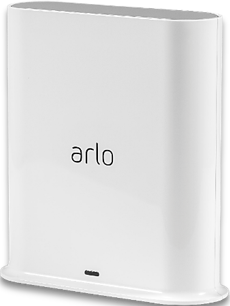
Recently my Pro 3 cameras will not update the video settings screen picture or activity zone screen picture, even though the live view, motion detection, and recording still functions. (however, be aware that the snapshot and recording icons are unavailable if you have 2K selected) SmartHub is VMB4540r3 firmware 1.29.1.0_1949_7ee40c0. Pro 3 cameras are firmware 34.100.3_62d111c. I have tried unplugging the SmartHub for 30 seconds and restarting, have also tried the screen snapshot or video recording reset fix, the picture 180 swap fix, from both the PC and iphone app. I have also reformatted the usb storage of the SmartHub, and also deleted the iPhone Arlo app and reinstalled. I have also tried removing the Pro 3 cameras and adding them again as new devices. My one Pro 5s that is connected to this SmartHub still works as it should and refreshes the video settings and activity screen fine. (Note: By design, even the Pro 5s will also not display snapshot or record icons if 2K is selected while connected to this Smart Hub). Is it time to ditch the Pro 3 cameras in order to have video setting and activity zone screen refreshing work again as it does with newer cameras? I am assuming the latest firmware upgrade is to blame forcing us to buy new cameras. Using the PC, the Pro 3 video settings and activity zones show no picture at all, while the iPhone app Pro 3 settings shows the incorrect non updating pictures from the historic past.

- Related Labels:
-
Features
-
Troubleshooting
Best answers
-
The devices have been migrated to a field trial. Can you please check and see if you see a change in the behavior you were seeing.
@Bex26 your devices were not moved over as they are offline. As soon as they are online can you let me know. And I will get those onto the field trial as well.



- Mark as New
- Bookmark
- Subscribe
- Mute
- Subscribe to RSS Feed
- Permalink
- Report Inappropriate Content
Please try removing the camera from the account and adding it back onto the account.
- Mark as New
- Bookmark
- Subscribe
- Mute
- Subscribe to RSS Feed
- Permalink
- Report Inappropriate Content
You can read in my original message that I have already removed the cameras and added them back as new devices. I have actually tried that numerous times.
- Mark as New
- Bookmark
- Subscribe
- Mute
- Subscribe to RSS Feed
- Permalink
- Report Inappropriate Content
Can you try to delete all the activity zones and create them again.
https://kb.arlo.com/000062938
Please send me a screenshot of the activity zones that are set up. You can send that via dm if you prefer.
- Mark as New
- Bookmark
- Subscribe
- Mute
- Subscribe to RSS Feed
- Permalink
- Report Inappropriate Content
Even if I have no activity zones, remove the camera from my network, when I reinstall that same pro 3 camera back to the smart hub, it always brings in an associated image of that same camera’s previous use which is frozen and will not update. That incorrect image is locked in and prohibiting refreshed images from being updated, for both video settings and activity zones. The live view, snapshot, and recording all work as it should. It appears I am not getting a clean reinstall.


- Mark as New
- Bookmark
- Subscribe
- Mute
- Subscribe to RSS Feed
- Permalink
- Report Inappropriate Content
I will try a factory reset of that camera next. That should hopefully get me a clean reinstall.
i will 1. Remove device 2. Factory reset with sync button 15 seconds 3. Reinstall
- Mark as New
- Bookmark
- Subscribe
- Mute
- Subscribe to RSS Feed
- Permalink
- Report Inappropriate Content
Unsuccessful. Factory reset method of reinstall still brings in a historic past image into video settings and activity zones that will not refresh.


- Mark as New
- Bookmark
- Subscribe
- Mute
- Subscribe to RSS Feed
- Permalink
- Report Inappropriate Content
@Perry_H wrote:
Unsuccessful. Factory reset method of reinstall still brings in a historic past image into video settings and activity zones that will not refresh.
This sounds more like an app issue than the camera issue.
Have you tried using a PC (my.arlo.com) and see if you see the same problems there?
- Mark as New
- Bookmark
- Subscribe
- Mute
- Subscribe to RSS Feed
- Permalink
- Report Inappropriate Content
Yes, that was mentioned in the last sentence of my original long thread. Same problem behavior as the app. First, the PC was showing no picture at all in both video settings and activity zone screens, but more recently the PC also shows a frozen picture from the past in both of those menu screens. Obviously, I cannot set an activity zone using an incorrect backdrop image. Live feed and recording works fine on Pro 3 cameras. Have tried Microsoft Edge and Chrome on older Windows 10, and Edge on Windows 11.
All aspects of the one Pro 5s camera connected to this smart hub work as designed on both the app and PC. Only the four remaining Pro 3 cameras on this smart hub have the problem. I am retiring the Pro 3 cameras one by one, and replacing them with Pro 5s cameras as the solution to this problem development. It seems I am being forced to do so. I have recently tried a Pro 6, but it has a pretty severe lack of color quality in comparison, and Arlo’s solution to that is to purchase more Pro 6 cameras because I might have gotten a bad one. Fool me once…
- Mark as New
- Bookmark
- Subscribe
- Mute
- Subscribe to RSS Feed
- Permalink
- Report Inappropriate Content
@Perry_H wrote:
I have recently tried a Pro 6, but it has a pretty severe lack of color quality in comparison
I haven't noticed any difference in color between the Pro 5s and the Pro 6. I haven't used the Pro 3s for a while, so I don't know how that model compares.
FWIW, there is more than one approach to capturing color, and different sensors are ttuned differently (some warmer or more saturated than others). Generally these differences are more about preferences than objective quality. Similar to earbuds - some people like tunings that emphasize bass, others prefer tunings that emphasize vocals, etc.
@Perry_H wrote:
Yes, that was mentioned in the last sentence of my original long thread. Same problem behavior as the app. First, the PC was showing no picture at all in both video settings and activity zone screens, but more recently the PC also shows a frozen picture from the past in both of those menu screens.
It's supposed to take a fresh snapshot when you navigate into those screens. Video settings is supposed to update that snapshot whenever you change a setting. I am seeing that with my app - short spinning wheel over the old image, and then it updates. (this is with an Ultra Gen 1 camera).
If you make a manual snapshot before going into these screens, are you seeing that snapshot there? Or something older?
Also, if you rotate the picture in the video settings, does the app attempt to refresh the picture?
- Mark as New
- Bookmark
- Subscribe
- Mute
- Subscribe to RSS Feed
- Permalink
- Report Inappropriate Content
As for the Pro 6 color concern, I will include a snapshot that shows the center Pro 6 pic compared to the top & bottom Pro 5s pics. Perhaps my subjectivity is too extreme as a result of previous job related color testing with both CIELab and X-Rite color testing.
I can appreciate your earbud comparison. As a sound engineer I had drummers who preferred tuning their drums with a lasting resonate frequency for the “live” drum sound, which is problematic for a PA system. I would have to use a frequency dependent noise gate for that drum’s mic.
The Arlo spinning wheel you noticed is exactly my problem… it never stops for the Pro 3 cameras. I have tried to force new snapshots, recordings, rotation, reformatting the smart hub’s usb memory to clear historic images, and factory resetting the Pro 3 cameras. I don’t know where these old locked in images are coming from, but they are associated with each independent Pro 3 camera. Arlo confirmed the association would not be by the camera name I have chosen. A reinstall using a different name for the camera will not matter.


- Mark as New
- Bookmark
- Subscribe
- Mute
- Subscribe to RSS Feed
- Permalink
- Report Inappropriate Content
G'day,
After the software update version 6.24.0 on 22/04/26 or firmware update my pro 3 cameras are not updating the dashboard, but are recording in the feed.
The latest update version 6.24.1 on 29/04/26 did not rectify the problem.
the base station is a VMB4540, with firmware version 1.30.0.0_1950_a99cbf6
Anybody else have a similar problem.
I'm located in Australia.
- Mark as New
- Bookmark
- Subscribe
- Mute
- Subscribe to RSS Feed
- Permalink
- Report Inappropriate Content
Have you tried clearing the app cache (and maybe data)?
- Mark as New
- Bookmark
- Subscribe
- Mute
- Subscribe to RSS Feed
- Permalink
- Report Inappropriate Content
Made no difference.
Now I can't access the dashboard on the app. App opens to devices.
Wants me to "personalize your dashboard" and add a widget. Can't see were to close it.
Online I can access the dashboard. Camera still not updating to dashboard.
- Mark as New
- Bookmark
- Subscribe
- Mute
- Subscribe to RSS Feed
- Permalink
- Report Inappropriate Content
Since you apparently deleted data for the app, you now need to use the "+" at the top of Dashboard to add your desired widgets back.

- Mark as New
- Bookmark
- Subscribe
- Mute
- Subscribe to RSS Feed
- Permalink
- Report Inappropriate Content
I have had 2 Pro 3's for years and I am now experiencing the exact same problem with both of them. I cannot set activity zones and the picture that shows up when I enter the Video Settings panel (on phone or laptop or desktop - Windows and iOS) is one that was taken when I removed the cam from the account and added it back - the revolving blue wheel keeps spinning.
Both have
Firmware 34.100.3_62d111c
Hardware Pro 3 H9
PS A Pro 4 (1.080.33.1_38_017 H4) works normally

- Mark as New
- Bookmark
- Subscribe
- Mute
- Subscribe to RSS Feed
- Permalink
- Report Inappropriate Content
Same problem for me, Arlo Pro 3 cameras.
Video refreshes in live mode but not in activity zones. Cannot set activity zone on old thumbnail since I moved furnitures.
Please solve this!
There was no problem with the old GUI and forced upgrade.
- Mark as New
- Bookmark
- Subscribe
- Mute
- Subscribe to RSS Feed
- Permalink
- Report Inappropriate Content
That recent update messed up my Pro 3 cameras too. Arlo, fix it!
- Mark as New
- Bookmark
- Subscribe
- Mute
- Subscribe to RSS Feed
- Permalink
- Report Inappropriate Content
Thankyou for that. I had forgotten about that step.
I have 3 Pro 3 cameras and 2 Pro 4 cameras. The pro 4s are working fine recording live and to the dashboard.
However, I have factory reset the Pro 3 and removed them from the app and reinstalled.
They are still not updating the live/dashboard, but are recording in the feed.
As previously stated this has only happened since the 6.24.0 update.
Coincidence?
Any further help appreciated.
- Mark as New
- Bookmark
- Subscribe
- Mute
- Subscribe to RSS Feed
- Permalink
- Report Inappropriate Content
- Mark as New
- Bookmark
- Subscribe
- Mute
- Subscribe to RSS Feed
- Permalink
- Report Inappropriate Content
Tried those as well. Thanks.
I'd like this resolved.
- Mark as New
- Bookmark
- Subscribe
- Mute
- Subscribe to RSS Feed
- Permalink
- Report Inappropriate Content
Are you on iOS or Android?
- Mark as New
- Bookmark
- Subscribe
- Mute
- Subscribe to RSS Feed
- Permalink
- Report Inappropriate Content
The PC has the same problem. I am using an iPhone, mentioned in the original thread, third sentence. Specifically, it is an iPhone 14, and I have already tried deleting the app and reinstalling. Only the Pro 3 cameras have the problem, with both iPhone app and PC.
- Mark as New
- Bookmark
- Subscribe
- Mute
- Subscribe to RSS Feed
- Permalink
- Report Inappropriate Content
I am on iOS, latest version of the app.
- Mark as New
- Bookmark
- Subscribe
- Mute
- Subscribe to RSS Feed
- Permalink
- Report Inappropriate Content
Thank you for all the information that you all have provided. I have reached out to our development team to investigate this further. I will reach out to the community with any updates as soon as possible.
-
Arlo Mobile App
446 -
Arlo Pro 3
7 -
Arlo Secure
2 -
Arlo Smart
320 -
Before You Buy
303 -
Features
408 -
Firmware Release Notes
4 -
Installation
365 -
Online and Mobile Apps
15 -
Service and Storage
17 -
Troubleshooting
1,925
-
62 Replies
-
2026-04-19 03:38 PM
-
1868 Views
-
2 Likes
-
12 In Conversation
-