- Subscribe to RSS Feed
- Mark Topic as New
- Mark Topic as Read
- Float this Topic for Current User
- Bookmark
- Subscribe
- Printer Friendly Page
-
8 Replies
-
2025-10-28 12:24 AM
-
1215 Views
-
1 Like
-
2 In Conversation
-



- Mark as New
- Bookmark
- Subscribe
- Mute
- Subscribe to RSS Feed
- Permalink
- Report Inappropriate Content
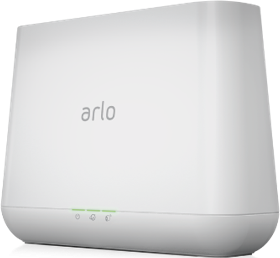
I have four Arlo Pro 2 cameras connected to a VMB4000 hub with a USB drive attached. All cameras operate normally, and I have an active Arlo Secure Multi subscription. However, the cameras do not record any video to the USB storage.
Additionally, in the “Modes” section of the Arlo app, adding or editing rules is not available, so I cannot configure motion-triggered recording.
I have already checked the USB drive, reset the system, and confirmed the subscription status, but the issue persists. Could you please advise what might be causing this?
I have already removed all cameras and performed a factory reset. I also reinstalled the app and reconnected the cameras.

- Related Labels:
-
Arlo Mobile App


- Mark as New
- Bookmark
- Subscribe
- Mute
- Subscribe to RSS Feed
- Permalink
- Report Inappropriate Content
- Mark as New
- Bookmark
- Subscribe
- Mute
- Subscribe to RSS Feed
- Permalink
- Report Inappropriate Content
Yes, my USB drive is detected and ready.

Previously, I used the cameras only for live viewing. Now I connected them to SmartThings and wanted to set up recording. The SmartThings account linked successfully, and the cameras were added to the app — I can turn them on and off, but there are no motion detection notifications, and the live video stream doesn’t start.
In the Arlo app, the mode is set to “Armed,” and I have an active “Secure Multi” subscription.
- Mark as New
- Bookmark
- Subscribe
- Mute
- Subscribe to RSS Feed
- Permalink
- Report Inappropriate Content
I think the problem might be that there’s no recording rule configured, but in both the mobile app and the web version, I’m unable to add any recording rules.


- Mark as New
- Bookmark
- Subscribe
- Mute
- Subscribe to RSS Feed
- Permalink
- Report Inappropriate Content
- Mark as New
- Bookmark
- Subscribe
- Mute
- Subscribe to RSS Feed
- Permalink
- Report Inappropriate Content
In the web version, under the “Armed” mode, it says there are no cameras, even though in the mobile app it shows four cameras with “Notify and Record.”
I ran the Motion Detection Test — all cameras are working, and the indicator blinks when motion is detected.


- Mark as New
- Bookmark
- Subscribe
- Mute
- Subscribe to RSS Feed
- Permalink
- Report Inappropriate Content
Everything seems to be set up, all modes are enabled, but recording still doesn’t work — neither to the cloud nor to the USB drive. Push notifications about motion detection also don’t appear.
I’ve already reset the settings three times, deleted and re-added both the hub and the cameras.
- Mark as New
- Bookmark
- Subscribe
- Mute
- Subscribe to RSS Feed
- Permalink
- Report Inappropriate Content
I have escalated your case & someone from support will be reaching out to you as soon as possible.
- Mark as New
- Bookmark
- Subscribe
- Mute
- Subscribe to RSS Feed
- Permalink
- Report Inappropriate Content
I also suspected it might be related to my internet settings, because in SmartThings the live video stream stopped working — I can only see a screenshot, battery level, and other status info.
I tried changing the DNS and connecting through a VPN, but in the browser I can still view the live video stream without any problems.
In the subscription settings, all cameras are also connected and enabled for cloud recording.


-
Arlo Mobile App
694 -
Arlo Pro 2
11 -
Arlo Smart
194 -
Before You Buy
1,012 -
Features
469 -
Firmware Release Notes
57 -
Google Assistant
1 -
IFTTT (If This Then That)
24 -
Installation
1,185 -
Online and Mobile Apps
865 -
Service and Storage
317 -
SmartThings
37 -
Troubleshooting
6,457
-
8 Replies
-
2025-10-28 12:24 AM
-
1216 Views
-
1 Like
-
2 In Conversation
-