This topic has been marked solved and closed to new posts due to inactivity. We hope you'll join the conversation by posting to an open topic or starting a new one.
- Subscribe to RSS Feed
- Mark Topic as New
- Mark Topic as Read
- Float this Topic for Current User
- Bookmark
- Subscribe
- Printer Friendly Page
-
14 Replies
-
2026-03-04 07:51 AM
-
1643 Views
-
14 Likes
-
5 In Conversation
-



- Mark as New
- Bookmark
- Subscribe
- Mute
- Subscribe to RSS Feed
- Permalink
- Report Inappropriate Content
Essential 2K live view browser no video or only occasional live streaming. Two cameras are up to date with firmware. Wi-Fi signal is strongest, yet only on the cell phone do the live streams work well. I've tried different browsers and checked the IP stack. All is good and passes inspection. No idea why the cameras won't work with a PC browser unless it is the Arlo backend.
Solved! Go to Solution.
Accepted Solutions
- Mark as New
- Bookmark
- Subscribe
- Mute
- Subscribe to RSS Feed
- Permalink
- Report Inappropriate Content
I may have been a little harsh with Arlo because ONVIF/RTSP is a problem for due to battery/solar power usage in this mode. Most cameras are moving away form that unless you have PoE or 110 power to the cameras. So, my work around with the Arlo is to use my Phone Link app on my PC to open the Arlo app. It works quickly and is fine for a work around. Just wish I had known before I bought these they were going to make this shift.


- Mark as New
- Bookmark
- Subscribe
- Mute
- Subscribe to RSS Feed
- Permalink
- Report Inappropriate Content
I see the same problem with slow connect with PC web live view, but acceptable/faster connect to live view with the Android app. Might have started in late Feb 2026...?
- Mark as New
- Bookmark
- Subscribe
- Mute
- Subscribe to RSS Feed
- Permalink
- Report Inappropriate Content
My research (with AI) has determined there are not issues with my browsers ( 4 of them) or my IP Stack or WEBRTC connectivity. It is definitely the Arlo backend that is breaking it. They may be doing this for reasons we have not been communicated about yet. Cell phone continues to work fine on Wi-Fi and wired selectively without issue.


- Mark as New
- Bookmark
- Subscribe
- Mute
- Subscribe to RSS Feed
- Permalink
- Report Inappropriate Content
Can you please send a video or screenshot of video of what you are seeing? You can send it dm to me as well. You send a dm by clicking on the envelope icon on the top right of the forum page.If you don't see it, then go into your profile settings and select preferences, then "Private Messenger." Then select "Turn on private messages" if it is turned off.
- Mark as New
- Bookmark
- Subscribe
- Mute
- Subscribe to RSS Feed
- Permalink
- Report Inappropriate Content
Sent you (BrookeN) a dm with photos as requested. While waiting for the connection on the website, the camara image has the "wait-for-connection circle" spinning over the static image. Android app connects usually in 5-10 seconds and does not have the delay/fail-to-connect problem that is seen on the website.
Windows 11, Pro 3, Pro 3 Wire-Free Floodlight, Essential Wired Video Doorbell, Pro SmartHub. All report on latest firmware.
- Mark as New
- Bookmark
- Subscribe
- Mute
- Subscribe to RSS Feed
- Permalink
- Report Inappropriate Content
Yep, that's what I see on 4 different browsers with all security/privacy at none or minimum. Some browsers have the image of the last connect some show nothing in the camera image. Matters not because they all do the same thing, while cell phone App is very responsive on my network.
- Mark as New
- Bookmark
- Subscribe
- Mute
- Subscribe to RSS Feed
- Permalink
- Report Inappropriate Content
Continued research (without speaking to anyone at Arlo yet) indicates they have left the browser streaming behind. No more of that it seems. Look at the sales page and all you will see for all cameras is the phone app. All pictures of phone app. Might as well do Blink. No more browser access to live streams. I am in the process of dumping my Arlo setup and buying another solution. The problem is the Arlo cameras a selling on eBay for almost free. They have become worthless. Oh well, trust a company and make a mistake. Live an learn.



- Mark as New
- Bookmark
- Subscribe
- Mute
- Subscribe to RSS Feed
- Permalink
- Report Inappropriate Content
Just tried my browser with various cameras which all started live streaming in 3-4 seconds. Bring a camera closer to your router or hub to see if it streams properly then. If it does, it would seem to be a connection issue (strength/quality).
- Mark as New
- Bookmark
- Subscribe
- Mute
- Subscribe to RSS Feed
- Permalink
- Report Inappropriate Content
Problem is the cameras were working although slow to connect at times, they worked. One day 2 weeks ago or so, they stopped streaming via browser. They work perfectly on my cell phone without data plan, just WIFI. It is not a WIFI connection problem or we would see it on the cell phone as well. My signal on both cameras is all bars full. One of the two is actually within 15 feet. I've checked my IP stack, no issues. The HTML capture when launching a camera shows Arlo received the request but the browser never receives a response from Arlo. That is not acceptable for $240 a year! Nope, they are a failing company once they went to subscription and now changed over to app based streaming. NO APP for PC is a real fail by a failing company.
- Mark as New
- Bookmark
- Subscribe
- Mute
- Subscribe to RSS Feed
- Permalink
- Report Inappropriate Content
I may have been a little harsh with Arlo because ONVIF/RTSP is a problem for due to battery/solar power usage in this mode. Most cameras are moving away form that unless you have PoE or 110 power to the cameras. So, my work around with the Arlo is to use my Phone Link app on my PC to open the Arlo app. It works quickly and is fine for a work around. Just wish I had known before I bought these they were going to make this shift.
- Mark as New
- Bookmark
- Subscribe
- Mute
- Subscribe to RSS Feed
- Permalink
- Report Inappropriate Content
All my cameras are powered directly and not running on battery so power supply type is not the cause of the problem. Using the phone app is a work-around, not a true "solution". It appears your comment was "accepted as solution" (by Arlo?) which it is not as it does not cure the web-view lag/failure problem. Arlo system has been troublesome in my experience.
- Mark as New
- Bookmark
- Subscribe
- Mute
- Subscribe to RSS Feed
- Permalink
- Report Inappropriate Content
Tested with a camera 10 ft from hub, got same failure to stream in a reasonable time problem (tested 3+ mins). Streams with Android web app in ~3 seconds. So, not a connection strength issue. Seems to be something deficient with the Arlo web programing or Arlo connection method used for web view, perhaps involving specific Hub models...
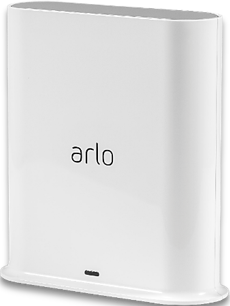

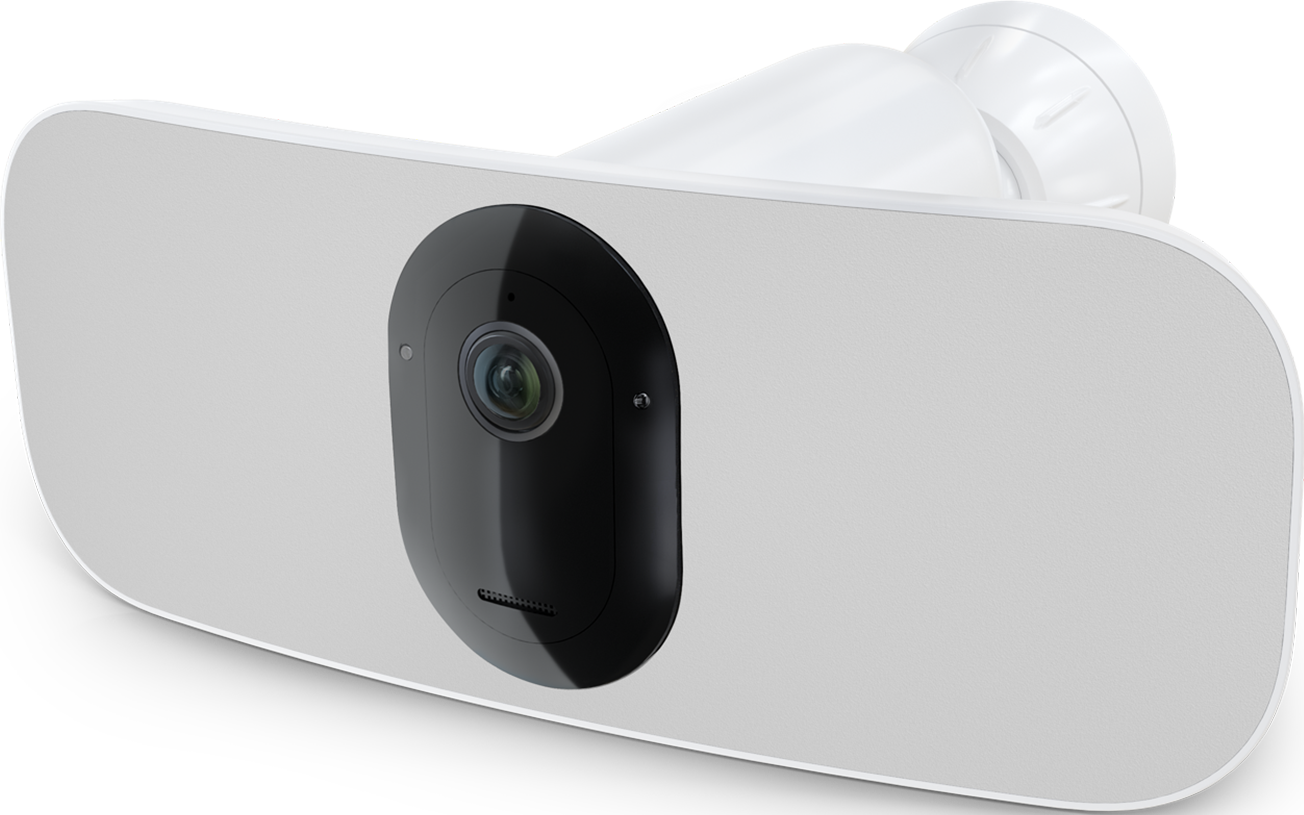
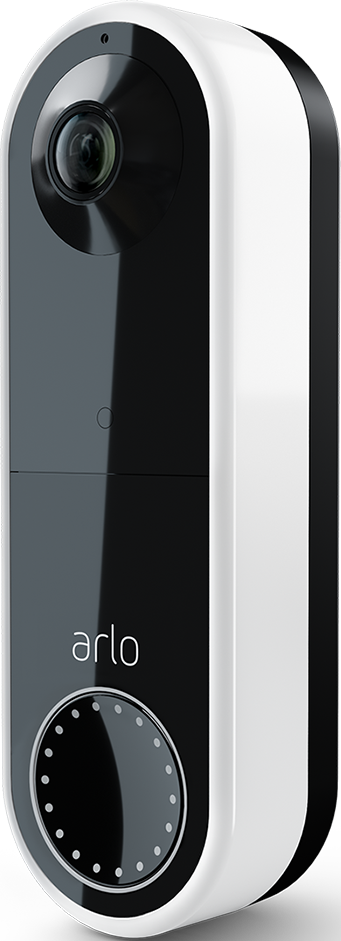
- Mark as New
- Bookmark
- Subscribe
- Mute
- Subscribe to RSS Feed
- Permalink
- Report Inappropriate Content
I'm the one that selected accept as solution on my topic. I'm satisfied that there will be no solution from Arlo on this. The steaming moving to secure phone app only is one the industry is making. It worked when I bought them although not as snappy as I wanted, it did work. So they have definitely changed streaming on their end. I'm not looking for a resolution form Arlo.
- Mark as New
- Bookmark
- Subscribe
- Mute
- Subscribe to RSS Feed
- Permalink
- Report Inappropriate Content
Hi Elisteed,
Thanks for your research on this problem. Agree that Arlo will probably not come up with a direct solution and your work-around is the best we can do for now.

- Mark as New
- Bookmark
- Subscribe
- Mute
- Subscribe to RSS Feed
- Permalink
- Report Inappropriate Content
I have faced the same problem. I it works from mobile phone but not from PC. The good thing is that it is saving the captured movements that can be monitored, but not in real time.
Looking forward for a PC WEB configuration solution from Arlo to speed up the connection.
Kind regards
PeterIngmar
-
180 degree
1 -
250-50602-01
1 -
alerts
1 -
Alexa
1 -
Amazon Alexa
1 -
Android App
1 -
animal
1 -
api_key
1 -
Arlo
1 -
Arlo 2nd Gen
1 -
Arlo Cameras
2 -
Arlo Essential 2nd Gen always goes offline
1 -
Arlo Essential Spotlight
2 -
Arlo Mobile App
22 -
Arlo Secure 4.0
1 -
Arlo Smart
2 -
base station
1 -
Batteries
1 -
Battery life
2 -
Battery.
1 -
Before You Buy
8 -
camera
2 -
connection
1 -
constant
1 -
customer service
1 -
Doorbell reset
1 -
drained battery
1 -
Essential
1 -
Essential Camera feature request
1 -
Essential outdoor
1 -
Features
13 -
freeze
1 -
Google Nest
1 -
Idk
1 -
Installation
13 -
motion
1 -
Motion Detection
3 -
motiondetection
1 -
need help
1 -
network
1 -
New features
1 -
Night vision
1 -
No recordings
1 -
not working
1 -
Orbi
1 -
Other Discussions
1 -
Payment
1 -
privacy zones essential 2k
1 -
problemshooting
1 -
Product
1 -
Record
1 -
Reliable
1 -
returns
1 -
Router
1 -
sensor not working
1 -
Siren
1 -
smart things
1 -
too many
1 -
Troubleshooting
68 -
Unknown charges
1 -
VMC3050
1
- « Previous
- Next »
-
14 Replies
-
2026-03-04 07:51 AM
-
1644 Views
-
14 Likes
-
5 In Conversation
-