Turn on suggestions
Auto-suggest helps you quickly narrow down your search results by suggesting possible matches as you type.
Showing results for
Reply
Topic Options
- Subscribe to RSS Feed
- Mark Topic as New
- Mark Topic as Read
- Float this Topic for Current User
- Bookmark
- Subscribe
- Printer Friendly Page
Discussion stats
-
3 Replies
-
2026-10-09 06:49 AM
-
238 Views
-
0 Likes
-
2 In Conversation
-


- Mark as New
- Bookmark
- Subscribe
- Mute
- Subscribe to RSS Feed
- Permalink
- Report Inappropriate Content
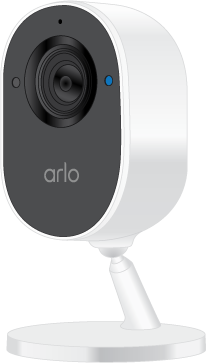
I have my Arlo camera set to “Arm Away” since I’m out of town. The outdoor cameras work fine, but the indoor cameras are showing “ off-line”. They were working fine for a few days.I rebooted the smart hub and my modem and the indoor cameras still show off-line. Does anyone know of a fix for this when not physically at home? Indoor cameras not detecting and recording defeats the purpose of having security in the house.
Labels:
- Related Labels:
-
Arlo Mobile App
-
Troubleshooting
3 REPLIES 3


- Mark as New
- Bookmark
- Subscribe
- Mute
- Subscribe to RSS Feed
- Permalink
- Report Inappropriate Content
I can try a reset on the cameras to see if we can get them back online. Just let me know if you would like me to proceed.
- Mark as New
- Bookmark
- Subscribe
- Mute
- Subscribe to RSS Feed
- Permalink
- Report Inappropriate Content
Hi BrookeN,
yes, please reboot my indoor cameras. Thank you
- Mark as New
- Bookmark
- Subscribe
- Mute
- Subscribe to RSS Feed
- Permalink
- Report Inappropriate Content
It appears they are still offline. You will need to reboot them on your end.
Related Labels
-
Arlo Essential
1 -
Arlo Mobile App
52 -
Arlo Smart
11 -
Arlo Video Doorbell
1 -
Before You Buy
39 -
Features
49 -
Installation
52 -
Troubleshooting
203
Discussion stats
-
3 Replies
-
2026-10-09 06:49 AM
-
238 Views
-
0 Likes
-
2 In Conversation
-