- Subscribe to RSS Feed
- Mark Topic as New
- Mark Topic as Read
- Float this Topic for Current User
- Bookmark
- Subscribe
- Printer Friendly Page
-
6 Replies
-
2025-11-08 04:18 PM
-
972 Views
-
1 Like
-
4 In Conversation
-



- Mark as New
- Bookmark
- Subscribe
- Mute
- Subscribe to RSS Feed
- Permalink
- Report Inappropriate Content
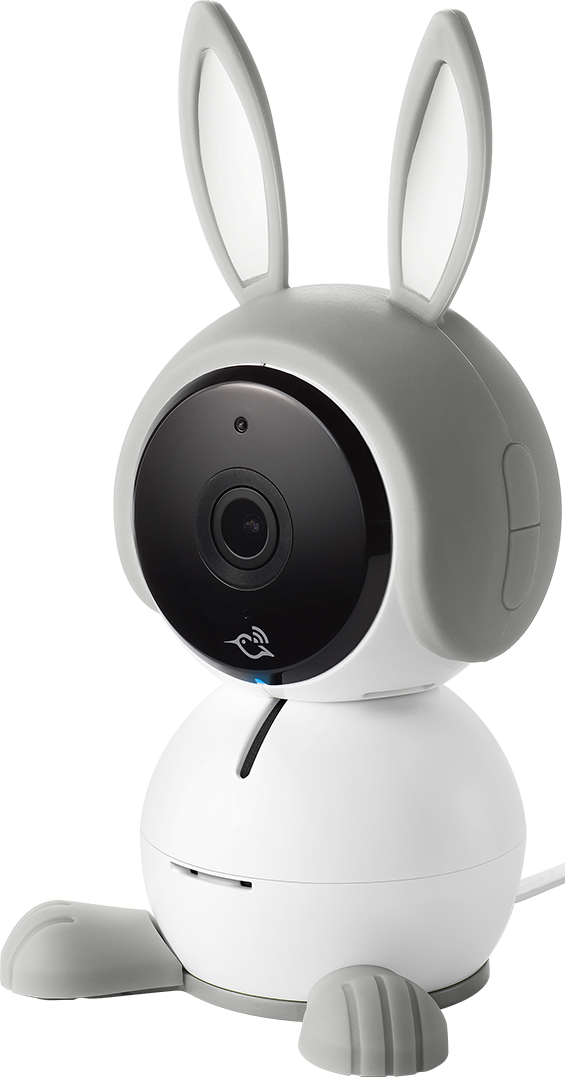
I setup my old arlo baby camera today for my new son. But the app looks different and doesn't send alerts! I also can't figure out how to move the camera in the app. I didn't need a subscription before so I guess I just need support to fix my account. Help!!
- Related Labels:
-
Arlo Mobile App
-
Arlo Smart
-
Features


- Mark as New
- Bookmark
- Subscribe
- Mute
- Subscribe to RSS Feed
- Permalink
- Report Inappropriate Content
Sounds like you were migrated to the new UI that uses Feed to view recordings instead of the old Library. This FAQ may help:
https://kb.arlo.com/000062777/About-Arlo-Routines-Modes-Rules-and-Automations
Go to Routines, Arm Away and see that there's a rule for your Baby. Edit it and verify Notifications are enabled. ALso go to the camera's settings and check each choice for proper settings. It may be worth removing, resetting and reinstalling the camera.
- Mark as New
- Bookmark
- Subscribe
- Mute
- Subscribe to RSS Feed
- Permalink
- Report Inappropriate Content
Unfortunately I did try that but it won't let me edit the rules. Here's the screenshots. Thanks for your help!


- Mark as New
- Bookmark
- Subscribe
- Mute
- Subscribe to RSS Feed
- Permalink
- Report Inappropriate Content
My old Arlo account was lost so I think the issue is with my new Arlo account requiring a subscription since it thinks I'm a new buyer. But I bought it before subscriptions were required. If someone could restore my old Arlo account or fix my new one, that would be wonderful. Arlo customer since 2016!!
I've already tried the factory reset, checked for updates, tested every app setting, and read the new/old manuals too!
Here's what I can't figure out how to do (from the app):
1) Audio/motion alerts
2) Move the camera
Thanks for everything 😊
- Mark as New
- Bookmark
- Subscribe
- Mute
- Subscribe to RSS Feed
- Permalink
- Report Inappropriate Content
It sounds like the issue may be due to the cameras still being connected to your old/lost account. To add them to a new one, you'd have to remove them from the old account first.

- Mark as New
- Bookmark
- Subscribe
- Mute
- Subscribe to RSS Feed
- Permalink
- Report Inappropriate Content
Is your old Arlo account associated with the account you used to sign on to this Arlo community? Can you try to get the system to let you reset password?
Did you ever give another Arlo account access the Arlo Baby camera cameras? You should be able to mostly manage with the camera with another Arlo account with access.
Yes, the new Arlo app is quite different from the old Arlo app. My accounts were forced to update in December 2025 and last week, and last week, all my Arlo Q and Arlo Baby cameras stopped recording and notifying.
From my experience, the new app has a lot of weird bugs. Here is a link to my post describing what I did to get my cameras working. Not sure it will apply to your situation. It's a weird bug and something that no one would ever think to try doing. But it worked for me, so I'm trying to share it so that people don't lose access to cameras that might otherwise work for a little longer.

- Mark as New
- Bookmark
- Subscribe
- Mute
- Subscribe to RSS Feed
- Permalink
- Report Inappropriate Content
@arloaddicted wrote:
My old Arlo account was lost
Can you explain what you mean when you say your "old Arlo account was lost"?
Is it possible that the cameras were installed to the old account, and shared with the account you are using now?
-
Apple TV App
2 -
Arlo Baby
4 -
Arlo Mobile App
127 -
Arlo Smart
13 -
Arlo Wire-Free
1 -
Batteries
1 -
Before You Buy
142 -
Features
36 -
Firmware Release Notes
10 -
IFTTT (If This Then That)
4 -
Installation
101 -
Online and Mobile Apps
143 -
Service and Storage
23 -
SmartThings
1 -
Troubleshooting
831
-
6 Replies
-
2025-11-08 04:18 PM
-
973 Views
-
1 Like
-
4 In Conversation
-