This topic has been marked solved and closed to new posts due to inactivity. We hope you'll join the conversation by posting to an open topic or starting a new one.
- English
- /
- Arlo Forum Discussions
- /
- Partner Integrations
- /
- Requesting HomeKit Token Reset for Two VMB5000 Sma...
- Subscribe to RSS Feed
- Mark Topic as New
- Mark Topic as Read
- Float this Topic for Current User
- Bookmark
- Subscribe
- Printer Friendly Page
-
4 Replies
-
2026-07-30 04:17 PM
-
1221 Views
-
0 Likes
-
2 In Conversation
-



- Mark as New
- Bookmark
- Subscribe
- Mute
- Subscribe to RSS Feed
- Permalink
- Report Inappropriate Content
Hello,
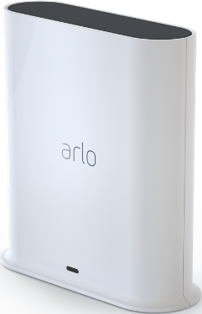
I'm getting the "Accessory Already in Another Home" error when trying to add my two VMB5000 SmartHubs to a new Apple Home.
SmartHub 1
Hardware: VMB5000r5
Firmware: 1.31.0.0_1979_0493cac
Serial Number: A2A1987KA0391
No HomeKit QR code sticker on device
SmartHub 2
Hardware: VMB5000r6
Firmware: 1.31.0.0_1979_0493cac
Serial Number: A6J4577VD01CB
HomeKit QR code sticker present
Both SmartHubs were previously connected to an Apple Home that has since been deleted.
In the Arlo app, selecting HomeKit gets stuck indefinitely at "Discovering your device. Please wait."
Scanning the HomeKit QR code in the Apple Home app reports:
"Accessory Already in Another Home. You may need to reset the accessory before adding it to your home."
I'd like to avoid factory resetting the SmartHubs.
Could a moderator please push a HomeKit token reset for both SmartHubs?
Thank you.
Solved! Go to Solution.
- Related Labels:
-
Apple HomeKit
Accepted Solutions


- Mark as New
- Bookmark
- Subscribe
- Mute
- Subscribe to RSS Feed
- Permalink
- Report Inappropriate Content
I reset the homekit again. You may need to reset the basestation if it doesn't connect still after the token reset. Please keep in mind you will need to add the cameras all back to the basestation.
- Mark as New
- Bookmark
- Subscribe
- Mute
- Subscribe to RSS Feed
- Permalink
- Report Inappropriate Content
I've sent a token reset request to your base station that should resolve the issue. Please reboot your base station (remove and reapply power) allow the base station to come back online and try setting up HomeKit again using these instructions:
https://kb.arlo.com/000063184
- Mark as New
- Bookmark
- Subscribe
- Mute
- Subscribe to RSS Feed
- Permalink
- Report Inappropriate Content
Thank you @BrookeN .
The token reset resolved the issue for one of my SmartHubs:
SmartHub A2A1987KA0391 (VMB5000r5) — successfully paired with Apple HomeKit.
However, the second SmartHub is still unable to pair:
SmartHub A6J4577VD01CB (VMB5000r6) — NOT pairing with Apple HomeKit.
Both SmartHubs are working normally in Arlo and are successfully managing cameras.
After multiple power cycles, SmartHub A6J4577VD01CB still cannot be added to Apple HomeKit:
The Arlo app remains stuck indefinitely at "Discovering your device. Please wait."
The Apple Home app no longer reports "Accessory Already in Another Home", but instead cannot find the accessory after scanning the HomeKit QR code.
Could you please check or submit another HomeKit token reset for this SmartHub?
- Firmware: 1.31.0.0_1979_0493cac
- Hardware: VMB5000r6
- Serial Number: A6J4577VD01CB
Thank you!
- Mark as New
- Bookmark
- Subscribe
- Mute
- Subscribe to RSS Feed
- Permalink
- Report Inappropriate Content
I reset the homekit again. You may need to reset the basestation if it doesn't connect still after the token reset. Please keep in mind you will need to add the cameras all back to the basestation.
- Mark as New
- Bookmark
- Subscribe
- Mute
- Subscribe to RSS Feed
- Permalink
- Report Inappropriate Content
Thanks. The second token reset worked.
-
Amazon Alexa
117 -
Apple HomeKit
780 -
Apple TV App
7 -
AppleTV
33 -
Arlo Mobile App
62 -
Arlo Pro
2 -
Arlo Pro 2
1 -
Arlo Q (Plus)
1 -
Arlo Secure
10 -
Arlo Smart
40 -
Arlo Wire-Free
1 -
Before You Buy
30 -
Features
88 -
Firmware Release Notes
8 -
Google Assistant
105 -
IFTTT
101 -
IFTTT (If This Then That)
117 -
Installation
91 -
Modes and Rules
13 -
Motion Detection
1 -
Online and Mobile Apps
70 -
Samsung SmartThings
89 -
Security System
1 -
Service and Storage
5 -
SmartThings
73 -
Troubleshooting
401 -
Verisure
1 -
Videos
1
- « Previous
- Next »
-
4 Replies
-
2026-07-30 04:17 PM
-
1222 Views
-
0 Likes
-
2 In Conversation
-