- Subscribe to RSS Feed
- Mark Topic as New
- Mark Topic as Read
- Float this Topic for Current User
- Bookmark
- Subscribe
- Printer Friendly Page
-
32 Replies
-
2026-03-26 01:50 PM
-
3151 Views
-
0 Likes
-
3 In Conversation
-




- Mark as New
- Bookmark
- Subscribe
- Mute
- Subscribe to RSS Feed
- Permalink
- Report Inappropriate Content
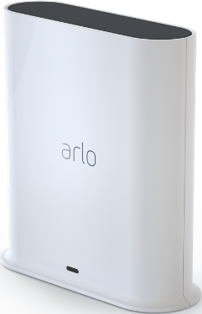
Hi, I need a setup code to pair my base station with HomeKit. It is the VMB5000
From what im reading I think I need a token reset?
Solved! Go to Solution.
- Related Labels:
-
Troubleshooting
Accepted Solutions


- Mark as New
- Bookmark
- Subscribe
- Mute
- Subscribe to RSS Feed
- Permalink
- Report Inappropriate Content
Here is some further troubleshooting steps:
https://kb.arlo.com/000062688/How-to-troubleshoot-Apple-Home-issues-for-Arlo-devices


- Mark as New
- Bookmark
- Subscribe
- Mute
- Subscribe to RSS Feed
- Permalink
- Report Inappropriate Content
@MC3 wrote:
Hi, I need a setup code to pair my base station with HomeKit. It is the VMB5000
From what im reading I think I need a token reset?
There is no setup code - you use the "no setup code" instructions here:
If that fails, then you likely do need a token reset.
- Mark as New
- Bookmark
- Subscribe
- Mute
- Subscribe to RSS Feed
- Permalink
- Report Inappropriate Content
If I press continue through all of that I get stuck with either having to scan a setup code with my camera or enter one.

- Mark as New
- Bookmark
- Subscribe
- Mute
- Subscribe to RSS Feed
- Permalink
- Report Inappropriate Content
I reset the token, follow the steps within the link to set up without a code:
https://kb.arlo.com/000062279/How-do-I-connect-my-Arlo-device-to-Apple-Home
- Mark as New
- Bookmark
- Subscribe
- Mute
- Subscribe to RSS Feed
- Permalink
- Report Inappropriate Content
Now it is stuck on "Discovering your device"
Before the base station showed up, now it no longer does.
- Mark as New
- Bookmark
- Subscribe
- Mute
- Subscribe to RSS Feed
- Permalink
- Report Inappropriate Content
I was going to reset the base station again, however I cannot see the basestation on the account. Did you reset it?
- Mark as New
- Bookmark
- Subscribe
- Mute
- Subscribe to RSS Feed
- Permalink
- Report Inappropriate Content
It showed up after about five minutes as an unverified accessory so I followed the online instructions for that.
- Mark as New
- Bookmark
- Subscribe
- Mute
- Subscribe to RSS Feed
- Permalink
- Report Inappropriate Content
Ok, now I am in the same position I was when I started. I followed the instructions with an unverified accessory and removed it and added it back.
Now when I attempt to add the base station it is requiring a setup code. When I click continue, the same screen shows up and prompts me to scan a code.
- Mark as New
- Bookmark
- Subscribe
- Mute
- Subscribe to RSS Feed
- Permalink
- Report Inappropriate Content
I reset the token again, however if it does not work you may need to do a reset of the basestation. Please keep in mind if you reset it, then you will have to add the cameras again.
- Mark as New
- Bookmark
- Subscribe
- Mute
- Subscribe to RSS Feed
- Permalink
- Report Inappropriate Content
I removed the base station according to the unverified accessory instructions.
I had to add all the cameras back when I added the base station again. I just did that.
it is still requiring that I scan a setup code.
why Would I reset it again if I just reset it?
- Mark as New
- Bookmark
- Subscribe
- Mute
- Subscribe to RSS Feed
- Permalink
- Report Inappropriate Content
@MC3 were you able to get the homekit set up?
- Mark as New
- Bookmark
- Subscribe
- Mute
- Subscribe to RSS Feed
- Permalink
- Report Inappropriate Content
No I was not. And I’m out of town until next week.
can I message back here when I’m back home?
- Mark as New
- Bookmark
- Subscribe
- Mute
- Subscribe to RSS Feed
- Permalink
- Report Inappropriate Content
Yes of course. Have a great time.
- Mark as New
- Bookmark
- Subscribe
- Mute
- Subscribe to RSS Feed
- Permalink
- Report Inappropriate Content
@MC3 were you able to set up the Homekit?
- Mark as New
- Bookmark
- Subscribe
- Mute
- Subscribe to RSS Feed
- Permalink
- Report Inappropriate Content
I have not been able to get it to work. I still requires a code for finishing.
The screen I cannot get past is a scan a setup code screen.
- Mark as New
- Bookmark
- Subscribe
- Mute
- Subscribe to RSS Feed
- Permalink
- Report Inappropriate Content
The next steps would be to reset the base station. Please keep in mind that you would need to add the cameras back onto the account. If you decide to do that, please let me know and I will reset the token again.
- Mark as New
- Bookmark
- Subscribe
- Mute
- Subscribe to RSS Feed
- Permalink
- Report Inappropriate Content
I will do that. Do you need to reset the token before I reset the base station or after?
What should be the specific steps?
- Mark as New
- Bookmark
- Subscribe
- Mute
- Subscribe to RSS Feed
- Permalink
- Report Inappropriate Content
I reset the token.
Reset the basestation
Add the cameras back on
And then do the steps to set up without a code that are in this link;
- Mark as New
- Bookmark
- Subscribe
- Mute
- Subscribe to RSS Feed
- Permalink
- Report Inappropriate Content
So I will need to add all the cameras back before adding to HomeKit?
Is it possible to attempt to add the base station to HomeKit before the cameras? It takes some time to add all the cameras back and I have tried this already by reseting the base station, adding cameras, then attempting to add to HomeKit to no avail once before.
- Mark as New
- Bookmark
- Subscribe
- Mute
- Subscribe to RSS Feed
- Permalink
- Report Inappropriate Content
You can add the base station to homekit and then add the cameras if you want to do it that way.
- Mark as New
- Bookmark
- Subscribe
- Mute
- Subscribe to RSS Feed
- Permalink
- Report Inappropriate Content
ok, I have done a reset, removed the device, and also deleted the app.
When I first tried to add the device it was an "uncertified accessory."
Now it is asking me for the same thing--a setup code.
It tell me to locate the QR code, I have no option other than to click continue.
It tells me to scan or hold phone near accessory or click "more options." I click more options, select the basestation.
It then tells me to enter the code found on the accessory box or instructions or to use the camera. I click continue as I have no code to enter nor nothing to scan. Then it auto opens up a camera to scan for a QR code.
I have not been able to get past this step no matter what,
- Mark as New
- Bookmark
- Subscribe
- Mute
- Subscribe to RSS Feed
- Permalink
- Report Inappropriate Content


I thought I might have had it working when I put in the 23815 number, but it thinks and says unable to add device.
- Mark as New
- Bookmark
- Subscribe
- Mute
- Subscribe to RSS Feed
- Permalink
- Report Inappropriate Content

when I try the 23815 number it tried to connect but then says it times out. if I click continue without code I get this message.
- Mark as New
- Bookmark
- Subscribe
- Mute
- Subscribe to RSS Feed
- Permalink
- Report Inappropriate Content
@MC3 wrote:
ok, I have done a reset, removed the device, and also deleted the app.
When I first tried to add the device it was an "uncertified accessory."
Now it is asking me for the same thing--a setup code.
Did you remove the device from your account and then re-add it? Or remove it from homekit?
Are you following these instructions?
- Launch the Arlo Secure App on your Apple device.
- Tap Settings > My Devices.
- Select an Arlo SmartHub or Arlo Base Station.
- Tap HomeKit.
- Select the Arlo SmartHub or Arlo Base Station you want to add to Apple Home.
If you receive an Uncertified Accessory Error message, visit: When adding my Arlo Base Station to Apple Home, what should I do if I receive an Uncertified Accesso... - Select a Home or tap Add New Home.
- Mark as New
- Bookmark
- Subscribe
- Mute
- Subscribe to RSS Feed
- Permalink
- Report Inappropriate Content
I am following those instructions
i am removing the device from my account. I cannot add it to HomeKit bc of the scan/enter setup code issue. That happens after the steps you’ve shown me below. I follow those instructions, select a home, room, and then it alls for a setup code. I cannot bypass it.
-
Accessories
4 -
Activity Zones
1 -
Amazon Alexa
1 -
Apple HomeKit
2 -
Apple TV App
9 -
Applications mobile et en ligne
1 -
Apps
4 -
Arlo Go
3 -
Arlo Mobile App
861 -
Arlo Pro
36 -
Arlo Pro 2
1 -
Arlo Q (Plus)
3 -
Arlo Smart
234 -
Arlo Web and Mobile Apps
18 -
Arlo Wire-Free
30 -
base station
1 -
Batteries
529 -
Before You Buy
976 -
Can't view cameras live at all
1 -
Dépannage
1 -
Détection de mouvements
1 -
Features
1,170 -
Fehlerbehebung
1 -
Firmware Release Notes
93 -
Google Assistant
1 -
Hardware
1 -
home security
1 -
IFTTT (If This Then That)
105 -
Installation
2,084 -
Iphone 14 pro
1 -
Live view
1 -
Modes and Rules
1 -
Motion Detection
2 -
Object Recognition
3 -
Online and Mobile Apps
983 -
Online und mobile Apps
1 -
Order Not Going Through... help please!
1 -
Other Discussions
1 -
Partner Integrations
4 -
Security
1 -
Service and Storage
14 -
Smart Subscription
3 -
SmartThings
71 -
Troubleshooting
9,319 -
Videos
233 -
Vidéo
2 -
Warranty & Contracts
2
- « Previous
- Next »
-
32 Replies
-
2026-03-26 01:50 PM
-
3152 Views
-
0 Likes
-
3 In Conversation
-