Cannot remove offline VMB3000 ghost device from account, only change name
- Subscribe to RSS Feed
- Mark Topic as New
- Mark Topic as Read
- Float this Topic for Current User
- Bookmark
- Subscribe
- Printer Friendly Page
-
11 Replies
-
2026-02-19 06:55 AM
-
1836 Views
-
0 Likes
-
3 In Conversation
-




- Mark as New
- Bookmark
- Subscribe
- Mute
- Subscribe to RSS Feed
- Permalink
- Report Inappropriate Content
How can i delete the base, when no options is avaliable. Only option is to change name. Nothing else. Ghost base?
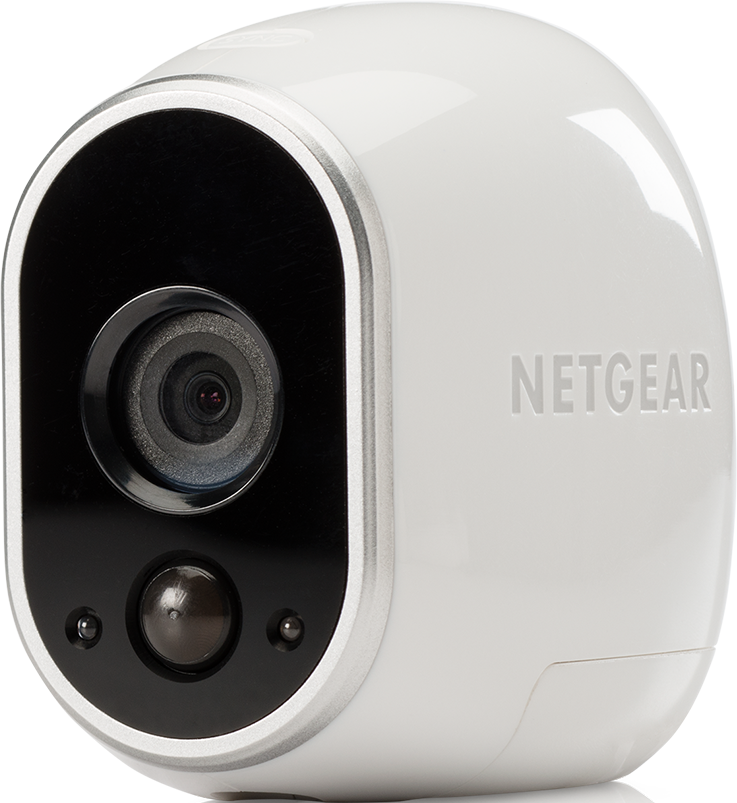
I want to add an old basestation Netgear vmb3000 again, is that possible? Maybe the extra offline base i see in my arlo is this old Netgear base. Maybe i forgot to delete when i added my new basestation.
- Related Labels:
-
Arlo Mobile App
-
Troubleshooting


- Mark as New
- Bookmark
- Subscribe
- Mute
- Subscribe to RSS Feed
- Permalink
- Report Inappropriate Content
@Mison wrote:
How can i delete the base, when no options is avaliable. Only option is to change name. Nothing else. Ghost base?
Is it powered on and connected to your ethernet? If it goes online at that point, then there is no need to remove and reinstall it.
If you see "Feed" and "Dashboard" in your app menu, then you can
- press the base station tile on the devices screen
- press "Device Info"
Scroll to the bottom of the screen and you should see "remove device" there.
- Mark as New
- Bookmark
- Subscribe
- Mute
- Subscribe to RSS Feed
- Permalink
- Report Inappropriate Content
Arlo app can not add this base. The base has been stored in a box for about 8 years... And now I want to add it as an extra base to an extra camera but I can´t connect. Probably because it is still in my app. But can not remove it. No such options appears. What can I do?
- Mark as New
- Bookmark
- Subscribe
- Mute
- Subscribe to RSS Feed
- Permalink
- Report Inappropriate Content
@Mison wrote:
Arlo app can not add this base. The base has been stored in a box for about 8 years... And now I want to add it as an extra base to an extra camera but I can´t connect.
If the app can't add the base, then that isn't possible. Other users have found that old never-installed kit can't be installed because the firmware was too old. I'm tagging mods - @BrookeN , @JamesC , @ShayneS - as they might be able to assist (or at least let you know for certain if that is your problem or not).
@Mison wrote:
But can not remove it. No such options appears. What can I do?
Do you see "Library" in your app menu? Or do you instead see "Feed" and "Dashboard"?
If you do see "Feed", are you able to press the base station tile on the "Devices" screen, and then press "device info"?
- Mark as New
- Bookmark
- Subscribe
- Mute
- Subscribe to RSS Feed
- Permalink
- Report Inappropriate Content
I see library, no feed. So the problem with adding this base has nothing to do with the fact that it maybe be the "ghost" device in my app? I hoped maybe it just cant be installed because its somehow still there, and it would be possible if I could delete and reinstall the base: Power on, green light and communicating with internet. To bad..
- Mark as New
- Bookmark
- Subscribe
- Mute
- Subscribe to RSS Feed
- Permalink
- Report Inappropriate Content
And the base has beeninstalld once, just very many years ago
- Mark as New
- Bookmark
- Subscribe
- Mute
- Subscribe to RSS Feed
- Permalink
- Report Inappropriate Content
@Mison wrote:
And the base has beeninstalld once, just very many years ago
I want to go back a bit as several things are confusing me.
Is the old base currently powered up and connected to your router's ethernet?
If not, please turn it on and connect it.
Once connected, what do the LEDs show? Please use the LED names (power, internet, cameras), not their position.
- Mark as New
- Bookmark
- Subscribe
- Mute
- Subscribe to RSS Feed
- Permalink
- Report Inappropriate Content
It is powered and connected. Power, green
Internet green
cameras yellow
next is a symbol of a house, inactive and The last one is usb symbol, inactive
- Mark as New
- Bookmark
- Subscribe
- Mute
- Subscribe to RSS Feed
- Permalink
- Report Inappropriate Content
@Mison wrote:
It is powered and connected. Power, green
Internet green
cameras yellow
next is a symbol of a house, inactive and The last one is usb symbol, inactive
Ok. That is a normal status for a base station with no cameras connected to it. I suspect you actually have a VMB3010. The house and USB symbol were for future use - which never materialized.
And this is showing up as "off line" in the app? And it has shown up this way for a long time?
Is it possible it was installed to a different Arlo account years ago? (seems unlikely, unless you are seeing some other old base in the account you are using now).
- Mark as New
- Bookmark
- Subscribe
- Mute
- Subscribe to RSS Feed
- Permalink
- Report Inappropriate Content
I don´t know if it is this old base I can see in Arlo App. I tried several factory reset, and my husband started a new Arlo account. I tried to add the base to a this new account, but the App does not find the base. I can see the base connected in my router witch must mean it is online and awake? I se others who still use 3010. I don´t understand why mine is not possible to add. Any tips or tricks?
- Mark as New
- Bookmark
- Subscribe
- Mute
- Subscribe to RSS Feed
- Permalink
- Report Inappropriate Content
@Mison wrote:
I can see the base connected in my router witch must mean it is online and awake?
It is connected to the internet (both your router and the base LEDs indicate that).
@Mison wrote:
I see others who still use 3010. I don´t understand why mine is not possible to add.
It could be a consequence of storing it for so long. The firmware might be too old to update (and the update servers likely have changed, since 8 years ago Arlo was just separating from Netgear).
@Mison wrote:
I don´t know if it is this old base I can see in Arlo App.
Either way, you should be able to remove it. I am tagging the mods - @BrookeN , @JamesC , @ShayneS - in hopes one can help.


- Mark as New
- Bookmark
- Subscribe
- Mute
- Subscribe to RSS Feed
- Permalink
- Report Inappropriate Content
The reason you are unable to add it is due to it not being able to get the newest firmware. I will have support reach out to you regarding not being able to remove it. Can you please provide a good phone number as well as a good time to call and I will have support reach out. Please send this information via dm.
-
Accessories
4 -
Activity Zones
1 -
Amazon Alexa
1 -
Apple HomeKit
2 -
Apple TV App
9 -
Applications mobile et en ligne
1 -
Apps
4 -
Arlo Go
3 -
Arlo Mobile App
864 -
Arlo Pro
36 -
Arlo Pro 2
1 -
Arlo Q (Plus)
3 -
Arlo Smart
235 -
Arlo Web and Mobile Apps
18 -
Arlo Wire-Free
30 -
base station
1 -
Batteries
529 -
Before You Buy
979 -
Can't view cameras live at all
1 -
Dépannage
1 -
Détection de mouvements
1 -
Features
1,191 -
Fehlerbehebung
1 -
Firmware Release Notes
93 -
Google Assistant
1 -
Hardware
1 -
home security
1 -
IFTTT (If This Then That)
105 -
Installation
2,087 -
Iphone 14 pro
1 -
Live view
1 -
Modes and Rules
1 -
Motion Detection
2 -
Object Recognition
3 -
Online and Mobile Apps
983 -
Online und mobile Apps
1 -
Order Not Going Through... help please!
1 -
Other Discussions
1 -
Partner Integrations
4 -
Security
1 -
Service and Storage
14 -
Smart Subscription
3 -
SmartThings
71 -
Troubleshooting
9,350 -
Videos
233 -
Vidéo
2 -
Warranty & Contracts
2
- « Previous
- Next »
-
11 Replies
-
2026-02-19 06:55 AM
-
1837 Views
-
0 Likes
-
3 In Conversation
-