This topic has been marked solved and closed to new posts due to inactivity. We hope you'll join the conversation by posting to an open topic or starting a new one.
- Subscribe to RSS Feed
- Mark Topic as New
- Mark Topic as Read
- Float this Topic for Current User
- Bookmark
- Subscribe
- Printer Friendly Page
-
78 Replies
-
2026-01-15 07:23 PM
-
4882 Views
-
15 Likes
-
21 In Conversation
-




- Mark as New
- Bookmark
- Subscribe
- Mute
- Subscribe to RSS Feed
- Permalink
- Report Inappropriate Content
Arm and Disarms buttons function correctly but the status display does not work for any of my 3 devices. All 3 simply show "Getting status..." with no resolution
Solved! Go to Solution.
- Related Labels:
-
Arlo Mobile App
Accepted Solutions


- Mark as New
- Bookmark
- Subscribe
- Mute
- Subscribe to RSS Feed
- Permalink
- Report Inappropriate Content
Please keep an eye out for the update 6.11.1, it should resolve the behavior you are seeing. If anyone is still seeing the same error after the update, please let me know.
Best answers
-
Please keep an eye out for the update 6.11.1, it should resolve the behavior you are seeing. If anyone is still seeing the same error after the update, please let me know.
-
You all are on the older app version. Troubleshooting step would be to update the app to the newest version. You can do this by adding a Pro 5 camera to the account ( Even though you don't have one). Once you click to add the Pro 5 and start following the prompts it will tell you that you need to update. Once you do the update you should no longer have that error message.



- Mark as New
- Bookmark
- Subscribe
- Mute
- Subscribe to RSS Feed
- Permalink
- Report Inappropriate Content
Same here, started happening yesterday, and I dont have the VMB4000 hardware... Please fix that, it is annoying.
- Mark as New
- Bookmark
- Subscribe
- Mute
- Subscribe to RSS Feed
- Permalink
- Report Inappropriate Content
I'm having this exact issue for the last 2 or 3 days. I think since the app updated?
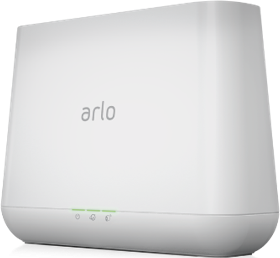
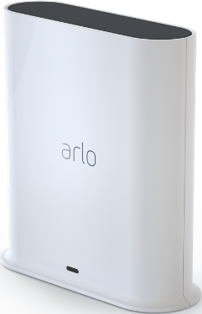
I have two Arlo bases (older base station and new smart hub) and both say "getting status" and never load...
Very frustrating as I toggle between customised modes often, but can't select one with this issue.
- Mark as New
- Bookmark
- Subscribe
- Mute
- Subscribe to RSS Feed
- Permalink
- Report Inappropriate Content
Specially after the outrageous price increase in the subscription, I do not expect this kind of things to happen.
- Mark as New
- Bookmark
- Subscribe
- Mute
- Subscribe to RSS Feed
- Permalink
- Report Inappropriate Content
Can you please send me a screenshot of what you are seeing? Also, are you on iOS or Android?
- Mark as New
- Bookmark
- Subscribe
- Mute
- Subscribe to RSS Feed
- Permalink
- Report Inappropriate Content
Brooken, for the past 2 days, in "My devices" , all of them remain in "Getting status..." , but the Arm/Disarm buttons work fine. Also, the web interface works fine. It is happening with more than 1 person, so there must be a problem...
- Mark as New
- Bookmark
- Subscribe
- Mute
- Subscribe to RSS Feed
- Permalink
- Report Inappropriate Content
Can you please send me a screenshot of what you are seeing?
- Mark as New
- Bookmark
- Subscribe
- Mute
- Subscribe to RSS Feed
- Permalink
- Report Inappropriate Content

Android app.
I use the scheduled mode and it's not visible anymore. I don't usually use arm/disarm buttons as I have two armed modes that either record or record and siren.

- Mark as New
- Bookmark
- Subscribe
- Mute
- Subscribe to RSS Feed
- Permalink
- Report Inappropriate Content
Same problem here, both on a newer basestation and old.
I can only arm and disarm.
All other modes are unavailable with the text "getting status".
- Mark as New
- Bookmark
- Subscribe
- Mute
- Subscribe to RSS Feed
- Permalink
- Report Inappropriate Content

This is what I see... As described, it remains in "Getting status..." forever. Since more users have reported the same issue meanwhile, it seems to me there is a problem with the app.
- Mark as New
- Bookmark
- Subscribe
- Mute
- Subscribe to RSS Feed
- Permalink
- Report Inappropriate Content
You all are on the older app version. Troubleshooting step would be to update the app to the newest version. You can do this by adding a Pro 5 camera to the account ( Even though you don't have one). Once you click to add the Pro 5 and start following the prompts it will tell you that you need to update. Once you do the update you should no longer have that error message.
- Mark as New
- Bookmark
- Subscribe
- Mute
- Subscribe to RSS Feed
- Permalink
- Report Inappropriate Content
That worked thanks but strange that the update didn't trigger from Playstore but had to add a new camera.
Now that I've updated, if says the scheduled mode is unavailable! How long for?! We have had 2 break ins and the schedule mode is the way I've been sleeping better at night. I'm not the only one in this household so this is essential.
- Mark as New
- Bookmark
- Subscribe
- Mute
- Subscribe to RSS Feed
- Permalink
- Report Inappropriate Content
Got it. Well, there is NO way I could know. The new version seems to have interesting features, but arming/disarming a device individually seems to be gone? Works with custom modes now?
- Mark as New
- Bookmark
- Subscribe
- Mute
- Subscribe to RSS Feed
- Permalink
- Report Inappropriate Content
https://kb.arlo.com/000062777/About-Arlo-Routines-Modes-Rules-and-Automations = Here is steps to create modes and scheduels
Custom modes are available to some at this point and we are hoping to have it available to everyone soon.
- Mark as New
- Bookmark
- Subscribe
- Mute
- Subscribe to RSS Feed
- Permalink
- Report Inappropriate Content
Do you mean that Arlo once again has rolled out new software without checking backwards compatibility?
And why are Arlos site showing that all systems are ok when they obviously are not?
And when will we see functionality without this trick to get a semi working newer updated app?

- Mark as New
- Bookmark
- Subscribe
- Mute
- Subscribe to RSS Feed
- Permalink
- Report Inappropriate Content
Same here, greetings from germany.
Yep, older version with annoying "getting status" since days and today I found this "Solution" ...strange updated to 6.10.1_6100103.
Yesss, after all tricky do it yourself hours -on, off, reinstall, wlan change, firewall off etc etc.
....But still same status: "Getting Status". (btw Android, SamsungS23, VMB4000r3 (1.28.2.0_4739_53ee4a5), bunch of cams)
Frankfurt, 2026 /1 /18
Klaus
- Mark as New
- Bookmark
- Subscribe
- Mute
- Subscribe to RSS Feed
- Permalink
- Report Inappropriate Content
OK so the schedule function has been removed but you can use automations to trigger instead.
But it's pretty stupid that you can't put a custom mode into the automations (if you choose change mode at set time, custom modes aren't there to select). You used to be able to schedule custom modes.
I've found a work around by playing with the meaning of the arm away arm home modes instead but didn't make sense to me to go backwards in this feature.
- Mark as New
- Bookmark
- Subscribe
- Mute
- Subscribe to RSS Feed
- Permalink
- Report Inappropriate Content
I also have the same experience where I see "Getting status..." in the app version 6.10.1_6100103. This means it's no longer possible to change to custom modes. There is no update available from the Googe app store. I've removed the app and reinstalled, but it's still the same version and has the same bug. What is meant by "You can do this by acting like you are onboarding the Pro 5" please?
- Mark as New
- Bookmark
- Subscribe
- Mute
- Subscribe to RSS Feed
- Permalink
- Report Inappropriate Content
Pretend like you're adding a new camera, the 5 is in the pro section I think. Then once you upgrade, exit adding the camera.
Why this is the process instead of an app update in Playstore, I have no idea 😑 (I did look there first)
- Mark as New
- Bookmark
- Subscribe
- Mute
- Subscribe to RSS Feed
- Permalink
- Report Inappropriate Content
Pretend like you're adding a new camera, the 5 is in the pro section I think. Then once you upgrade, exit adding the camera.
Why this is the process instead of an app update in Playstore, I have no idea 😑 (I did look there first)


- Mark as New
- Bookmark
- Subscribe
- Mute
- Subscribe to RSS Feed
- Permalink
- Report Inappropriate Content
@Han88 wrote:
Why this is the process instead of an app update in Playstore, I have no idea 😑 (I did look there first)
The app supports both user interfaces - which one you see depends on how your account is set up in the Arlo Cloud.
- Mark as New
- Bookmark
- Subscribe
- Mute
- Subscribe to RSS Feed
- Permalink
- Report Inappropriate Content
Hello,
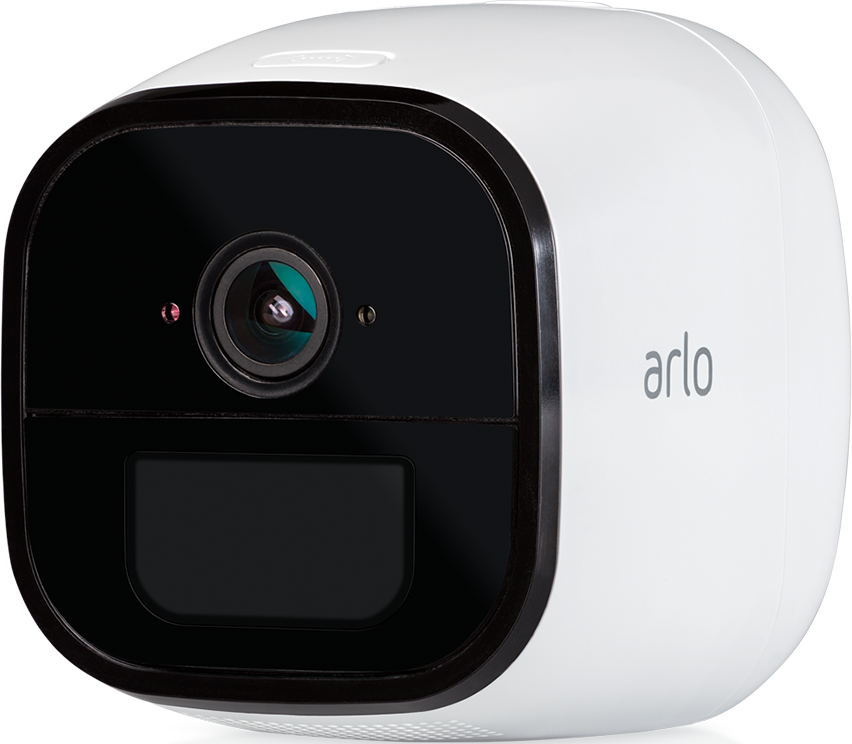
My Arlo Go VML4030 camera stuck in getting status when I go to mode. Started last week. I reinstalled the phone app twice and removed and reinstalled(factory reset) the camera twice. Now the camera does not have sound detection like it did and I can't get into those settings without the modes working. On my Chromebook, MyArlo only has motion detection controls under the armed mode settings.
Arlo can you fix this back to the way it was please
- Mark as New
- Bookmark
- Subscribe
- Mute
- Subscribe to RSS Feed
- Permalink
- Report Inappropriate Content
I got audio alert setting back on MyArlo on the Chromebook, but the mobile app is still not working properly
- Mark as New
- Bookmark
- Subscribe
- Mute
- Subscribe to RSS Feed
- Permalink
- Report Inappropriate Content
Just to clarify,
This all started with an App update last week,
When I go to "Mode" in the Arlo App on my android phone, the camera is "Getting Status" under my devices which doesn't allow me to Arm or Disarm the camera there. That is also where I can control video and audio alert settings. I am able to Arm and Disarm the camera using the "Arm All Devices" and Disarm All Devices" buttons at the top of the screen. I just can't control the camera video and audio sensitivity settings on the mobile app.
I have to log into MyArlo on the Chromebook to control those settings under "Mode" now. For a few days it didn't work there either.
- Mark as New
- Bookmark
- Subscribe
- Mute
- Subscribe to RSS Feed
- Permalink
- Report Inappropriate Content
My Arlo base station is suddenly stuck on "Getting status...". Please assist. Thank you.
-
Activity Zones
1 -
Applications mobile et en ligne
2 -
Arlo 4.1 App release notes
1 -
Arlo app
1 -
Arlo Mobile App
385 -
arlo not working
2 -
Arlo Pro 5
1 -
Arlo Pro 5S 2K
1 -
Arlo Secure
1,316 -
Arlo Secure 4.0
2 -
Arlo Smart
121 -
Automation
1 -
Before You Buy
92 -
cameras
1 -
custom modes
2 -
Features
158 -
Friend
1 -
Geofencing
1 -
Grant Access
1 -
IFTTT
1 -
Installation
63 -
Modes and Rules
1 -
my.arlo.com
1 -
notifications
2 -
Pro 5s
1 -
Security System App
1 -
Smart Subscription
1 -
Temporary disable
1 -
Troubleshooting
420 -
Vacation override
1
- « Previous
- Next »
-
78 Replies
-
2026-01-15 07:23 PM
-
4883 Views
-
15 Likes
-
21 In Conversation
-