- Subscribe to RSS Feed
- Mark Topic as New
- Mark Topic as Read
- Float this Topic for Current User
- Bookmark
- Subscribe
- Printer Friendly Page
-
1 Reply
-
2026-03-24 02:56 PM
-
698 Views
-
0 Likes
-
2 In Conversation
-



- Mark as New
- Bookmark
- Subscribe
- Mute
- Subscribe to RSS Feed
- Permalink
- Report Inappropriate Content
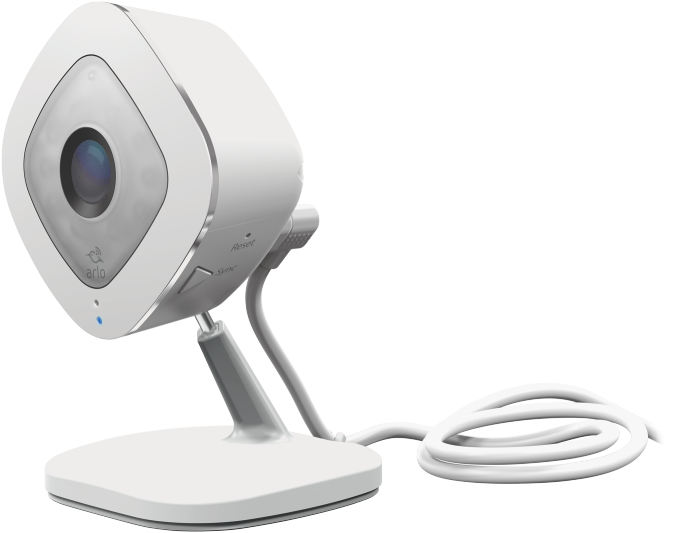
I clicked deactivate of two of my Arlo Q cameras and it would not sync again even with a paperclip reset. I would hear the chime and see the flashing blue light, but message would only show "Looking for your Arlo Camera" indefinitely meaning the password is correct, but the Arlo app cannot sync. (If the password is incorrect, you get the buzzer sound and an amber light).
I finally figured out how to reactivate the Arlo Q cameras by creating a 2.4 GHz Xfinity network.
1. Open Xfinity app
2. Click WiFi icon at the bottom
3. Click WiFi details
See QR code, Scan to connect
4. Click Edit WiFi settings
5. Click Split bands (not recommended)
6. Add a new name to your 2.4 GHz network
No need to change the password
7. Open up a laptop computer
8. Change your laptop computer to connect to the new 2.4 GHz network
9. Use the laptop to add a device through my.arlo.com
Go to my.arlo.com and log in and click Devices and the plus sign
10. Reset your Arlo Q camera and sync
For good measure, the Arlo Q camera was off all night and I put in the paperclip after turning it on (amber light) for a fresh reset.
11. Follow my.arlo.com to add Arlo Q to the new 2.4 GHz network
See that you can sync your camera and be assured that the camera still works when I see your camera in the Arlo app.
12. Feel free to turn off the split network and sync to the original network.
Solved! Go to Solution.
- Related Labels:
-
Troubleshooting
Accepted Solutions


- Mark as New
- Bookmark
- Subscribe
- Mute
- Subscribe to RSS Feed
- Permalink
- Report Inappropriate Content
Thank you for providing this helpful information to the community.
- Mark as New
- Bookmark
- Subscribe
- Mute
- Subscribe to RSS Feed
- Permalink
- Report Inappropriate Content
Thank you for providing this helpful information to the community.
-
Activity Zones
1 -
Apple TV App
1 -
Arlo Mobile App
22 -
Arlo Pro
1 -
Arlo Q
30 -
Arlo Smart
2 -
Arlo Web and Mobile Apps
1 -
Arlo Wire-Free
5 -
Before You Buy
114 -
Features
148 -
Fehlerbehebung
1 -
Firmware Release Notes
15 -
IFTTT (If This Then That)
7 -
Installation
354 -
Online and Mobile Apps
135 -
Online und mobile Apps
1 -
Other Discussions
1 -
Service and Storage
2 -
Smart Subscription
1 -
SmartThings
5 -
Troubleshooting
1,119 -
Videos
50
- « Previous
- Next »
-
1 Reply
-
2026-03-24 02:56 PM
-
699 Views
-
0 Likes
-
2 In Conversation
-