Advised to remove device on app and now can't be added back
- Subscribe to RSS Feed
- Mark Topic as New
- Mark Topic as Read
- Float this Topic for Current User
- Bookmark
- Subscribe
- Printer Friendly Page
-
1 Reply
-
2025-08-25 06:17 AM
-
345 Views
-
0 Likes
-
2 In Conversation
-



- Mark as New
- Bookmark
- Subscribe
- Mute
- Subscribe to RSS Feed
- Permalink
- Report Inappropriate Content
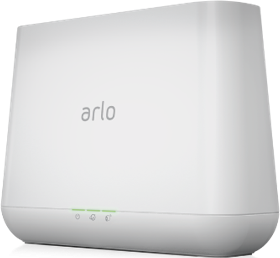
I wrote in to the chat support as I changed wifi network and my camera was not showing up on the app. I tried to resync the camera and it was showing solid green light on the hub and the fast blinking blue light on the camera disappeared which I assumed to be a good connection. However it was not showing the connection on the app. I was then advised to remove the camera on the main account and try reconnecting again by Selvakumar - #45034079.
However after doing so both the main and secondary account was not able to see the camera anymore and I tried syncing the camera again. The same occurred where the hub blinked green, then solid green. And the camera was slow blinking blue, then fast blinking blue and no light. But the app still showed "Looking for your device". I wrote in a second time to chat support - Vijeeth - #45035069 and was told that the camera model was not supported anymore and they were unable to troubleshoot. I was told to get a new device as the current one was faulty and it was a legacy device hence they could not assist. This made no sense as just before changing wifi networks the camera was streaming and recording fine. After multiple back and forths, he agreed to a one time troubleshooting and asked me to follow the same steps as the app (Which I already tried multiple times) and to no avail.
I was told I could get a discount for a pro subscription and had to get a new device, however the inability to continue using the current device was caused by the support staff asking me to remove the device. This situation is really unfair as I am required to get a new device because of misled advice given by the support staff.
- Related Labels:
-
Troubleshooting


- Mark as New
- Bookmark
- Subscribe
- Mute
- Subscribe to RSS Feed
- Permalink
- Report Inappropriate Content
Can you please dm me a callback number as well as a good time to call. That way I can have support look into this further. You send a dm by clicking on the envelope icon on the top right of the forum page.If you don't see it, then go into your profile settings and select preferences, then "Private Messenger." Then select "Turn on private messages" if it is turned off.
-
Apple HomeKit
1 -
Arlo Mobile App
456 -
Arlo Pro
27 -
Arlo Pro 2
1 -
Arlo Pro 3
2 -
Arlo Secure
1 -
Arlo Smart
103 -
Arlo Ultra
1 -
Arlo Web and Mobile Apps
6 -
Arlo Wire-Free
10 -
Before You Buy
1,210 -
Discovery
1 -
Features
237 -
Firmware
1 -
Firmware Release Notes
119 -
Hardware
2 -
IFTTT
1 -
IFTTT (If This Then That)
48 -
Installation
1,433 -
Installation & Upgrade
1 -
Online and Mobile Apps
1,266 -
Partner Integrations
1 -
Security
1 -
Service and Storage
563 -
Smart Subscription
1 -
SmartThings
39 -
Software & Apps
1 -
Troubleshooting
7,351 -
Videos
1
- « Previous
- Next »
-
1 Reply
-
2025-08-25 06:17 AM
-
346 Views
-
0 Likes
-
2 In Conversation
-