Essential Pan Tilt Reset issues
- Subscribe to RSS Feed
- Mark Topic as New
- Mark Topic as Read
- Float this Topic for Current User
- Bookmark
- Subscribe
- Printer Friendly Page
-
3 Replies
-
2026-09-11 02:15 AM
-
206 Views
-
0 Likes
-
2 In Conversation
-




- Mark as New
- Bookmark
- Subscribe
- Mute
- Subscribe to RSS Feed
- Permalink
- Report Inappropriate Content
I recently bought myself the essential indoor pan tilt camera and have run into some issues. Initially it's been the same issues as everyone else when trying to get it to connect to the app. After much stuffery I got it done. Then I had to move the camera location annnnd... it would not reconnect. I ended up having to wipe my arlo device data because I have attempted at nauseum to do a factory reset but the device is just stuck in a loop.
I thought it was my network so I had to calibrate the router settings to get a dedicated 2.4ghz wifi channel.
Now the fun begins where it turns on. Then off. Then flashes blue LED. Then goes off. And rinse and repeat. Impossible to get it to factory reset. I did end up getting it to connect to my laptop however when I opened the app on my PC and attempted to reconnect, it said it had to be factory reset. Which it won't do

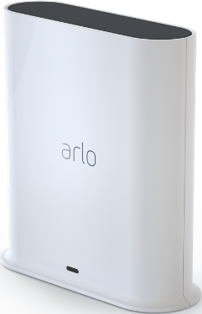
- Related Labels:
-
Arlo Smart
-
Before You Buy
-
Features
-
Installation
-
Troubleshooting


- Mark as New
- Bookmark
- Subscribe
- Mute
- Subscribe to RSS Feed
- Permalink
- Report Inappropriate Content
Hi @coxybruz
Thanks for reaching out. Have you tried doing the reset per these instructions here: https://kb.arlo.com/000063669/How-to-factory-reset-Arlo-Essential-Security-Plug-In-and-Pan-Tilt-Came...
- Mark as New
- Bookmark
- Subscribe
- Mute
- Subscribe to RSS Feed
- Permalink
- Report Inappropriate Content
I have attempted to do this many many times
- Mark as New
- Bookmark
- Subscribe
- Mute
- Subscribe to RSS Feed
- Permalink
- Report Inappropriate Content
Is your phone connected to the same 2.4GHz network when attempting to onboard?
-
Arlo Mobile App
7 -
Arlo Smart
8 -
Before You Buy
10 -
Features
9 -
Installation
10 -
Troubleshooting
12
-
3 Replies
-
2026-09-11 02:15 AM
-
207 Views
-
0 Likes
-
2 In Conversation
-