This topic has been closed to new posts due to inactivity. We hope you'll join the conversation by posting to an open topic or starting a new one.
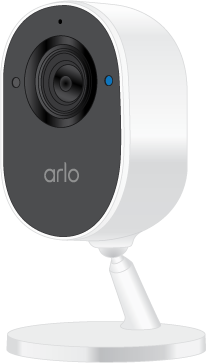
Essential Indoor sharing camera
- Subscribe to RSS Feed
- Mark Topic as New
- Mark Topic as Read
- Float this Topic for Current User
- Bookmark
- Subscribe
- Printer Friendly Page
-
2 Replies
-
2025-07-11 07:58 AM
-
936 Views
-
0 Likes
-
3 In Conversation
-



- Mark as New
- Bookmark
- Subscribe
- Mute
- Subscribe to RSS Feed
- Permalink
- Report Inappropriate Content
When allowing access to a camera, it is asking for subscription for the other people to see the camera. Is that truly the case?


- Mark as New
- Bookmark
- Subscribe
- Mute
- Subscribe to RSS Feed
- Permalink
- Report Inappropriate Content
@docdunkley wrote:
When allowing access to a camera, it is asking for subscription for the other people to see the camera. Is that truly the case?
Sharing cameras doesn't need a subscription. Though if you want the other people to see recordings, you will need a subscription.
Note if you are sharing with a spouse/partner, they could just use your account credentials on their phone.
- Mark as New
- Bookmark
- Subscribe
- Mute
- Subscribe to RSS Feed
- Permalink
- Report Inappropriate Content
Note that each person gets their own Home location. In order for the guest accounts to see your cameras they need to click on Home and select the bottom choice, which is your Home. I suggest renaming Home to make it obvious which to choose.
-
Arlo Cameras
2 -
Arlo Mobile App
6 -
audio
1 -
battery
1 -
Before You Buy
2 -
Cable
1 -
Cord
1 -
Essential Indoor 2nd Gen
3 -
Failed
1 -
Features
2 -
Indoor camera recordings
1 -
Installation
2 -
Live view
1 -
Modes and Rules
1 -
New features
1 -
not working
1 -
notification
1 -
Plug
1 -
reset
1 -
resetting
1 -
Stand
1 -
support phone
1 -
Troubleshooting
11 -
user manual
1 -
Videos
1 -
Vmb5000
1 -
vmc3060
1 -
Wall Mount
1 -
Wifi connection
1
- « Previous
- Next »
-
2 Replies
-
2025-07-11 07:58 AM
-
937 Views
-
0 Likes
-
3 In Conversation
-